Student Tech Product Guide

9 Best Tablets for Students 2026: Real RAM and Pens That Work

Best tablets for students that balance performance, stylus quality, and real battery life — skipping models with virtual-RAM inflation and unreliable pens.

9 Best Tablets for Students 2026: Real RAM and Pens That Work editorial illustration

Many budget tablets advertise huge RAM numbers and include a stylus in the box, but the experience can fall short. The RAM figure often mixes physical memory with slower virtual expansion, and the pen may be a capacitive accessory that skips palm rejection and pressure sensitivity.

That gap matters most on a school budget, where every dollar counts toward a device that has to survive lectures, note-taking, and streaming. This guide focuses on the tablets that use real components — physical RAM, an active stylus, and a screen that keeps up — so you can pick one that works past the first month.

For most students, the sweet spot is $250–$350, where performance and pen support meet without the premium price. Choose based on how you write and what you carry, not just the spec sheet.

#1

Galaxy Tab S10 FE

Galaxy Tab S10 FE

Note-taking

Customer rating 4.7/5
Check Price

Worth Noting

  • Premium pricing places it well above the budget and mid-range tablets in this roundup.
  • WiFi connection stability can vary between units, noticeable during lecture streams or video calls.
Battery Life
20 hrs claimed
Stylus & Pen
S Pen included
Display Specs
10.9-inch 90Hz LCD
Processor & RAM
Exynos 1580, 8GB
Read the full review

The Galaxy Tab S10 FE bundles an active S Pen, a 90Hz 10.9-inch display, and Samsung's Exynos 1580 into one student-ready Android tablet. The 8GB of physical RAM keeps note apps, split-screen study, and lecture streaming responsive — no reliance on the virtual-memory inflation cheaper rivals lean on. The 2304x1440 LCD renders textbook PDFs and handwritten annotations crisply, and the 90Hz refresh makes palm swipes and pen strokes feel immediate. Handwriting, PDF annotation, and sketching work right away with no extra purchases.

The 8000mAh battery carries through back-to-back classes, and the claimed 20-hour figure translates to a real day of mixed note-taking, streaming, and web research. The S Pen registers strokes with minimal latency and never needs charging, staying seated along the tablet edge. The 128GB base storage expands via microSD, so media-heavy coursework won't force constant cloud juggling. Evenings swap course notes for streaming, and the display keeps both sessions equally clear, while the sturdy build rides in a bag all semester.

This is the pick for students who want a premium-feeling Android tablet for handwritten notes without paying flagship prices. Note-takers and artists get the most from the bundled S Pen and the responsive canvas it rides on. Lecture-heavy buyers should weigh that WiFi connection stability can vary between units before committing — a boundary tied to certain routers rather than a universal flaw. Budget-conscious students comparing against the more affordable entries in this roundup should treat the premium price as the real tradeoff.

Bottom line: The S10 FE is the complete Android-package pick for students who write by hand — S Pen, 90Hz display, and all-day battery come standard. Budget-focused shoppers will find the premium price the real hurdle.

#2

Apple iPad 11

Apple iPad 11

Apple ecosystem

Customer rating 4.7/5
Check Price

Worth Noting

  • In rare instances, brief software glitches can interrupt a note-taking session.
  • Premium price point
Battery Life
All-day claimed
Stylus & Pen
Apple Pencil optional
Display Specs
11-inch Liquid Retina
Processor & RAM
Apple A16, 8GB
Read the full review

Seamless integration with an iPhone or Mac is what separates this from the Android tablets in this set — notes, files, and Handoff move between devices with no setup at all. The A16 chip keeps lecture slides, split-screen research, and video playback smooth, and the 11-inch Liquid Retina display stays crisp and readable under lecture-hall lighting. Unlike the renewed iPad elsewhere here, this carries current-generation internals with 128GB of storage, so it won't feel dated within a single semester.

This is built for students who already carry an iPhone or Mac — AirDrop for sharing PDFs, iMessage continuity, and full-featured versions of Notability and GoodNotes. The honest tradeoff: Apple Pencil is sold separately, adding to the real cost of handwriting notes. Students who aren't on Apple devices lose the cross-device conveniences that anchor this pick.

If an app stalls during a lecture, a force-quit and relaunch restores it quickly.

Bottom line: For a student already on iPhone or Mac, the ecosystem glue and top app support make every study day smoother — worth the premium over the Android options here.

#3

Lenovo Idea Tab

Lenovo Idea Tab

Budget note-taking

Customer rating 4.6/5
Check Price

Worth Noting

  • MicroSD expansion can vary between units, though 256GB onboard covers everyday coursework.
  • For long note-taking stretches, the stylus tip feels adequate but lacks premium-pen precision.
Battery Life
12 hrs claimed
Stylus & Pen
Pen included
Display Specs
11-inch 2.5K 90Hz
Processor & RAM
Dimensity 6300, 8GB
Read the full review

The Lenovo Idea Tab comes with a folio case and active stylus in the box, pairing a bright 2.5K 90Hz display with a MediaTek Dimensity 6300 that keeps note-taking and coursework responsive. It won't match the raw speed of the heavier powerhouse in this set — that trade is by design, a lighter, more affordable all-rounder that stays smooth for web research, lecture streaming, and light multitasking.

This suits a budget-conscious student who wants one complete package — pen, case, display — without extra accessory purchases. The included stylus is adequate for daily note-taking but won't match the precision of premium pens, a gap that matters less for casual note-taking than for detailed artwork. The 256GB onboard storage offers ample room for coursework, which softens the reality that microSD expansion can vary between units. Battery life stretches across back-to-back lectures, so a midday recharge rarely becomes necessary.

If you plan to use a microSD card, test it early with your own card — the 256GB onboard storage already covers everyday needs either way.

Bottom line: For a student who wants a capable everyday tablet with the pen already in the box, the Idea Tab delivers dependable value — just don't expect premium stylus precision.

#4

Lenovo Idea Tab Pro

Lenovo Idea Tab Pro

Large screen media

Customer rating 4.6/5
Check Price

Worth Noting

  • Held in hand for long stretches, the weight becomes noticeable
  • Battery endurance can vary between units, so heavy multitasking may demand a midday top-up
Battery Life
11 hrs claimed
Stylus & Pen
Pen included
Display Specs
12.7-inch 3K 90Hz
Processor & RAM
Dimensity 8300, 8GB
Read the full review

The 12.7-inch 3K display gives visual learners and media fans more canvas than the compact tablet in this lineup, while the 90Hz refresh rate keeps scrolling and pen strokes fluid. The Dimensity 8300 handles app switching and split-screen note-taking without stutter, and the included pen writes with low latency that rivals the top pick's S Pen. Against the lighter, budget-oriented Lenovo in this set, the Tab Pro pulls ahead on raw screen size and processing headroom.

This suits students who spend hours watching lectures or sketching on a large canvas, rather than those who need a featherweight slab for hallway use. Battery endurance can vary between units under heavy multitasking, and the weight becomes noticeable during long handheld sessions — both fade into the background when the tablet rests on a desk between classes.

Plug in during study breaks; a quick midday top-up keeps up with a full day of mixed note-taking and streaming.

Bottom line: Students who want a big, fast canvas for media and note-taking get real value here; as long as a charger is nearby during marathon sessions, the size advantage carries the day.

#5

URAO Tablet

URAO Tablet

Budget streaming

Customer rating 4.3/5
Check Price

Worth Noting

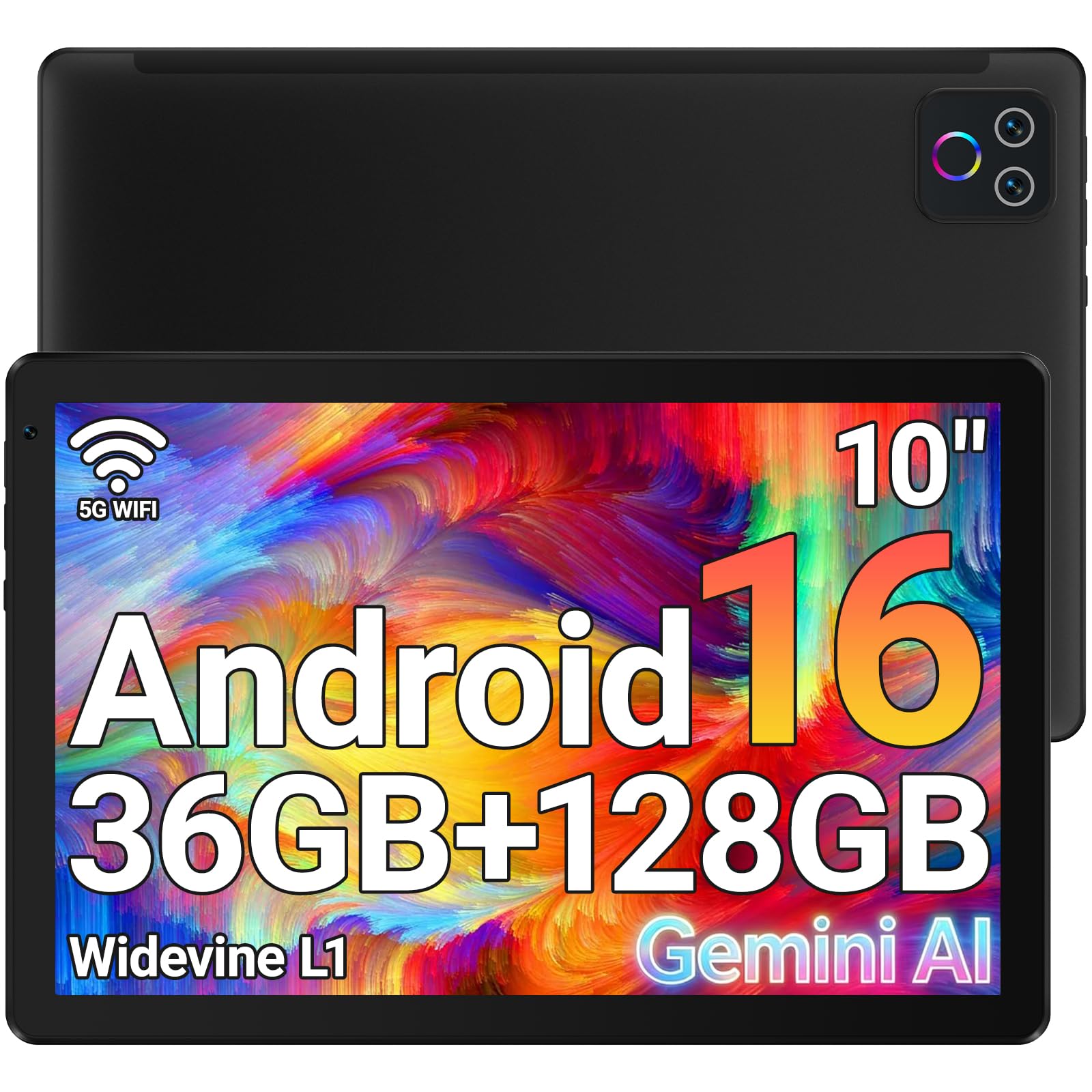
  • Headline 36GB RAM is 6GB physical plus 30GB virtual
Battery Life
8 hrs claimed
Stylus & Pen
Not included
Display Specs
10.1-inch 1280x800
Processor & RAM
Allwinner, 6GB
Read the full review

At $89.99, the URAO strips away the extras that push study tablets into triple digits while keeping the essentials working smoothly. Streaming, web browsing, and light productivity run responsively, and 128GB of storage with a 1TB expandable slot leaves offline course materials plenty of room. Video playback shines on the 10.1-inch IPS panel at this price, quick-charge support keeps a full day of media use within reach, and the lightweight frame is easy to carry between classes.

This fits the student whose coursework lives in browsers and streaming apps — online lectures, research reading, and media between classes rather than handwritten notebooks. Buyers who plan to handwrite notes should note that no stylus ships in the box and a third-party pen is required, pushing the true cost a little past the sticker price.

Bottom line: For a tight-budget student whose study flow stays in browsers and video apps, this tablet's price-to-day-to-day-usability is tough to beat among the options here.

#6

Galaxy Tab A11+

Galaxy Tab A11+

Samsung budget

Customer rating 4.3/5
Check Price

Worth Noting

  • International model ships without official warranty or support, leaving repairs to the buyer.
Battery Life
7040mAh
Stylus & Pen
Not included
Display Specs
11-inch 90Hz LCD
Processor & RAM
Dimensity 7300, 6GB
Read the full review

The Galaxy Tab A11+ brings Samsung's build quality and a 4nm Dimensity 7300 chip to a mid-range price, handling browsing, streaming, and light coursework with ease. The 7040mAh battery promises a full day of use and the 90Hz LCD keeps scrolling fluid. The catch: this international model ships without official warranty or support, so a hardware problem rests on the buyer. That suits tech-savvy students comfortable with self-managed repairs; anyone wanting protection should look at a domestically-backed alternative.

Bottom line: Fits budget-minded Samsung fans who prioritize a modern processor and build quality over warranty-backed peace of mind.

#7

iPad 8th Gen

iPad 8th Gen

Cheap iPad

Customer rating 4.2/5
Check Price

Worth Noting

  • Only 32GB with no expansion slot
Battery Life
10 hrs claimed
Stylus & Pen
Apple Pencil supported
Display Specs
10.2-inch Retina
Processor & RAM
A12 Bionic, 3GB
Read the full review

This renewed 8th-generation iPad looks and feels new straight from the renewal program, opening a low-cost path into iPadOS. The A12 Bionic handles notes, browsing, and streaming without strain, and the 10.2-inch Retina display stays crisp for reading. Battery life can be inconsistent between units, which is why this doesn't climb higher — acceptable for short sessions, not for all-day classes.

Bottom line: For a student on a strict budget who keeps to browsing and notes, this delivers a genuine iPad experience without the flagship sticker shock.

#8

Jeazans Android Tablet

Jeazans Android Tablet

Bundle value

Customer rating 4.0/5
Check Price

Worth Noting

  • Handwriting notes call for a separate third-party stylus
  • Just 3GB of physical RAM backs the 24GB headline
Battery Life
—
Stylus & Pen
Not included
Display Specs
10.1-inch 1280x800
Processor & RAM
1.8GHz, 3GB
Read the full review

It bundles a keyboard, folio case, and 1TB expandable storage for under $90 — a genuine out-of-box productivity setup at an entry-level price. The 10.1-inch LCD and modest octa-core suit browsing and streaming coursework rather than heavy multitasking, which the 3GB of physical RAM behind the 24GB headline can limit. Because no ownership feedback confirms it, real battery life and long-term build quality remain unverified — a meaningful gamble when the tablet must carry a semester of use.

Bottom line: Fits as a budget starter for light coursework browsing and streaming — keep long-term durability in question before committing to daily use.

#9

Lenovo Idea Tab Plus

Lenovo Idea Tab Plus

Large screen value

Customer rating 4.5/5
Check Price

Worth Noting

  • Switching between multiple heavy apps can stutter in some cases
Battery Life
39.1Wh fast charge
Stylus & Pen
Pen included
Display Specs
12.1-inch 2.5K 90Hz
Processor & RAM
Dimensity 6400, 8GB
Read the full review

The 12.1-inch 2.5K panel and quad speakers make video lectures and study playlists look and sound strong at a mid-range price. Fast charging tops the battery up between classes, and the included pen handles basic markup on PDFs. Heavy multitasking with several apps open can produce visible stutter in some cases, which is why this fits media-focused study rather than demanding coursework.

Bottom line: For students who mostly stream lectures and read PDFs, the large 12.1-inch screen and quad speakers make this a fitting mid-range pick as long as heavy multitasking stays off the table.

How to Choose

Stylus and Included Pen

An included stylus is a strong convenience, but not all pens handle note-taking the same way. Active styluses like the S Pen rely on a dedicated digitizer layer, giving you palm rejection, hover, and pressure sensitivity. Capacitive pens that cheaper tablets ship with merely mimic a finger, so you get jittery strokes and accidental palm marks.

Before assuming an included pen means a good writing experience, trace how it connects. Bluetooth-free passive pens are cheaper but often lag; active pens pair to the display and feel closer to paper. On a strict budget, a $250 tablet with an active S Pen can be more useful than a $150 model with a free capacitive stylus.

Display Size and Resolution

Bigger and sharper screens make split-screen work easier, but they cost battery and add weight. A 10.9-to-11-inch panel at 1920x1200 or higher is enough for reading and annotating; a 12.7-inch 3K display gives you room to keep lecture slides and notes side by side without squinting.

Higher pixel counts and faster refresh rates (90Hz) draw more power, so you may trade battery life for smooth scrolling. If you carry the tablet in a backpack all day, weight matters too — a 12-inch-plus slab at over a pound gets uncomfortable in hand.

Processor and Physical RAM

Virtual RAM is the biggest spec trap in budget tablets. A listing might claim 20GB, but only a fraction is physical — the rest uses storage as a slower swap space. That is why a tablet with 'enough RAM' still stutters when switching apps.

Look at the processor name and physical RAM for real clues. An 8GB physical module with a Dimensity 6300 or Exynos 1380 is adequate for lectures and media; an octa-core chip paired with 3GB of physical RAM will feel underpowered no matter how many virtual gigabytes are advertised.

Battery Life

Manufacturer battery estimates come from video playback at a fixed brightness, not a real day of classes with WiFi, annotations, and downloads. Expect roughly 60–70% of the claimed figure in everyday student use.

An 11-hour claim can realistically give you a full day on moderate use, but a 6-hour claim means you will need charger access before afternoon. Reviews that mention 'full day' are better than spec-sheet numbers; battery chemistry also degrades after a year, so factor that into secondhand buys.

Storage Capacity

Internal storage determines how many apps and updates you can keep installed, and expandable microSD is mainly for files. On many Android tablets, apps cannot be fully moved to a memory card, so a small internal drive fills up fast.

Some budget listings add 'virtual storage' expansions to the number, but only the physical internal drive counts for app performance. 128GB is a safe baseline for a student; 64GB can work if you rely on streaming and cloud documents, but plan to delete frequently.

Frequently Asked Questions