Student Tech Product Guide

8 Best Scanner for Students in 2026: That Work With Your Laptop

Which student scanners run smoothly on macOS and Windows 11 and match how you actually digitize notes — without the compatibility headaches.

8 Best Scanner for Students in 2026: That Work With Your Laptop editorial illustration

Scanner marketing promises plug-and-play across every operating system, but the reality is less forgiving. Students regularly hit connection problems plugging a new scanner into macOS Monterey or Windows 11 laptops, even from major brands. Compatibility comes down to the specific model and driver support, not the logo on the box.

The bigger decision separates portability from throughput. A single-sheet mobile scanner slips into a backpack but forces manual flipping of double-sided handouts. A desktop unit with an auto-feeder clears entire course packs without stopping, at the cost of staying chained to your desk.

Matching the scanner to how you actually study matters far more than brand reputation. The pick that drains the least of your time is the one whose driver support and feeding mechanism line up with your laptop and your weekly page count. That alignment decides whether digitizing notes feels effortless or eats study hours.

#1

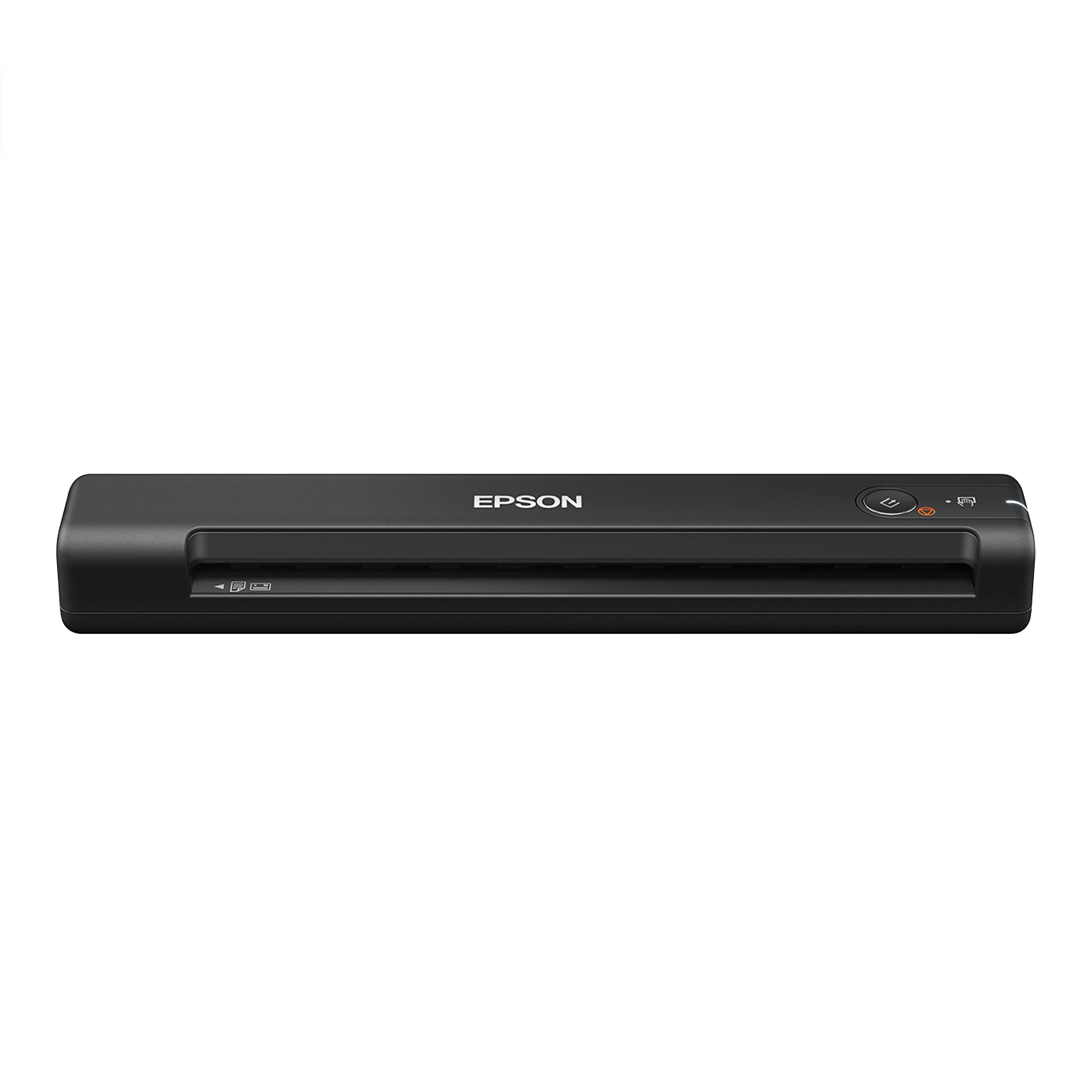
Epson ES-400 II

Epson ES-400 II

High-volume scanning

Customer rating 4.5/5
Check Price

Worth Noting

  • Windows 11 setups can need a driver workaround before the first scan.
Duplex
Yes
Scan Speed
35 ppm
Portability
Desktop unit
Feeder Capacity
50 sheets
Read the full review

The ES-400 II takes a semester's worth of handouts without a second load — a 50-sheet feeder and 35 ppm duplex speed turn a full course pack into a single desk session. Dual-sided capture runs in one pass, so stapled note sets arrive as a clean two-sided PDF rather than a pile of pages to reorder. The feeder is large enough that whole packets drop in and scan unattended, which is the throughput this tier is judged on. Sustained pace carries the advantage once the stack runs past a single handout, where portable one-sheet units lose time.

Setup stays out of the way — a USB cable and the bundled ScanSmart software get a first scan within minutes, and the duplex path accepts mixed paper weights and highlight-heavy handouts without constant attention. Output saves as searchable PDFs or JPEGs depending on the assignment, suiting both submitted reports and archived note folders. The unit runs quietly through a tray and needs no maintenance beyond the occasional wipe of the glass, so it fits a dorm desk without dominating the room.

This scanner assumes a permanent desk spot and a budget that reaches into premium territory — the right fit for a student who digitizes whole lecture packs each week rather than loose pages between classes. Portability belongs to the pocket-size units in this set, so this one stays wired to a desk. The Windows 11 driver can require a workaround on newer builds, so a macOS machine or a Windows setup already on the current driver keeps sessions smooth.

The trade-off for that throughput is literal bulk: where a pocket-size traveler tucks into a backpack, this unit demands a desk corner, a power cord, and a USB cable. The speed advantage only surfaces when the tray is full, so a two-page handout runs just as quickly through a smaller single-sheet feeder.

For the student carrying five courses of dense handouts, one-pass throughput is what lifts the ES-400 II above the budget feeders in this line-up. The premium price buys capacity and dependable duplex feeding rather than features a student rarely touches — a trade that pays off when deadline season means a full tray every week. Students scanning occasional pages may never feel that capacity, so the bulk and cost only justify themselves at real volume.

Bottom line: A desk-bound scanner that clears whole course packs in minutes — the right fit for the student whose workload is measured in full packets rather than loose pages.

#2

Brother DS-640

Brother DS-640

On-the-go

Customer rating 4.3/5
Check Price

Worth Noting

  • macOS Sonoma and recent Windows 11 builds may need a connection workaround
  • In some cases, the unit can stop responding during a scan session
Duplex
No
Scan Speed
16 ppm
Portability
Portable, 1 lb
Feeder Capacity
1 sheet
Read the full review

At 1 lb with a single-sheet feed, the DS-640 is the lightest scanner in this lineup — light enough to ride in a backpack between classes and pull out on a library table. It captures single-sided pages at 16 ppm, which suits text-heavy notes and handouts, and its USB connection keeps setup free of WiFi pairing. Where the top pick's 50-sheet feeder tears through a whole course pack, this stays in single-page territory.

The unit installs in minutes with plug-and-play drivers, and a rigid casing with a feed path that clears easily takes daily transport in stride. A 300 dpi output reads handwritten notes cleanly, and feeding loose pages runs roughly three seconds apiece at 16 ppm.

This suits students whose scanning is mostly one-sided — lecture notes, assignment cover sheets, single-page handouts — captured on the move. The tradeoff sits at the feed path: it accepts one sheet at a time, so a double-sided handout must be flipped and rescanned manually, with no duplex option. Portability wins over throughput here; anyone working through entire course packs should look at the 50-sheet top pick instead. For lightweight, easy single-sheet capture with little else to learn, the DS-640 delivers.

Keep the scanner on a stable macOS or Windows build whose update timing you control — connection setup goes smoother that way.

Bottom line: If your scanning is mostly one-sided pages away from a desk, the DS-640 is the lightest way to capture them — just keep it on an OS build you control.

#3

Brother DS-740D

Brother DS-740D

Portable duplex

Customer rating 4.3/5
Check Price

Worth Noting

  • Some Windows 11 ARM setups drop the USB connection until a driver workaround is applied.
  • A mid-batch jam stops the scan and takes a moment to clear from the feeder.
Duplex
Yes
Scan Speed
16 ppm
Portability
Portable
Feeder Capacity
25 sheets
Read the full review

The DS-740D runs both sides of a double-sided handout through a single auto-feed pass, a step the lighter single-sheet portable in the same lineup skips. Its 25-sheet feeder and 16 ppm duplex speed clear a lecture's notes in one load, and the compact body tucks into a backpack without a desktop footprint. Output tops out at 300 dpi, crisp for text and homework but not a match for flatbed photo detail.

Scanning speed cuts real time off the job — a multi-page assignment runs through without pausing, and the solid build takes the daily knocks of travel between classes. The USB connection holds steady on mainstream macOS and Windows systems, with scan settings managed from bundled software.

This fits the student digitizing double-sided notes and handouts on the move — someone who values portability and duplex capture over raw throughput or flatbed detail. The auto-feeder can jam on curled or stapled sheets, and some Windows 11 ARM systems drop the USB connection until a driver workaround is installed, so confirm compatibility before ordering.

Feed clean, flat sheets in loose stacks — the feeder runs smoothest when paper sits aligned and unwrinkled.

Bottom line: For the student who scans double-sided handouts away from a desk, the DS-740D puts duplex capture in a bag-friendly body at a mid-range price.

#4

Canon LiDE 300

Canon LiDE 300

Budget home desk

Customer rating 4.2/5
Check Price

Worth Noting

  • An occasional copy may cease to operate within its first year of use
  • No duplex, so double-sided handouts need a manual flip and rescan
  • Newer macOS versions may need a driver workaround before the connection holds
Duplex
No
Scan Speed
—
Portability
Desktop, 3.6 lbs
Feeder Capacity
Flatbed
Read the full review

The LiDE 300 is the lowest-priced flatbed in this lineup, pairing a budget sticker with 2400 dpi optics that pull fine detail out of handwritten notes and dense textbook pages. Where portable duplex sheet-feeders shuttle pages through rollers, the rigid platen holds a single page flat against the glass, so edge text, margin marks, and pencil shading stay crisp instead of skewing mid-sheet. That makes it a precise tool for the occasional page that matters.

Setup takes about a minute: plug in the USB cable, run the bundled installer, and the on-panel button routes scans straight to PDF or copy. The software stays minimal enough to skip a learning curve, which keeps the workflow friendly for occasional desktop use rather than high-volume runs. It is not built for speed on multi-page jobs — each sheet needs its own placement — but that suits a student who scans a few handouts at a time.

The fit here is a budget-conscious student who digitizes single-sided notes and assignments at a desk and leaves the scanner plugged in on one surface. Portability is not part of the package, so scanning at the library rules this model out — that workload belongs to the portable feeders in this set. Students running whole course packs will also find the high-volume duplex top pick the better call.

Pair it with a macOS version on the official support list and the USB connection settles in without extra steps.

Bottom line: For the student who scans single-sided pages a few at a time on a fixed desk, this flatbed delivers precise detail at the lowest price in the set — just confirm your macOS version is supported before you commit.

#5

ScanSnap iX1300

ScanSnap iX1300

Wireless dorm use

Customer rating 4.2/5
Check Price

Worth Noting

  • With flimsy photocopied handouts, the 20-sheet feeder can jam and stall the run.
  • The Wi-Fi link can drop mid-session, pausing capture until the scanner reconnects.
Duplex
Yes
Scan Speed
30 ppm
Portability
Compact desktop
Feeder Capacity
20 sheets
Read the full review

Wi-Fi capture sets the iX1300 apart in this lineup — a 30 ppm duplex pass over a wireless link, in a body about the size of a loaf of bread. The faster bulk model here reaches 45 ppm only over a USB cable, so the iX1300 trades a measure of top speed for scanning from across a dorm room. Compactness reinforces the pitch; the footprint leaves the desk clear for a laptop and notebooks.

This scanner suits the student who digitizes double-sided notes over Wi-Fi from a bed or desk, keeping the 20-sheet feed light and the router close. The boundaries are real and stated plainly: the wireless link can drop mid-session, and flimsy handouts may jam the feeder. Both stay containable for one-to-five-page scans, while batch digitizing whole course packs points to the 50-page feeder of the top pick.

Set near the router, the iX1300 returns clean duplex color scans of handwriting and printed handouts at 600 dpi, and the compact body sits quietly on a shelf when idle. Speed holds steady on multi-page runs within feeder capacity, which suits an assignment load without commanding the whole desk.

Confirm the Wi-Fi link before scanning a long stack; a mid-run drop interrupts the pass, though the scanner resumes where it left off once reconnected.

Bottom line: For the dorm student who wants duplex scanning without a cable, the iX1300 delivers the wireless workflow at the center of this category — a fit that holds up within a weekly scanning rhythm.

#6

Epson ES-50

Epson ES-50

Light travel

Customer rating 4.3/5
Check Price

Worth Noting

  • Newer macOS builds may need a driver workaround before the ES-50 appears as a capture device.
  • Daily multi-page sessions can shorten a unit's usable life
Duplex
No
Scan Speed
5.5 sec/page
Portability
Portable, 9.44 oz
Feeder Capacity
1 sheet
Read the full review

At 9.44 oz, the ES-50 is the easiest model here to carry — it drops into a laptop bag and captures a single page in about 5.5 seconds at 1200 dpi, which suits a student who digitizes an occasional handout or receipt between classes.

Longevity can differ between units — clean feeding may slip after a few months of steady use — and newer macOS releases can demand connection workarounds. For a student who scans a few single-sided pages a week, those limits stay acceptable: the scanner remains light and each page captures in seconds. Heavy course-pack runs belong to the high-capacity duplex feeders in this set.

Update the Epson Scan driver before the first session to keep macOS connection steps to a minimum.

Bottom line: Best for the student who digitizes a few single-sided pages between classes and wants a scanner that rides along in a shoulder bag — with tolerance for the occasional macOS workaround.

#7

Canon R10

Canon R10

Duplex on budget

Customer rating 4.0/5
Check Price

Worth Noting

  • With a fuller stack, the feeder can occasionally skip a page mid-scan, so a quick check of the output before filing helps.
  • Newer Mac and Windows 11 machines may need connection workarounds before the scanner mounts.
Duplex
Yes
Scan Speed
12 ppm
Portability
Portable
Feeder Capacity
20 sheets
Read the full review

The Canon R10 slips into a backpack and still handles duplex capture — double-sided lecture handouts move through a 20-sheet feeder in a single pass, something the budget flatbed in this set can't match. That's the appeal for a student who wants portability plus double-sided notes without a desktop footprint.

Its limits sit in feeding consistency and OS compatibility, which keeps this as a secondary option rather than the lead pick. For a student on compatible hardware who scans modest stacks, the R10 still delivers genuinely portable duplex capture in a compact shell.

Bottom line: Fits a student on compatible hardware who scans double-sided handouts in modest stacks; one-sided note piles are better served by the cheaper portable in this lineup.

#8

Plustek S410 Plus

Plustek S410 Plus

Simple portable

Customer rating 4.2/5
Check Price

Worth Noting

  • Single-page feed with no duplex
  • On some devices the USB link may not establish, with a driver reinstall as the only workaround.
Duplex
No
Scan Speed
—
Portability
Portable
Feeder Capacity
1 sheet
Read the full review

The S410 Plus is the budget option here and performs its one job cleanly: slide a page in and it scans at 600 dpi with no buttons to press, straight into the bundled OCR software. On a compatible Windows machine the whole setup is plug-and-play.

The simplicity has a cost: the single-sheet feed covers one side only, so double-sided handouts must be flipped and rescanned by hand, and some devices may need a driver workaround before the USB link first appears. Durability across a heavy course-load semester is less established than the other picks. That fits a student who scans a handful of single-sided pages a week rather than an entire course pack.

Feed each page with the leading edge flat and straight — the single-sheet path handles clean pages smoothly.

Bottom line: Worth it for the student who scans a few single-sided notes a week at a home desk — double-sided handouts fall outside its reach.

How to Choose

Duplex Scanning

Duplex scanners grab both sides of a page in a single pass, while single-sided units force you to flip and rescan. The hidden cost is mechanical: a second scan bar and extra feed rollers that can misfeed crumpled handout pages.

If most of your material is single-sided lecture slides, duplex is a feature you pay for and never use. If you regularly digitize double-sided textbook chapters, it saves hours across a term.

Portability and Weight

A scanner light enough for a backpack trades capacity for size. Single-sheet portables weigh under a pound but feed one page at a time, so a 40-page packet means 40 separate insertions.

Desktop units with auto-feeders clear whole stacks without attention, but they live on a desk. Buy portability only if you actually scan away from home; a student who only scans at their desk gains nothing from a lighter body.

Operating System Compatibility

Manufacturers print 'Windows and macOS' on the box, but driver support lags every OS update. A scanner that connects cleanly on Windows 10 often stops registering on Windows 11 until a new driver ships, leaving you on support forums instead of studying.

Check the manufacturer's driver page for a version dated after your OS install before you buy. This single step filters out most compatibility problems students report.

Scan Speed

Speed appears as pages per minute, but what matters is throughput across a whole packet. At 5.5 seconds per page, a 40-page handout takes over three and a half minutes of feeding; at 35 ppm it clears in barely over a minute.

If you scan a few pages a week for notes, slow speeds never surface. If you digitize entire course packs at exam time, a faster unit pays for itself in saved hours.

Document Feeder Capacity

The auto-document feeder sets how many pages you can load before walking back. A 20-sheet feeder handles a typical handout; a 100-sheet feeder clears an entire binder chapter.

Bigger feeders mean more internal rollers, which adds cost and creates more surfaces for jams with stapled or dog-eared pages. Match feeder size to your typical packet, not the maximum you can imagine.

Frequently Asked Questions