STEM Toys Product Guide

14 Best Robotics Kits for Middle School in 2026: Builds That Connect

Help choosing robotics kits for middle schoolers that actually pair, power, and run, matched to the child's age and coding level.

14 Best Robotics Kits for Middle School in 2026: Builds That Connect editorial illustration

Many middle school robotics kits advertise app-based coding and multi-model builds, but the real bottleneck is connectivity. A kit that won't pair with its app, or a solar panel that dies indoors, turns a promised learning project into a frustrating afternoon.

The most dependable kits share a simple pattern: honest power sources, tested control options, and coding depth matched to the student's actual age. A solar robot that performs under direct sun behaves nothing like one in a living room. Bluetooth pairing works until it doesn't. Let those realities shape the choice more than piece count.

For most middle schoolers, the practical range sits between $40 and $60, where you get genuine programmability without the connection headaches of budget solar builds. Match the coding level to the child and the kit teaches for years, not one evening.

#1

ELEGOO UNO R3 Car Kit

ELEGOO UNO R3 Car Kit

Arduino learners

Customer rating 4.5/5
Check Price

Worth Noting

  • WiFi/Bluetooth pairing can drop in some cases, so plan for re-pairing before the first coding session.
  • Some units may arrive with defects that need resolving before the robot runs as intended.
Connectivity
WiFi, Bluetooth
Power Source
Battery pack
Programmability
Arduino IDE
Build Complexity
Robot car with camera
Read the full review

Genuine Arduino C++ programming drives this car — an ESP32-WROVER FPV camera streams the robot's view while line-tracking and ultrasonic sensors handle navigation. The assembly itself is a highlight, taking a few hours of satisfying construction that teaches engineering and real code rather than just snapping plastic together. The camera gives programming a tangible payoff: what a child writes in the Arduino IDE changes what the robot sees and does, making the link between code and movement immediate.

Certain build steps require trial and error when instructions run unclear, a solvable hurdle rather than a dead end and part of the tinkering culture Arduino is known for. It sits a step ahead of the block-coded buggy in this set for a student ready to move past drag-and-drop, delivering depth that grows with the learner. For an older middle schooler (12+) who enjoys tinkering and debugging, the troubleshooting becomes part of the lesson toward genuine C++ depth. Families that treat a shared debugging session as part of the fun will find it a rewarding weekend project; a younger child wanting instant results should start with a friendlier build.

Bottom line: The deepest real-C++ education in this roundup — worth the setup patience for a middle schooler who wants to learn how robots think, not just drive one.

#2

Makeblock mBot

Makeblock mBot

Beginner coders

Customer rating 4.6/5
Check Price

Worth Noting

  • Over extended use, a unit can stop responding to uploaded programs, cutting a session short.
Connectivity
Bluetooth, IR remote
Power Source
Battery
Programmability
Block-based app
Build Complexity
Two-wheel buggy
Read the full review

The mBot is the approachable alternative to the Arduino-grade top pick: a metal two-wheel buggy assembled in about 15 minutes and programmed with drag-and-drop blocks in the Makeblock app. Newcomers, including preteens with no coding background, get their first moving robot without wrestling C++ or wiring first.

It suits first-time coders aged 8-12 who want a guided introduction and classroom settings needing a scalable starter robot. The block language is outgrown once a middle schooler craves typed code, and over time the Bluetooth link can drop or degrade, so re-pairing becomes part of the routine.

Bottom line: Right for households and classrooms easing a first-time builder into robotics without a coding prerequisite — expect to graduate to text languages once the student is ready.

#3

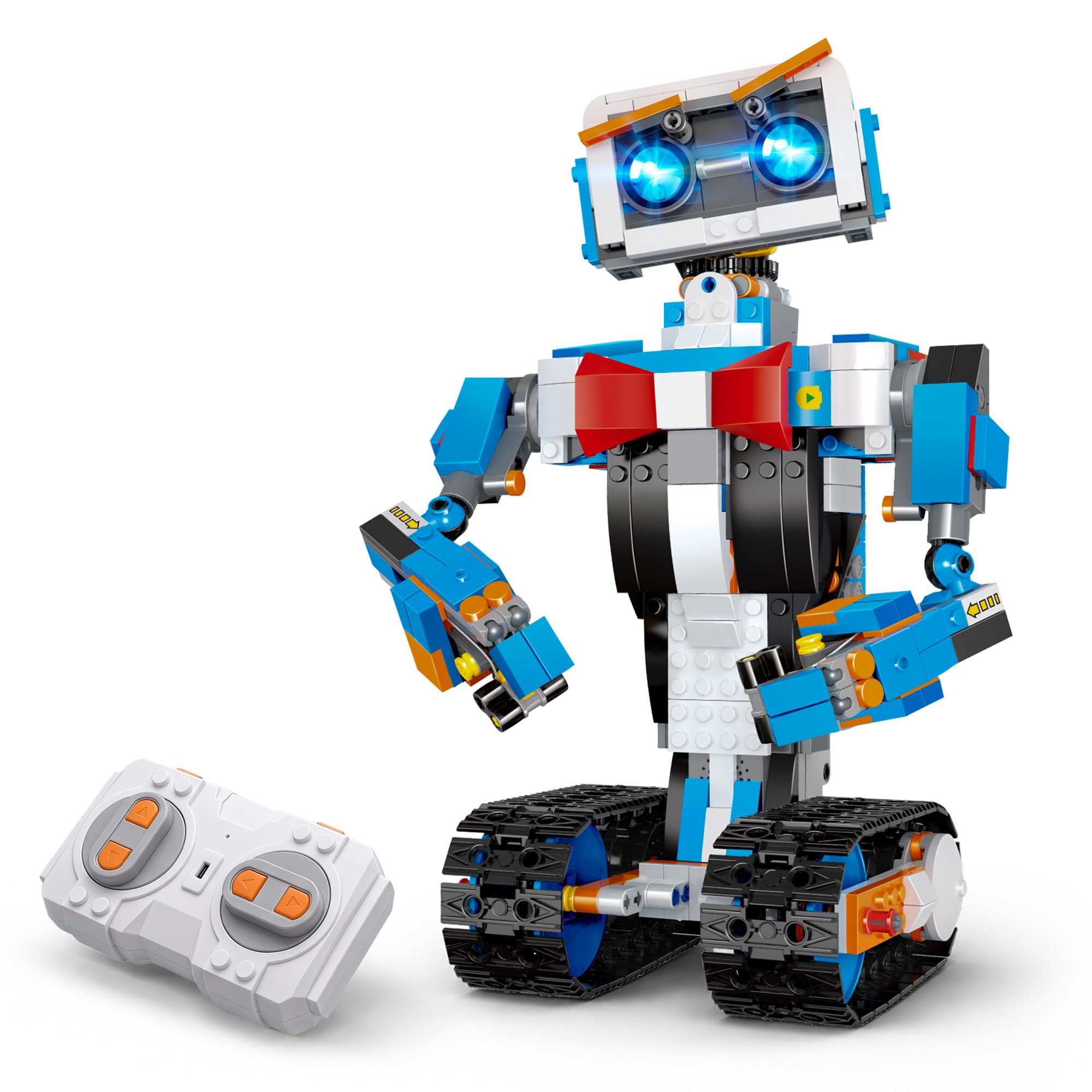
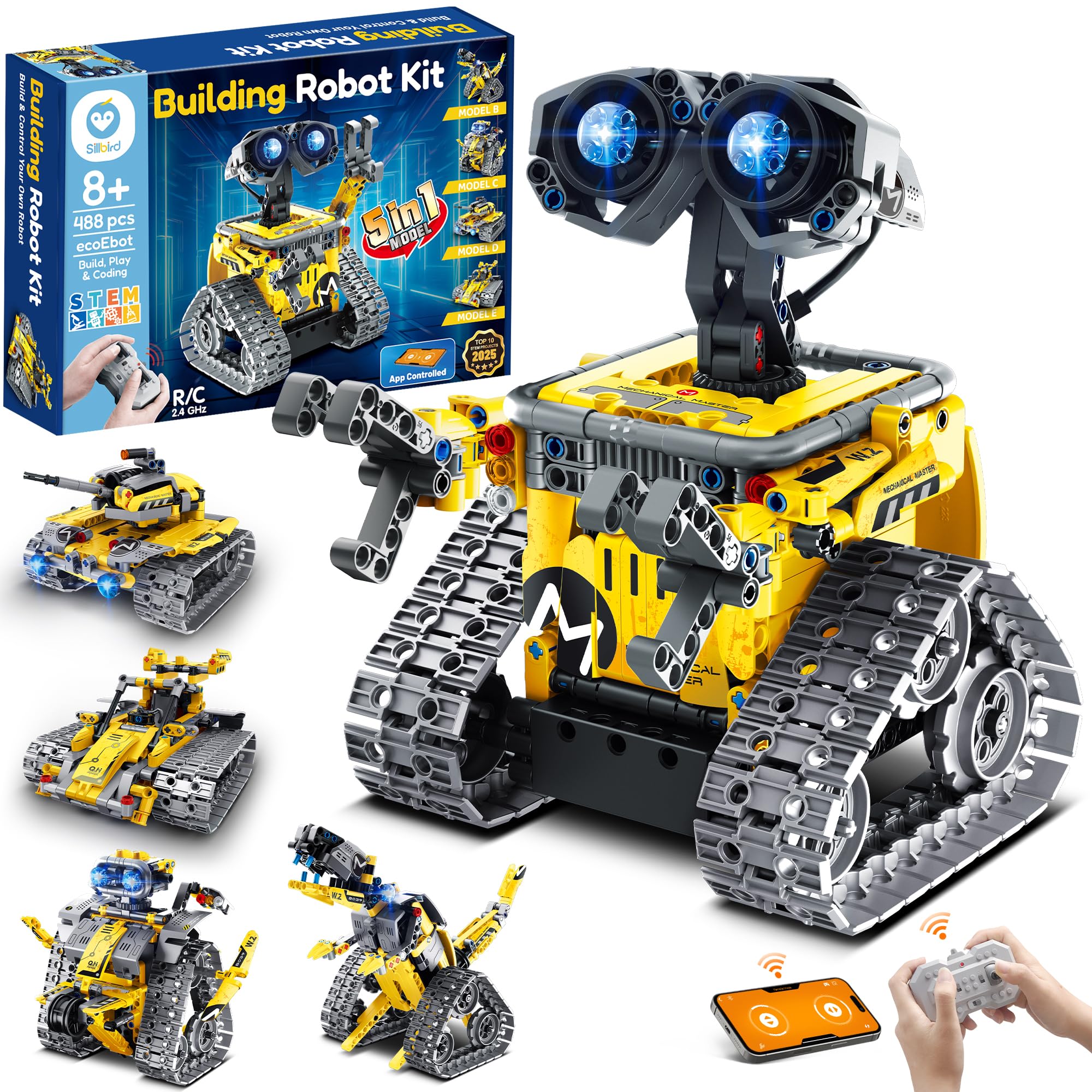
Sillbird 5-in-1 Robot

Sillbird 5-in-1 Robot

Multi-model builders

Customer rating 4.6/5
Check Price

Worth Noting

  • The larger builds run long and benefit from adult help during assembly
  • App pairing can take several attempts, and remote controls can feel unresponsive at times
Connectivity
App and remote
Power Source
Rechargeable
Programmability
None, app control
Build Complexity
5 models, 488 pcs
Read the full review

488 pieces rebuild into five distinct machines — a robot, dinosaur, tank, car, and more — giving this set a shelf life the single-model coding pick can't match. The rechargeable battery and dual app-or-remote control bring modern handling absent from the solar kits in this roundup. It best suits a middle schooler who enjoys the assembly process itself and values model variety over programming depth, and it arrives at a budget-friendly price. The tradeoff shows up in the bigger builds, which run long and expect adult help, and in app pairing that can take a few attempts before connecting.

Pair the app with the robot fully charged and close by — a fresh connection pairs more smoothly than one attempted mid-build.

Bottom line: Best for a young builder who loves assembly and wants several complete machines from one box — enlist adult help for the bigger models and keep expectations measured for the app link.

#4

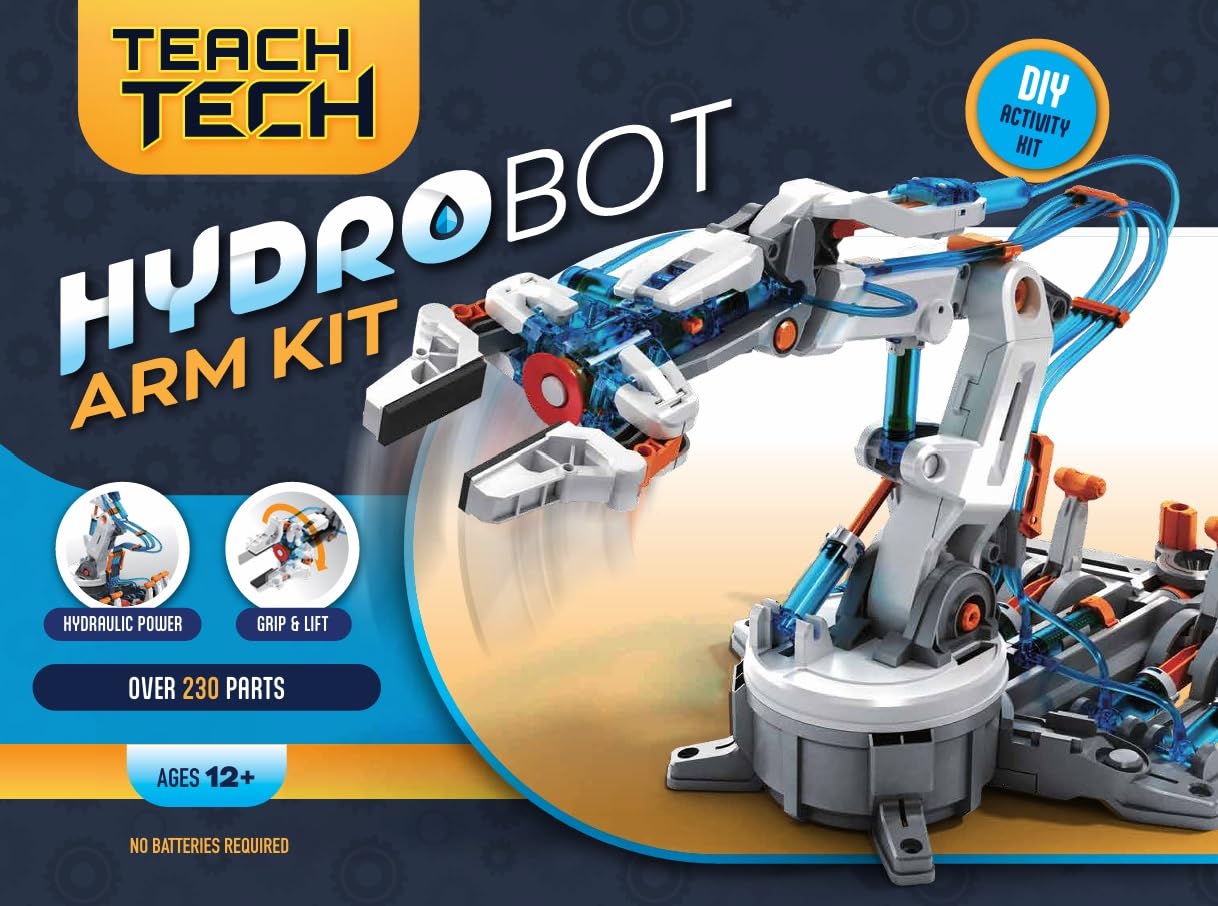
Teach Tech Hydrobot Arm

Teach Tech Hydrobot Arm

Hydraulics enthusiasts

Customer rating 4.5/5
Check Price

Worth Noting

  • After assembly, the gripper and arm joints may not move as fluidly as the demo suggests
Connectivity
None
Power Source
Hydraulic, no battery
Programmability
None, mechanical
Build Complexity
6-axis arm
Read the full review

Where other screen-free kits lean on coding wheels, this 6-axis hydraulic arm teaches fluid power through pure mechanical engineering — no motors, no batteries, and no code in the build. It runs entirely on hydraulic pressure with 270-degree rotation and an open/close or suction gripper, which makes it the clearest counterpoint to the top pick's Arduino setup.

This suits meticulous builders 12 and up who enjoy a slow, deliberate assembly and want to see how fluid pressure moves machine parts. Plastic pieces can be fragile during assembly and the build demands real patience, so it rewards careful hands more than it offers a quick, forgiving first robot.

Bottom line: The choice for a patient middle schooler who wants to understand machines rather than program them — a careful assembly earns a working arm no battery needs to power.

#5

Teach Tech Mech-5

Teach Tech Mech-5

Screen-free coding

Customer rating 4.4/5
Check Price

Worth Noting

  • Some units arrive with poorly finished parts needing trimming before assembly
Connectivity
None
Power Source
2 AAA batteries
Programmability
Mechanical coding wheel
Build Complexity
Single robot build
Read the full review

The Mech-5 swaps wiring and apps for a hand-cranked coding wheel that programs the robot to throw, lift, kick, and draw on two AAA batteries — clean sequencing logic with no screen. Where the hydraulic arm in this lineup does pure fluid power, this one runs on replaceable batteries so kids can rerun their code over and over.

It suits middle schoolers who respond to visible cause-and-effect, and the mid-range price keeps it a low-stakes first mechanical build. Quality varies between units, though — some arrive with poorly finished parts that need trimming, so plan for extra set-up time.

Let an adult trim or sand any rough-edged parts before assembly to speed up the first build.

Bottom line: Priced for a first mechanical build, the Mech-5 delivers real sequencing logic once you've trimmed any rough-edged parts.

#6

KIDWILL 14-in-1 Solar

KIDWILL 14-in-1 Solar

Budget solar builds

Customer rating 4.4/5
Check Price

Worth Noting

  • Build quality can vary between units, with some parts arriving fragile.
  • On the trickier models, fiddly assembly with ill-fitting pieces calls for adult help.
Connectivity
None
Power Source
Solar or AAA
Programmability
None
Build Complexity
14 models
Read the full review

Fourteen build options run on either solar or a single AAA battery, delivering genuine engineering variety at a budget price — no screens, no app, no coding to manage. The battery fallback keeps builds moving under ordinary indoor lighting, the one thing a pure-solar kit won't handle.

This rewards kids who enjoy a hands-on engineering challenge over instant movement, with real educational payoff in each assembly. It fits budget-minded families who want a multi-model set and a young builder patient enough to problem-solve their way through — the build itself is the reward.

Keep solar for bright, sunny windows; the AAA battery mode carries indoor builds dependably.

Bottom line: Budget families who want real multi-model engineering variety at minimal cost will find it here — just expect a patient assembly session with adult backup for younger kids.

#7

okk 635-Piece Robot

okk 635-Piece Robot

Remote control play

Customer rating 4.4/5
Check Price

Worth Noting

  • Worth testing the unit soon after arrival
Connectivity
Bluetooth
Power Source
Rechargeable lithium
Programmability
App control only
Build Complexity
635 pieces
Read the full review

A 635-piece kit built around driving — the 2.4GHz remote is dependable, assembly is manageable, and the rechargeable battery extends play. Bluetooth app pairing can be troublesome, so the remote is the steadier control path. It fits kids who want to build and drive, less so those expecting seamless app control.

Bottom line: Best for families who want a build-and-drive kit steered by remote, with app coding as an afterthought.

#8

Wesfuner 30-in-1 Solar

Wesfuner 30-in-1 Solar

Variety solar builds

Customer rating 4.5/5
Check Price

Worth Noting

  • Printed steps can be hard to follow at some points in the build.
Connectivity
None
Power Source
Solar or battery
Programmability
None
Build Complexity
243 pieces
Read the full review

Thirty models from 243 pieces is the standout draw — a budget kit that keeps a curious builder busy across many afternoons. The tradeoff sits in the build: some assembly steps demand patience and careful handling, which fits a child who enjoys working through tricky instructions over one expecting instant results.

Switch to battery mode for indoor builds — solar alone may not power every build under house lighting.

Bottom line: Best for budget gift-buyers who value build variety — a patient builder gets 30 projects for the price of one kit.

#9

Kyanio 3-in-1 Robot

Kyanio 3-in-1 Robot

Themed coding robots

Customer rating 4.6/5
Check Price

Worth Noting

  • For kids new to building, the 560-piece assembly can be challenging, with some steps needing a patient adult.
Connectivity
Remote and app
Power Source
Type-C rechargeable
Programmability
App programming
Build Complexity
560 pieces
Read the full review

A fun military-themed 3-in-1 with genuine app-based programming and Type-C rechargeable power, backed by praised build quality and strong gift appeal. The tradeoff: at 560 pieces with some demanding steps, it suits patient builders 12 and up — and long-term durability is less established than the leading picks here, so a helper and tolerance for troubleshooting are wise.

Bottom line: For a teen 12+ who wants real app-based coding in a military theme without the full Arduino climb, this delivers — provided a patient adult is on hand for the build.

#10

Opmind 5-in-1 Robot

Opmind 5-in-1 Robot

Complex building

Customer rating 4.6/5
Check Price

Worth Noting

  • The demanding assembly and optimistic 8-13 age range make adult help a near-requirement for younger builders.
Connectivity
Remote and app
Power Source
400mAh lithium
Programmability
App coding
Build Complexity
494 pieces
Read the full review

Five models from 494 pieces, driven by app coding and a rechargeable lithium battery, with assembly kids enjoy. Coding depth plus remote control across the builds gives solid teaching value. The demanding assembly and optimistic 8-13 age range mean adult help for a long session — this suits patient older elementary and middle school builders rather than young kids.

Bottom line: Best for patient older elementary and middle school kids who want coding depth and don't mind a long build with adult help.

#11

Apitor Robot J 6-in-1

Apitor Robot J 6-in-1

Building and coding

Customer rating 4.6/5
Check Price

Worth Noting

  • Icon-based Scratch programming stays beginner-friendly but caps progression for kids ready to move into text-based control.
Connectivity
—
Power Source
—
Programmability
Scratch-based app
Build Complexity
480 pieces
Read the full review

Six models rebuild from 480 pieces, powered by two high-speed motors and coded through an icon-based Scratch app that mirrors classroom blocks. The variety suits beginner coders, yet durability over long ownership remains unconfirmed, so treat advertised specs as provisional rather than guaranteed.

Bottom line: Buy for a curious middle-schooler who wants app-based coding and six builds from one set — a fit when the family is comfortable paying for what the specs promise.

#12

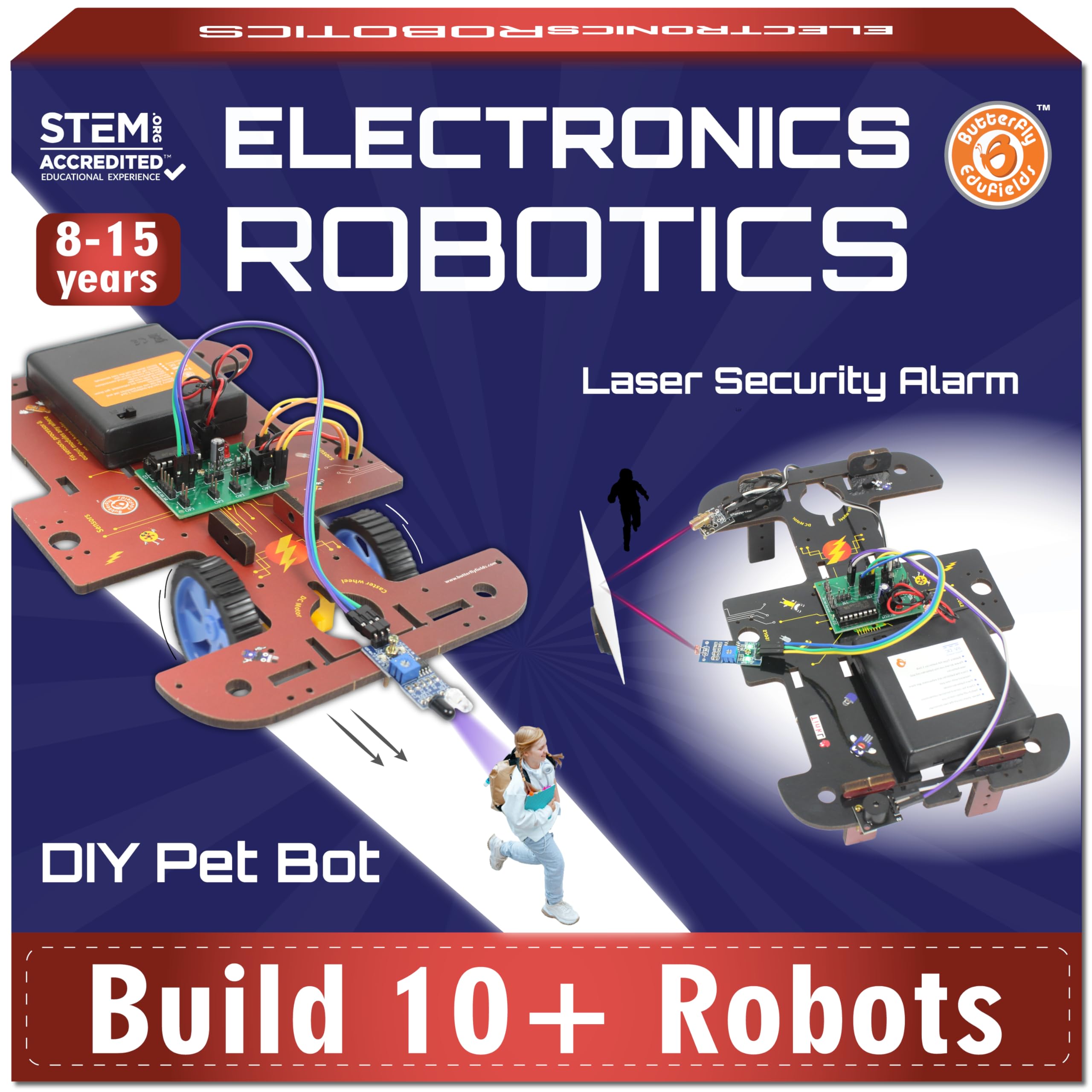
Butterfly EduFields 10-in-1

Butterfly EduFields 10-in-1

Electronics projects

Customer rating 4.4/5
Check Price

Worth Noting

  • Power adapter that doesn't match the port can stop the build entirely until a replacement arrives.
Connectivity
None
Power Source
Wall adapter
Programmability
—
Build Complexity
10 models
Read the full review

A 10-in-1 wood kit packing 100+ electronic parts keeps kids who enjoy circuits genuinely engaged, and the range of experiments rewards a curious student. Some units ship with an adapter that doesn't fit the port, and part quality varies, so it fits classrooms with adult help and spare parts rather than gift-ready boxes.

Bottom line: This kit suits a patient STEM student with adult help and a spare adapter ready, not a buyer expecting a ready-to-run present.

#13

Tsomtto 6-in-1 Robot

Tsomtto 6-in-1 Robot
Customer rating 4.5/5
Check Price

Worth Noting

  • Unclear instructions and tiny screws slow assembly, so a helper is expected for younger builders
Read the full review

This budget kit splits into six separate small robots, giving young builders several short projects and a genuine first taste of motorized assembly. Instructions can be unclear, and tight fits with tiny screws slow the build, so plan on adult help; some pieces may not move as expected once assembled.

Bottom line: Fits the budget shopper willing to lend a hand — several short motorized projects for the price of one. Skip it if you want clear self-guided instructions.

#14

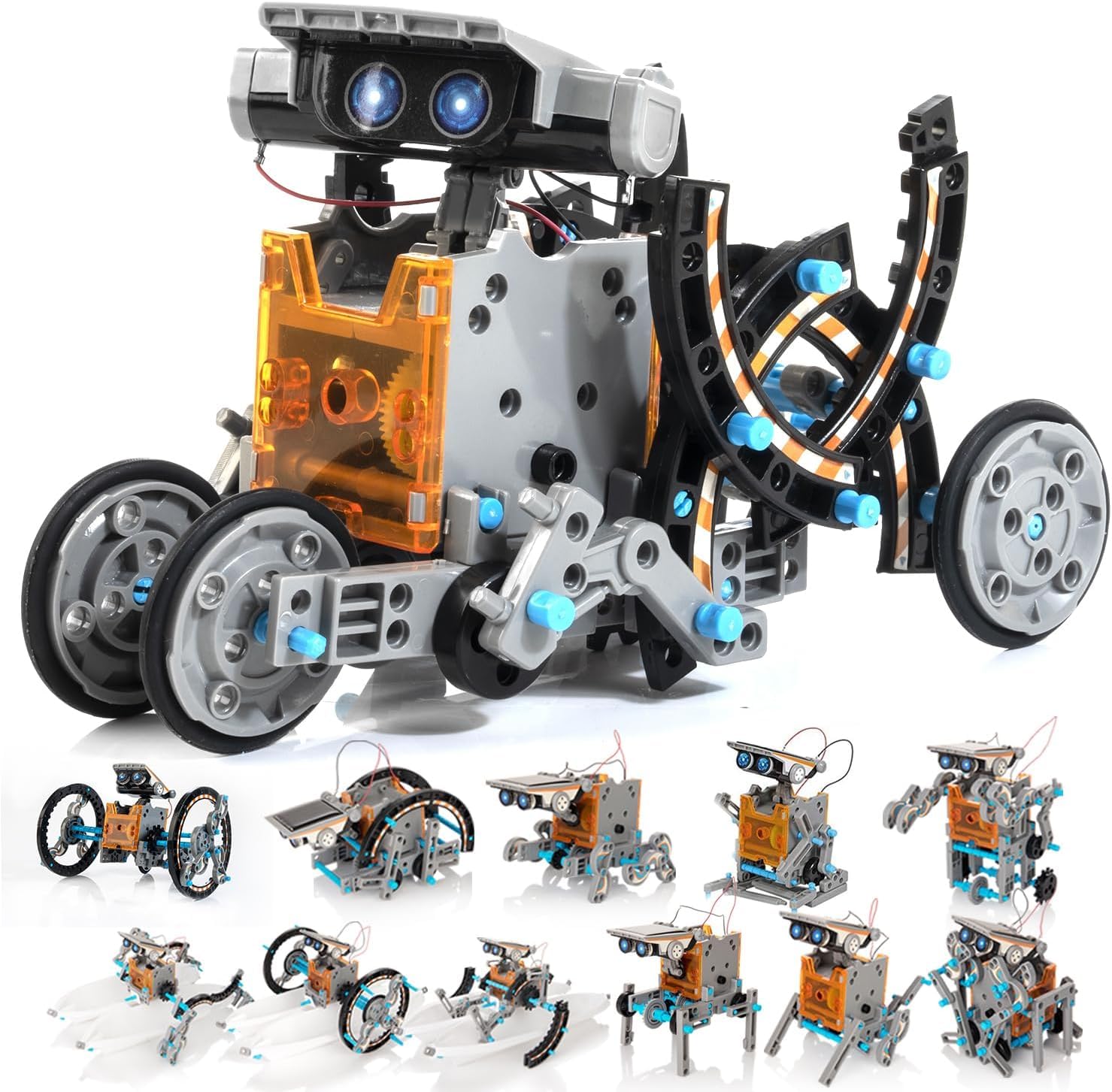
Sillbird 12-in-1 Solar

Sillbird 12-in-1 Solar

Budget solar builder

Customer rating 4.3/5
Check Price

Worth Noting

  • Builds stall under typical indoor lighting
Connectivity
None
Power Source
Solar only
Programmability
None
Build Complexity
12 models, 190 pcs
Read the full review

Twelve models from 190 pieces deliver real assembly variety at a rock-bottom price, with solar power teaching renewable energy and no screens or batteries to manage. As a budget-first mechanical build it delivers, and solar-only operation means the experience is best planned for sunlit outdoor play or a bright windowsill.

Bottom line: Fits a budget-conscious first solar project where strong sunlit play space is available and the goal is simple mechanical assembly over coding.

How to Choose

Programmability: Block Code vs Arduino

Block-based coding apps suit ages 8–11, teaching sequencing and loops by snapping visual blocks together so a child sees results within minutes.

Arduino-compatible kits replace blocks with C++ sketches in the Arduino IDE — a steep jump that expects a child to debug serial ports, but turns a toy into a tool that keeps teaching through high school.

Build Complexity and Piece Count

Piece count is a proxy for build time, not quality. A 600-piece kit demands hours of patient assembly, with small gears that slip easily from small hands.

Multi-model kits multiply the challenge: every model reuses the same parts differently, so one stripped screw stalls an entire section. Under 300 pieces finishes in one focused evening; beyond 500, plan for an adult builder.

Assembly Time and Instructions

Stated assembly times rarely match reality. Fifteen-minute builds assume a clean workspace, an adult reading ahead, and pre-wired motors; without those, a '30-minute' kit becomes a three-hour slog.

Illustrated, step-verified guides prevent the trial-and-error that makes kids abandon a half-built chassis. Choose an accurate manual over a higher piece count.

Connectivity and Control Reliability

Bluetooth pairing is the most common failure point. App-based kits depend on a stable wireless link, and that link drops when apps update, Bluetooth stacks conflict, or the battery sags mid-session — leaving a fully built robot unresponsive.

Before choosing an app-controlled kit, confirm the companion app is actively maintained. Physical remotes (IR or 2.4GHz) pair instantly and never need software updates.

Power Source: Solar vs Battery

Solar kits look like value until they sit under indoor lighting. A small solar cell needs strong direct sun to turn a motor; typical living-room light delivers a fraction of that, so the robot stays put.

Reserve solar-only kits for bright window sills or outdoors. The practical solar kits include an AAA-battery mode, giving a working indoor robot plus an outdoor solar lesson.

Frequently Asked Questions