Student Tech Product Guide

8 Best Laptops for Engineering Students of 2026: 16GB RAM Minimum

The laptops for engineering students that actually run CAD and MATLAB — 16GB RAM and the right processor, without the marketing fluff.

8 Best Laptops for Engineering Students of 2026: 16GB RAM Minimum editorial illustration

The laptops marketed as 'student models' often cut corners on the exact specs engineering software depends on — 8GB of RAM and a low-power CPU handle web browsing but stall on a loaded CAD assembly. A budget win at the register becomes a four-year bottleneck the first time you open SolidWorks or MATLAB.

The fix is knowing the floor. 16GB of RAM is the minimum for modern engineering coursework, and the processor needs sustained performance rather than bursty boost clocks. The picks in this guide clear both bars, then separate on size, RAM headroom, battery life, and price.

Real-world battery life lands well short of the numbers on the box, so weigh advertised runtime against where you actually charge — between classes, not just at your desk. Buy for the heaviest workload your major will throw at you, not the lightest day you'll have, and the right choice becomes obvious.

#1

HP 17.3in i5/16GB

HP 17.3in i5/16GB

Large-screen value

Customer rating 4.4/5
Check Price

Worth Noting

  • 4.6-pound body with the largest footprint in the set suits a desk more than a daily commute.
  • Battery runs shorter than advertised under heavy load, so long sessions away from an outlet need a charger handy.
RAM
16 GB DDR4
Storage
512 GB SSD
Processor
Core i5-1334U
Display Resolution
17.3in FHD
Read the full review

The 10-core Core i5-1334U runs to 4.6 GHz, and paired with 16GB of RAM it clears the floor for every major engineering suite — SolidWorks, MATLAB, and Eclipse-based IDEs all load and run without the stutter that budget laptops with 8GB show. The 512GB SSD keeps project files and virtual machines responsive, and Intel Iris Xe graphics handle the visual side of CAD without a discrete GPU. This is the spec sheet coursework assumes, not one that leaves headroom negotiations to the student.

The 17.3-inch FHD IPS panel is where the pick earns its keep. Schematic lines and CAD details stay legible at full zoom, where a 15-inch panel forces squinting. Screen real estate is the reason to choose it over the smaller options in this set, and the 4.6-pound body is the price of admission — manageable in a backpack, not something you forget you're carrying.

This machine suits engineering students who work from a desk and want every tool window visible at once. The honest caveat: the battery runs shorter than the marketing sticker under heavy load, so long stretches away from an outlet mean keeping a charger close. Anyone who needs extreme portability or a touchscreen should pass — neither is this laptop's job, and that boundary is worth knowing before purchase.

Where the 32GB contender in this set spends its budget on raw headroom and a lighter frame, this HP puts its money into the two things engineering work actually stresses: the display and the processor. That focus keeps the price mid-range while other machines ask for a premium to move the same course load.

Value here follows balance rather than a low sticker. The mid-range price buys the two specs engineering coursework depends on — a large legible panel and a capable core — and the real-world behavior lines up with the spec sheet closely enough to place this at the head of the set over the thinner, pricier options.

Keep the charger close during long lab sessions — battery life suits shorter stretches away from an outlet.

Bottom line: The HP 17.3-inch is the balanced answer to engineering coursework: a large legible screen and 16GB of RAM at a price that undercuts the premium options in this set.

#2

MacBook Air M5 13in

MacBook Air M5 13in

macOS users

Customer rating 4.7/5
Check Price

Worth Noting

  • For multi-view CAD work, the 13.6-inch display runs noticeably smaller than the 17-inch Windows pick in this set.
  • For budget-minded buyers, the premium price sits well above the mid-range Windows laptops in this set.
RAM
16 GB Unified
Storage
512 GB SSD
Processor
Apple M5
Display Resolution
13.6in Retina
Read the full review

The MacBook Air M5 is the only macOS laptop in this set, pairing a 2.7-pound chassis with battery endurance that leaves the Windows picks behind. The M5 chip and 16GB of unified memory keep coursework software responsive, and the all-day battery means lectures end before the charge does. Where the heavier Windows machines trade pounds for screen size, this one trades screen real estate for portability — a fair swap for on-the-go note-taking.

Compilers, spreadsheets, CAD viewers, and document-heavy research stay responsive on the M5 chip's 16GB of unified memory, a combination that carries the everyday engineering coursework load. Responsiveness holds through a full day of classes and late-night assignment pushes, which is where a coursework laptop earns its keep.

This MacBook suits engineering students already invested in the Apple ecosystem who want a light, long-lasting machine for coursework, note-taking, and light simulation. macOS cannot run every Windows-only engineering package, so course software compatibility needs verifying before purchase — a real boundary for anyone whose lab tools ship only for Windows. Students who need those utilities or heavier simulation headroom will find better footing in the 32GB Windows pick.

Bottom line: For engineering students already sold on macOS, this is the light, all-day coursework machine the heavier Windows picks can't match.

#3

Dell Inspiron 15.6in i7/32GB

Dell Inspiron 15.6in i7/32GB

Heavy multitasking

Customer rating 4.2/5
Check Price

Worth Noting

  • For loads that never touch simulations or VMs, the extra RAM sits idle and the premium buys nothing.
  • The premium price tag lands above the balanced HP pick, so budget-conscious buyers feel the gap at checkout.
RAM
32 GB DDR4
Storage
1 TB SSD
Processor
Core i7-1255U
Display Resolution
15.6in FHD 120Hz
Read the full review

32GB of RAM is the headline — a simulation can run while a virtual machine and several IDE windows stay open without swap stalls. The ten-core Core i7 backs it with boosts up to 4.7 GHz, and the 1TB SSD keeps big CAD projects and VM images on local storage. Where the 2K-display model in this set spends its budget on screen clarity, this Inspiron pours the same money into memory headroom, trading pixel count for compute.

It fits the engineering student who lives in simulation software — MATLAB, CAD rendering, or Linux VMs for coursework — and it clears those floors while lifting a load the 16GB machines in this set would have to page out. The honest tradeoff: its long-haul durability record runs thinner than the more widely-validated HP top pick, so this is a bet on immediate headroom over an established history.

Windows 11 Pro and a lifetime Microsoft Office license ship standard, removing two subscription costs at purchase. The 4.6-pound body won't win portability contests, but for a 15.6-inch chassis it stays reasonable for a machine that anchors to a desk more than a commute.

Bottom line: For the student who runs simulations and VMs daily, the 32GB headroom pays for itself in every session. Outside that load, the balanced HP pick wins.

#4

Lenovo V15 Ryzen5/16GB

Lenovo V15 Ryzen5/16GB

Budget engineering

Customer rating 4.4/5
Check Price

Worth Noting

  • Connecting multiple peripherals requires a hub since only one USB-C port is available
  • Display quality can vary between units, with some panels appearing washed out
  • Under sustained load, battery life shortens noticeably, limiting untethered work sessions
RAM
16 GB DDR4
Storage
512 GB SSD
Processor
Ryzen 5 5500U
Display Resolution
15.6in FHD
Read the full review

The Ryzen 5 5500U with 16GB RAM and a 512GB SSD clears every engineering software floor at a budget price, making this the leanest option in the set that still meets the 16GB requirement. While the top pick balances screen size and battery life, the V15 puts its money into core specs, delivering smooth compute for compilers and virtual machines without the premium markup.

The hexa-core Ryzen 5 carries multiple engineering tools at once — compilers, debuggers, and spreadsheets — without stutter, and the 512GB SSD keeps boot and load times short. Owner reports echo this: multitasking stays fluid across everyday development tasks, so coursework like CAD drafting and light simulation runs without slowdown.

This suits engineering students on a budget who need dependable performance for coursework but should expect average display, battery, and port selection — serviceable for assignments, not for heavy CAD rendering or all-day untethered work. The 15.6-inch FHD panel handles documents and schematics, but color accuracy and brightness are not standout features.

Keep the charger close for long lab sessions — battery life covers short classes but not all-day fieldwork.

Bottom line: The V15 is for engineering students who want the 16GB spec floor without paying for a brighter display or longer battery — it delivers the compute where it matters.

#5

Dell 16 Core7/16GB

Dell 16 Core7/16GB

Display quality

Customer rating 4.5/5
Check Price

Worth Noting

  • Running several virtual machines or simulation suites at once can stretch 16GB RAM, limiting multitasking headroom
  • Core 7 150U trails Ryzen 7-class chips in multi-core workloads, so the price buys display quality over raw performance
RAM
16 GB DDR5
Storage
1 TB SSD
Processor
Core 7 150U
Display Resolution
16in 2K Touch
Read the full review

The 16-inch 2K touchscreen is this Dell's defining feature — the 16:10 panel and genuine sharpness give CAD drawings and circuit schematics a clarity that 1080p competition can't match, and touch input proves handy for zooming and rotating models during lab sessions. Under the hood, 16GB DDR5 and a 1TB SSD clear the engineering software floor, and the Core 7 150U moves through compilations and simulation runs without hesitation.

The extra cost lands in construction and screen quality — the chassis feels solid, and the touchscreen tracks input cleanly through long drafting sessions, the kind of build detail that holds up to daily campus carry. For an engineering student, that translates to a panel that stays comfortable across a full day rather than a spec box to check.

This Dell fits the engineering student who spends long stretches on CAD, schematics, or data-heavy analysis and needs a screen that stands up to that scrutiny. Given the premium tag, it is not for the budget buyer, and its track record across long-term use is less established than the top pick's — a factor worth weighing for anyone expecting one machine to carry through the full degree program. For the right buyer, the daily clarity of that 2K display makes a tangible difference.

Bottom line: Pick this Dell for the engineering student who prizes screen clarity above all — the 2K touchscreen pays off at every drafting session. Budget-conscious buyers get more from the balanced top pick.

#6

Lenovo IdeaPad 2-in-1 Ryzen7

Lenovo IdeaPad 2-in-1 Ryzen7

Note-taking 2-in-1

Customer rating 4.3/5
Check Price

Worth Noting

  • Battery life can run short on days spent entirely away from an outlet
  • Premium-priced against the budget options in this set, so an established budget is needed.
RAM
16 GB LPDDR5
Storage
1 TB SSD
Processor
Ryzen 7 8845HS
Display Resolution
16in FHD+ Touch
Read the full review

The IdeaPad is the only convertible in this set, pairing a Ryzen 7 8845HS and 16GB DDR5 with a 16-inch touch display — handwritten notes without surrendering compute. The 1TB SSD leaves room for simulators and project files, and the 360-degree hinge turns the screen into a notebook you mark up digitally. The chip clears every engineering-software floor from MATLAB to CAD suites, so the touchscreen doesn't come at the cost of power. For students who sketch free-body diagrams or annotate schematics by hand, that input method matches how engineering coursework is actually done.

The backlit keyboard with numeric keypad handles long documentation sessions, and the fingerprint reader speeds up daily logins. Students who annotate by hand will find this chassis a strong fit, though at roughly 6 pounds it is heavy for a 2-in-1 — it suits someone moving between a desk and a single building rather than a student always on the move.

Unit crashes have been noted in owner reports, so an extended warranty is a sensible add — this is one reason the HP top pick holds the top slot. The tradeoff is acceptable for a buyer who specifically wants a touchscreen convertible with full compute, and the note-taking payoff is real.

Bottom line: Engineering students who want to hand-write notes alongside real compute get the convertible that fits — the screen input is the differentiator, not a compromise.

#7

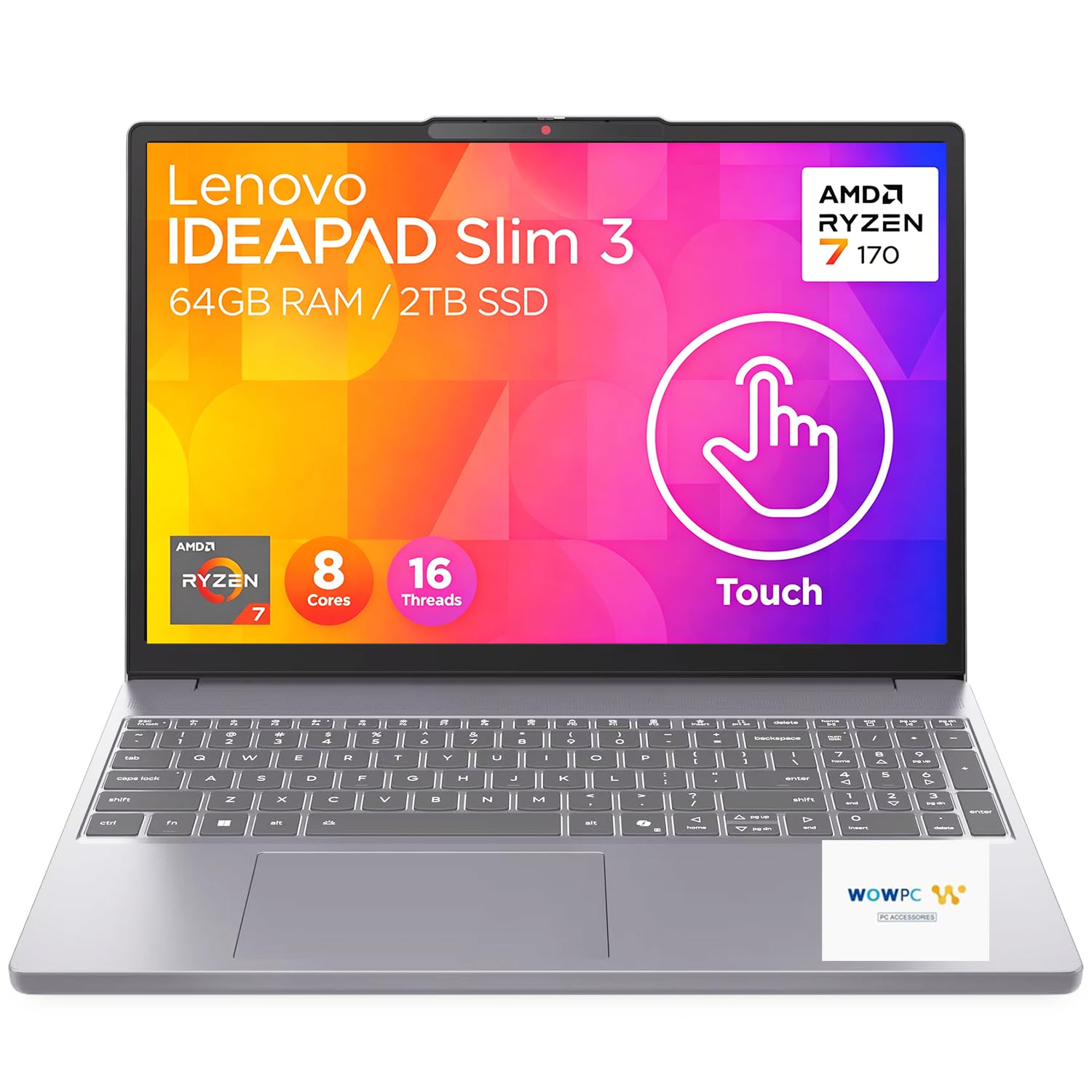
Lenovo Slim 3i Ryzen7/16GB

Lenovo Slim 3i Ryzen7/16GB

Spec-first buyers

Customer rating 4.2/5
Check Price

Worth Noting

  • The glossy touch layer reflects overhead light and collects fingerprints through a long study session.
  • In a quiet library, sustained simulation loads can leave the slim chassis running warm with an audible fan.
RAM
16 GB DDR5
Storage
1 TB SSD
Processor
Ryzen 7 170
Display Resolution
15.3in WUXGA Touch
Read the full review

Ryzen 7 170 with 16GB DDR5 and a 1TB SSD clear every engineering-software floor out of the box, and the 15.3-inch WUXGA touchscreen suits note-taking and interactive diagram work without a separate tablet. No meaningful user feedback exists yet, so this Lenovo sits at a mid-range price purely on the strength of its documented hardware — buyers trust the spec sheet rather than confirmed behavior. That arrangement suits tech-savvy users who benchmark their own workloads; risk-averse students should treat it as a gamble rather than an assurance.

Bottom line: Best when you can verify your own benchmarks and value a touchscreen at a mid-range price.

#8

HP 255 G10 Ryzen7/32GB

HP 255 G10 Ryzen7/32GB

Power users

Customer rating 4.4/5
Check Price

Worth Noting

  • In rooms without nearby outlets, battery runtime can fall short of an hour between charges.
  • Long-term dependability under sustained use is uncertain
RAM
32 GB DDR4
Storage
1 TB SSD
Processor
Ryzen 7 7730U
Display Resolution
15.6in FHD
Read the full review

The 8-core Ryzen 7 7730U pairs with 32GB of RAM to run simulation software and several virtual machines at once without memory swap, all inside a 3.4-pound frame that stays genuinely portable. That combination of heavy compute and light weight is what separates this HP from the pack for power users on the move.

The open question is long-term dependability, the reason this HP lands below the more established top pick for anyone expecting years of use. For a performance-first student hauling heavy workloads between classes, the portability and RAM headroom still make a compelling case.

Bottom line: Best for engineering students who put compute headroom above all else — a strong fit when portability and RAM come before other priorities.

How to Choose

Processor: i5 or Higher

Engineering tools like SolidWorks lean on single-core speed, while simulations and rendering spread across cores. A chip that boosts high on paper only helps if the chassis sustains that pace.

Thin budget laptops cool just enough for light work, so a bursty boost clock can collapse to half its peak on a long run. An Intel Core i5 or AMD Ryzen 5 is the floor that keeps the CPU off the critical path.

RAM: 16GB Is the Floor

8GB of RAM is the most common shortfall on budget laptops and a hard stop for engineering software — the OS, a browser, and SolidWorks blow past it before you open a second reference PDF.

When memory runs out, the system swaps to the SSD, stalling responsiveness mid-simulation. 16GB handles the OS plus one heavy app; 32GB only matters for virtual machines or multiple simulations at once.

Storage: Leave Room for the Installs

Engineering installs eat storage fast — a CAD suite, MATLAB, Visual Studio, and project files can consume 150GB before you notice. A 512GB SSD is the working minimum; 1TB removes the need to uninstall things mid-term.

Capacity drives the decision, but cheap NVMe drives throttle on large transfers — exporting a big dataset slows as the cache fills. Prefer a larger cache or DRAM-equipped drive if you move big files regularly.

Display Resolution: FHD or Better

Resolution sets how fine the detail is when you zoom into a CAD drawing or data plot. HD+ (1600x900) looks visibly softer than FHD (1920x1080) at the same size — easy to spot on tolerance callouts and schematic lines.

FHD is the practical baseline for coursework; only step to 2K if you stare at dense schematics all day, knowing it costs more and drains the battery faster.

Battery Life: Read the Claim in Half

Advertised battery figures come from light, dimmed, idle workloads, not a bright CAD render. Engineering software pegs the CPU, so real runtime lands at half the marketing number.

A machine rated for 10 hours often delivers 4-5 in lab use. Weigh that against where you charge — near an outlet, a shorter battery matters less than a stronger CPU or bigger screen.

Frequently Asked Questions