Student Tech Product Guide

8 Best Laptops for High School Students of 2026: 8GB That Keeps Up

Which high school laptops have the 8GB RAM and sharp screen that keep up with essays and Google Classroom — and which budget picks fall short.

8 Best Laptops for High School Students of 2026: 8GB That Keeps Up editorial illustration

Shopping for a high school laptop means wading through listings plastered with 'student' and 'AI' labels that promise more than they deliver. The specs that actually separate a usable machine from a frustrating one are not the buzzwords — RAM capacity and display resolution are what you should be reading.

Many budget machines ship with 4GB of RAM, which drags down performance once browser tabs and system updates pile up. A laptop with 8GB and a full-HD screen handles the everyday load — essays, research papers, and online classrooms — without making the student fight the hardware.

Two more realities matter before you buy. Battery-life claims of 11 to 14 hours rarely survive a full school day, and advertised extras like touchscreens or backlit keyboards sometimes do not appear on the unit that arrives. Confirm what the specific model delivers rather than trusting the headline bullet.

#1

Acer Aspire 3

Acer Aspire 3

Everyday schoolwork

Customer rating 4.2/5
Check Price

Worth Noting

  • On a full day away from outlets, endurance can fall short of the 11-hour claim
  • After months of daily use, units can crash or slow down
Storage
128 GB NVMe SSD
Battery Life
11 hrs claimed
RAM Capacity
8 GB LPDDR5
Operating System
Windows 11 Home
Read the full review

8GB of LPDDR5 RAM, a full-HD IPS panel, and a quad-core Ryzen 3 combine into the most dependable performance-per-dollar package in this budget set. The 15.6-inch IPS screen keeps essay text crisp and web pages readable, where the touchscreen rival in this lineup settles for a softer 1366x768 panel. Everyday apps switch freely — the point where entry-level 4GB dual-core machines run out of memory. For essay-heavy workloads, that RAM margin is the difference between switching apps and closing them.

Setup takes minutes, and the chassis feels solidly built for the price tier, handling daily backpack travel without issue. The 3.9-pound frame stays light enough for a commuter bag while feeling sturdier than its price suggests. Everyday productivity runs smoothly: quick wake from sleep, responsive keys, and enough headroom to keep a video call open beside a half-dozen documents. The 128GB NVMe drive loads apps promptly, and boot times stay short even with a semester of files stacked up.

Wi-Fi 6 radios hold a steady signal through crowded school networks, a genuine perk when every classroom device competes for bandwidth. The wide-viewing-angle IPS panel shows the same distortion-free screen from the side of a shared desk, and its matte finish cuts reflections under overhead classroom lights. Text holds its sharpness even as browser tabs pile up for long reading stretches in history or science.

Against the premium-priced aluminum option in this lineup, the Aspire gives up some build polish but keeps the essential schooling specs — full-HD display, 8GB RAM, quad-core speed — at a fraction of the cost. For families shopped on a budget, that tradeoff lands clearly on the side of value without sacrificing the screen or memory that matter most for schoolwork.

Best for parents and students who want maximum capability per dollar for essays, research, and web-based learning, expecting to work within arm's reach of power. The honest tradeoff: the listing advertises a backlit keyboard that delivered units lack, so typing in a dark bedroom needs a side lamp, and battery endurance can fall short of the 11-hour claim, making this a near-desk machine rather than an untethered all-day wanderer.

Bottom line: The Aspire 3 pairs a crisp full-HD display, 8GB of RAM, and a responsive quad-core chip at a mid-range price — the strongest everyday value in this budget tier for high school workloads.


#2

MacBook Neo 13

MacBook Neo 13

Lasts four years

Customer rating 4.6/5
Check Price

Worth Noting

  • Premium price sits well above the budget options in this set
  • Keyboard lacks a backlight, so keys are hard to see in dark classrooms or dorms
Storage
256 GB SSD
Battery Life
16 hrs claimed
RAM Capacity
8 GB unified
Operating System
macOS
Read the full review

The A18 Pro chip delivers the smoothest performance here, handling writing apps, browser research, and video calls with no perceptible lag. The aluminum chassis and 2.71 lb frame carry a premium feel the budget options lack, and the 13-inch Liquid Retina display keeps text sharp for long reading sessions. Battery life stretches across a full day of classes and evening homework.

Setup takes minutes and the system stays responsive with a dozen browser tabs and documents open at once. The compact frame slips into a backpack without adding bulk, and the 1080p FaceTime camera keeps remote classes and study-group calls clear. Everyday academic tasks — essays, research, web-based courseware — run without the slowdown seen on other machines in this price range.

The pick for families who want one laptop that carries a student through all four years of high school and who weigh durability and speed above the lowest price. The premium price sits well above the budget options in this set, and the keyboard has no backlight, so typing in a dark classroom or dorm is harder than ideal. For households on a strict budget, the extra cost only makes sense if the longer service life pays for itself.

Bottom line: For families who can stretch the budget, this machine keeps working through senior year — the speed, battery, and build pay for themselves where cheaper laptops get replaced.

#3

Samsung Chromebook Go

Samsung Chromebook Go

Budget browser work

Customer rating 4.3/5
Check Price

Worth Noting

  • Advertised as touch-capable, but the delivered unit lacks a touchscreen
  • On arrival, an occasional unit may not power on
Storage
64 GB eMMC
Battery Life
12 hrs claimed
RAM Capacity
4 GB LPDDR4X
Operating System
ChromeOS
Read the full review

The Samsung Chromebook Go is the cheapest entry in this set and keeps the experience simple: ChromeOS boots in seconds, setup is a single Google sign-in, and the 12-hour battery covers a full school day away from an outlet. That simplicity is intentional — there is no Windows software to manage and no heavy multitasking to accommodate, which keeps both the price and the learning curve low for a first laptop.

For younger students, the Go covers the actual school day: research tabs, Google Docs, classroom portals, and video calls all run without complaint. The 4GB of RAM and Celeron chip define where that stops — opening a dozen tabs at once can slow things down, which is why this suits a single-task workflow rather than power browsing.

The right buyer is a budget-focused family outfitting a younger student's first laptop: the low price and simple ChromeOS remove every barrier to getting started. Two caveats keep it from ranking higher — the listing advertises a touchscreen the delivered unit does not have, and consistency varies between machines, with an occasional unit that may not power on. Anyone who needs touch input or a guaranteed daily driver should look at a different model in this set.

Keep the 4GB of RAM happy with a few open tabs — close background tabs before a video call.

Bottom line: Buy it when a tight budget and easy setup outweigh everything else for a younger student's first laptop — confirm the delivered unit matches the listing's touchscreen claim before counting on that input.

#4

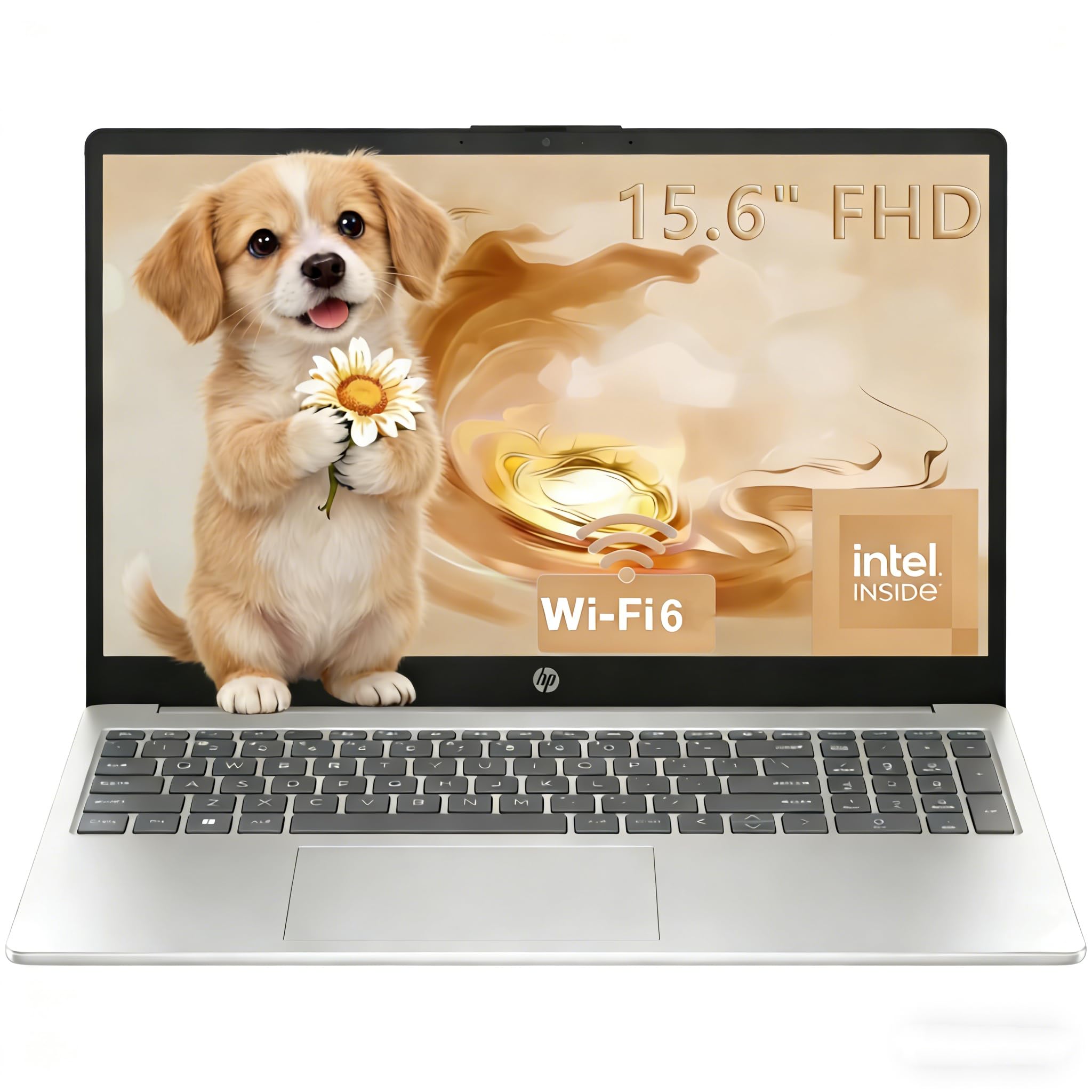
HP 15.6 Touch

HP 15.6 Touch

Touchscreen note-taking

Customer rating 4.5/5
Check Price

Worth Noting

  • Display tops out at 1366x768
  • A minority of units may enter reboot loops or stop powering on over time.
Storage
128 GB NVMe SSD
Battery Life
12 hrs claimed
RAM Capacity
8 GB LPDDR5
Operating System
Windows 11 Home
Read the full review

The touchscreen answers before the click completes — that is the point of this machine. Tap, drag, and draw through schoolwork on a responsive 15.6-inch panel that keeps the whole unit under 3.5 lb, and the Ryzen 3 7320U underneath boots Windows quickly and keeps tabs, documents, and learning apps moving without hesitation. The laptop responds the moment the finger lands, with no perceptible lag in everyday input.

Setup takes minutes and the first-boot experience is painless. Day-to-day operation stays snappy through the routine that dominates high school work — writing essays, running research tabs, and using web-based classroom tools. At a mid-range price, that dependable daily speed adds up to strong value in a touchscreen build, which is the segment this machine owns best.

This fits families who want touch input for note-taking and interactive learning apps, plus a light frame for moving between classrooms. The 15.6-inch screen tops out at 1366x768, so text renders softer than full-HD rivals — a fair tradeoff for students who work in short interactive bursts rather than long reading sessions. Students who run many apps at once will want the higher-RAM option in this set; this HP is built for focused, touch-first classwork.

Windows ships in S Mode, which restricts installs to Microsoft Store apps — switch to full Windows under Settings if you need third-party software.

Bottom line: Students who prize tap-and-draw input will feel this machine's speed immediately; those who read long documents will want the top pick's crisper full-HD panel.

#5

Lenovo Chromebook 14

Lenovo Chromebook 14

Sharp touch display

Customer rating 4.2/5
Check Price

Worth Noting

  • Touchscreen response can be inconsistent on some units, leaving the trackpad as the fallback.
  • Wi-Fi connections may drop during sessions, disrupting online research and classes.
Storage
64 GB eMMC
Battery Life
13.5 hrs claimed
RAM Capacity
4 GB DDR4
Operating System
ChromeOS
Read the full review

The Lenovo Chromebook 14 pairs a 14-inch full-HD IPS touchscreen with a 2.86-pound frame, delivering the most display sharpness per dollar in the ChromeOS class. At a budget price it out-resolves the bigger-screen Windows alternative in this set, whose 15.6-inch panel stops at a lower resolution while adding a bundled external drive.

The 8-core MediaTek Kompanio 520 keeps writing, research, and browser-based schoolwork moving comfortably within 4GB of RAM, and ChromeOS removes the Windows-update overhead some families want to avoid. A 13.5-hour battery claim comfortably spans a school day of light to moderate use.

This suits younger learners and students who favor touch input for interactive lessons, note-taking, and Google Classroom workflows. The 4GB RAM and ChromeOS set a clear boundary: heavy multitasking and Windows-only software belong with the Windows-based machines in this guide.

Touchscreen response and performance can vary between units, with intermittent touch lag and Wi-Fi drops noted in some cases. Testing the panel early after unboxing helps confirm your unit behaves; even with that variance, the sharp full-HD display and light frame keep this the strongest classroom value in its tier.

Test the touchscreen within the return window — a few drag-and-drop checks confirm your unit's digitizer responds consistently across the panel.

Bottom line: Buyers who prefer touch input and want class-leading display sharpness without leaving the budget tier will find their match here. The tradeoff is Windows software, so this suits coursework that runs entirely in the browser.

#6

HP Pavilion 15.6

HP Pavilion 15.6

Heavy multitasking

Customer rating 4.4/5
Check Price

Worth Noting

  • For students storing video projects or large coursework libraries, 256GB fills quickly
  • Running several demanding apps at once meets the entry-level Intel N100 processor's ceiling before the 16GB RAM is exhausted
Storage
256 GB NVMe SSD
Battery Life
—
RAM Capacity
16 GB DDR4
Operating System
Windows 11 Home
Read the full review

Sixteen gigabytes of RAM is the standout here, giving a heavy multitasker room to keep a dozen browser tabs, a word processor, and a research PDF open without stalling. The 256GB NVMe SSD loads apps quickly, and the full-HD anti-glare panel stays readable through long afternoon study blocks.

On paper these specs undercut comparably priced mid-range rivals, but real-world durability has not been independently confirmed — daily classroom wear and tear will be the test. Buyers who need verified field performance before committing should look to options in this set with established field track records; those comfortable buying on specs alone get a genuinely competitive machine at the price.

Bottom line: Best placed with the student who has already outgrown an 8GB machine and needs headroom for several apps at once — the 16GB and NVMe storage deliver that at a mid-range price.

#7

Dell 15 Core 3

Dell 15 Core 3

Large file storage

Customer rating 4.3/5
Check Price

Worth Noting

  • App loading can slow under heavier multitasking on some units.
  • Away from power for a full school day, endurance can dip and charging may be unreliable.
Storage
512 GB SSD
Battery Life
—
RAM Capacity
8 GB DDR4
Operating System
Windows 11 Home
Read the full review

The Dell 15 Core 3 pairs a generous 512GB SSD with a well-built chassis and brand-backed on-site warranty coverage — storage headroom few budget rivals match. For high school students accumulating large projects, video clips, or sprawling research folders, that capacity is genuinely useful, and setup is quick out of the box. Where it shows its limits is endurance: battery life can dip below a full school day, and charging may be unreliable on some units. That makes it a better fit for desk-side homework near an outlet than for all-day carry — a boundary, not a failure.

Bottom line: For students who keep a charger close and run storage-heavy projects, the Dell's 512GB SSD and sturdy build deliver; lighter on-the-go use fits the slimmer options in this set.

#8

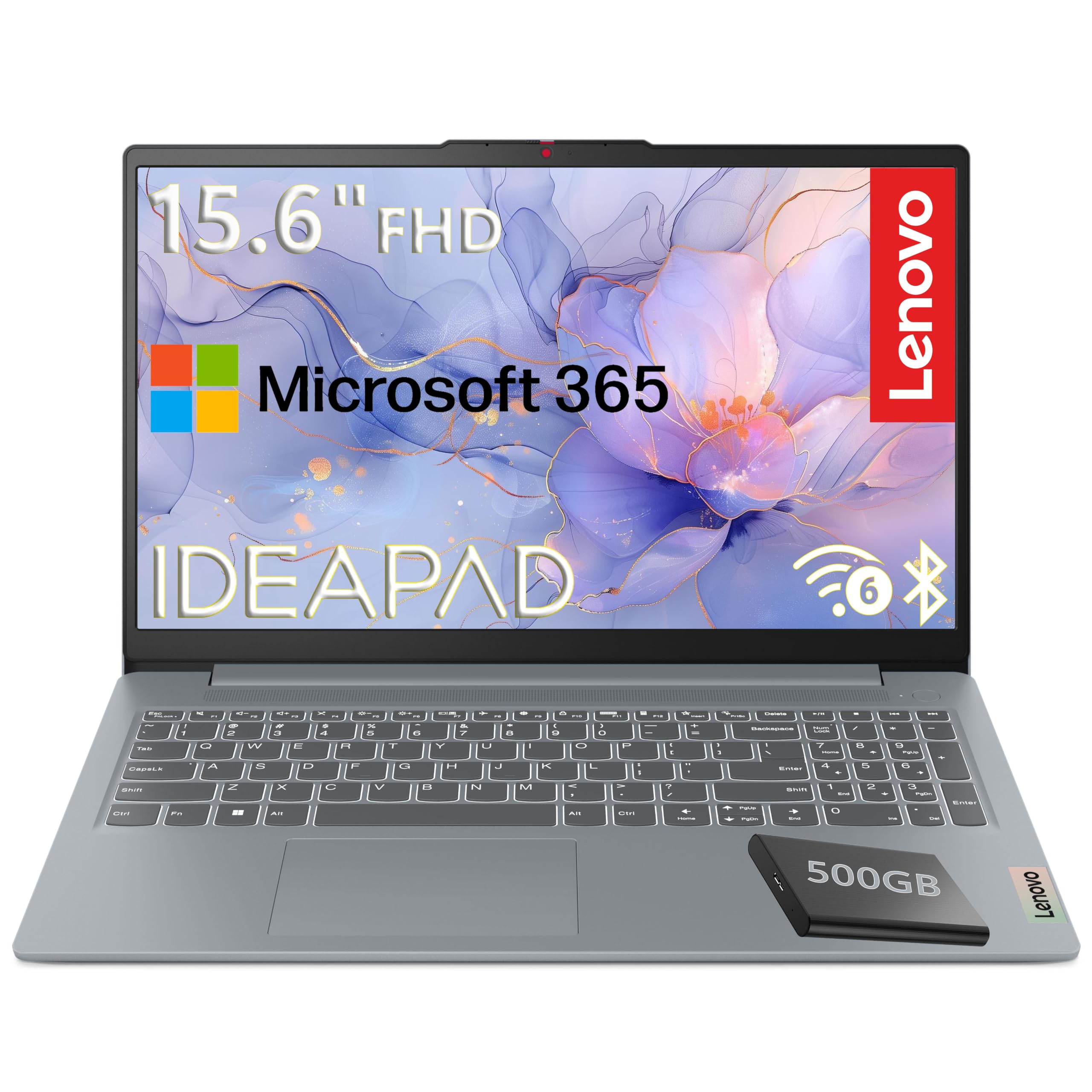
Lenovo IdeaPad Slim 3 15

Lenovo IdeaPad Slim 3 15

Large-screen budget

Customer rating 4.3/5
Check Price

Worth Noting

  • The 4GB RAM ceiling limits multitasking
  • Customer feedback appears pulled from a different Lenovo variant, so this unit's real-world quality is unverified.
Storage
128 GB + 500 GB
Battery Life
—
RAM Capacity
4 GB LPDDR5
Operating System
Windows 11 S
Read the full review

The 15.6-inch full-HD panel is the headline — genuine 1920x1080 sharpness at a budget price, and the bundled 500GB external hard drive adds storage headroom for projects and backups without touching the internal 128GB slot. The 3.42 lb frame keeps the larger chassis easy to carry between classes. But the 4GB RAM ceiling constrains multitasking, so running several open browser tabs alongside a document editor can slow the machine, and the customer feedback appears pulled from a different Lenovo variant, leaving this unit's real-world quality unverified. This is a screen-first option for straightforward writing and research, not a multitasking workhorse.

Bottom line: Fits students who prioritize a roomy full-HD screen and extra bundled storage for everyday writing and research, with the caveat that multitasking stays light and the review data behind this unit isn't fully trusted.

How to Choose

RAM Capacity

A 4GB machine feels fine at first, but once the OS, an essay doc, and a few browser tabs pile up it exhausts memory and starts swapping to storage — the sudden lag students hit mid-assignment.

8GB keeps those tasks in memory and stays responsive through a full afternoon of Google Classroom and streaming. Step up to 16GB only if a student routinely runs many heavy apps at once.

Display Resolution

Resolution controls sharpness and how much fits on screen. A 1366x768 HD panel shows visibly soft text and less content per screen than a 1920x1080 full-HD display, the standard students are used to on phones.

Pick full-HD for long reading sessions. Accept a lower-resolution touchscreen only for younger learners who value touch input over pixel density.

Operating System

ChromeOS boots fast, stays smooth on modest hardware, and suits browser-based schoolwork at the lowest cost. The catch: it cannot run Windows-only software, and some school printers and proctoring apps do not support it.

Windows 11 offers the broadest compatibility for required classroom software. Expect to pay more for equal RAM and screen quality, and check if the machine ships in S mode, which restricts installations until switched off.

Battery Life

Manufacturer claims of 11 to 14 hours come from ideal testing — a single task at low brightness. A real school day with video, calls, and background sync cuts usable time by a third or more.

Expect six to eight hours of real classroom use from a mid-range Windows machine. If a student is away from outlets all day, favor a 12-hour-plus rating and keep a charger in the backpack, since endurance varies between units.

Storage

Budget laptops pair an eMMC or UFS drive with 64GB to 128GB, which fills fast as updates and assignments accumulate and reads slower than an NVMe SSD.

An NVMe SSD of at least 128GB is the comfortable floor for Windows, with 256GB giving real headroom. Chromebooks manage with 64GB since most work lives in the cloud.

Frequently Asked Questions