Student Tech Product Guide

7 Best Laptops for Teachers in 2026: Ones That Actually Last

The best laptop for a teacher survives a full school year — honest battery life, 8GB of RAM for multitasking, and a build that lasts through daily commuting.

7 Best Laptops for Teachers in 2026: Ones That Actually Last editorial illustration

A teacher's laptop lives a harder life than its spec sheet suggests. Between browser tabs, an online gradebook, video meetings, and lesson-planning software, a machine with 4GB of RAM starts choking within the first hour. Yet many budget models still ship with exactly that.

Battery claims deserve equal skepticism. A laptop advertised at 12 hours often delivers half that during a standard school day, especially when the display stays lit through back-to-back classes.

The practical fix is choosing by workload, not price tag. Teachers who multitask on Windows or macOS should prioritize 8GB of RAM and a solid-state drive. Those working inside Google Workspace can get by with a Chromebook at a fraction of the cost. Match the specs to the school day and the laptop will still be running come June.

#1

MacBook Neo 13-inch

MacBook Neo 13-inch

macOS users

Customer rating 4.6/5
Check Price

Worth Noting

  • Unlit keys mean a late grading session requires the room light on
RAM
8GB Unified
Weight
2.71 lbs
Storage
256GB SSD
Processor
A18 Pro
Read the full review

The A18 Pro chip makes the MacBook Neo the smoothest daily driver in this lineup, handling the spreadsheets, slide decks, and video calls that fill a teacher's day without the hesitation the budget Windows units show under load. Eight gigabytes of unified memory keeps a gradebook, a lesson plan, and a dozen browser tabs open at once without the pinch the 4GB machines in this set hit. Battery life is the other headline: a full school day of use without hunting for an outlet between classes, which is the metric that matters most to someone on their feet all day.

Advertised battery life in this category runs near twice what a machine actually delivers, so the verified all-day endurance here is the standout — it holds up through a day of classes, prep, and evening grading. The chip also manages the multitasking load that bogs down the budget machines in a shared classroom. At 2.71 pounds, the MacBook Neo is the lightest option in the set, easily carried between rooms, and the 13.3-inch Liquid Retina display keeps documents and slides crisp through long reading sessions. The 256GB SSD is modest, so teachers who keep large media libraries locally should look to the storage-first options in this set.

This is the pick for the teacher who weighs reliability and battery into the price of a laptop meant to last several school years rather than buying the cheapest option twice. The single tradeoff is the keyboard, which has no backlight — typing in a dim classroom or a late grading session means keeping the room light on. For a macOS-loyal teacher working in documents, slides, and web research with files kept mostly in the cloud, the 256GB SSD covers the workload. Teachers who depend on Windows-only software should choose the HP options in this set, and anyone on a strict budget will find a lower entry price elsewhere in the lineup.

The premium price is the deciding gate. At roughly double the cost of the budget Windows alternative, this is not the purchase for every budget. For the teacher who can manage it, the aluminum build and the absence of the reliability concerns that trail the cheaper units make this a single buy that avoids the replacement cycle — a decision that pays for itself across several school years. That combination of dependable battery, smooth performance, and a shell built for years of classroom use is why the MacBook Neo tops this set.

Bottom line: For the teacher who can stretch to the premium price, this is the one machine in the set combining all-day battery, dependable performance, and a build that will outlast several school years — a single purchase that avoids the replacement cycle.

#2

HP 15.6-inch Touch

HP 15.6-inch Touch

Budget Windows use

Customer rating 4.5/5
Check Price

Worth Noting

  • The 128GB SSD fills quickly as files accumulate, so cloud storage takes over within months.
  • Some units have shown issues after months of use, so the machine's long-term behavior varies.
RAM
8GB
Weight
3.5 lbs
Storage
128GB SSD
Processor
Ryzen 3 7320U
Read the full review

The HP 15.6 Touch delivers more performance per dollar than any other Windows laptop in this lineup, pairing an 8GB Ryzen 3 with a responsive touchscreen that handles a packed teaching schedule. It's the practical middle ground for teachers who need Windows and a touch interface but can't justify the premium pick in this set, offering a balance the pricier models don't reach at this cost.

Everyday tasks move quickly — lesson plans, slide decks, web research, and grading all run without stalling, and the 8GB RAM keeps several apps — browser, editor, gradebook — open at once. The touchscreen responds accurately to taps and swipes, setup out of the box takes only minutes, and at 3.5 pounds the laptop is light enough to move between classrooms all day.

This is the pick for the budget-conscious teacher whose daily materials live in the cloud and who wants a Windows touchscreen without MacBook-level spending. The price-to-performance balance carries it through a school year of typical classroom work, and it isn't meant for heavy processing or high-resolution design tasks. Anyone who keeps a large local file library should weigh the storage-first option in this lineup instead.

Back up lesson files to OneDrive or Google Drive so a hardware surprise never costs a day of teaching.

Bottom line: The Windows touchscreen pick for teachers who buy on value — responsive daily performance at a price that respects a teacher's budget.

#3

Lenovo Chromebook 14-inch

Lenovo Chromebook 14-inch

Google Workspace schools

Customer rating 4.2/5
Check Price

Worth Noting

  • Touchscreen can occasionally skip a tap or swipe mid-session.
  • Multi-tab browser sessions may stutter when several apps run at once.
RAM
4GB
Weight
—
Storage
64GB eMMC
Processor
Kompanio 520
Read the full review

The most affordable Chrome OS entry in this lineup, the 14-inch Lenovo pairs a responsive FHD touchscreen with long claimed battery life for web-based lessons. Google Classroom tools load quickly, and the lightweight OS keeps the whole workflow light — no Windows bloat to manage between periods. For a school that lives inside Chrome, the experience stays fluid across slides, docs, and video calls without the complexity of a full desktop system.

Daily teaching tasks — slides, document editing, web research, and video calls — run comfortably within the 4GB RAM ceiling as long as sessions stay focused. The slim casing moves easily between classrooms, and the touchscreen suits younger students tapping through review and quiz apps. Real-world battery trails the 13.5-hour claim but still covers a typical school day of back-to-back periods, which is the endurance that matters.

This Chromebook fits budget-conscious students and teachers who work on Google Workspace and keep a second machine for heavier duties. Reliability is the boundary line — defects and performance issues have been reported within a few months of use — so treat it as a capable companion for browser-based lessons rather than a machine you depend on daily. For that secondary role, the low price makes the trade acceptable.

Keep open tabs and background apps to a handful — the 4GB RAM ceiling handles focused sessions best.

Bottom line: Classroom companions on Google Workspace get the most from this — low price, touchscreen, and battery life outweigh the reliability risk when it's not your only machine.

#4

HP 17.3-inch Touch

HP 17.3-inch Touch

Large screen

Customer rating 4.4/5
Check Price

Worth Noting

  • Intermittent freezes can stall the screen during a long session, so saving often keeps the disruption minor
RAM
8GB
Weight
4.6 lbs
Storage
128GB SSD
Processor
Intel N100
Read the full review

The 17.3-inch touchscreen is the largest display in this lineup, giving you room for side-by-side lesson plans and presentation slides without constant scrolling. That comes with a capable 8GB Intel N100 core, which moves through everyday teaching apps — browsers, slideshows, grading sheets — without the lag budget Windows machines show. Setup is quick out of the box, and boot-up lands in seconds rather than minutes.

Everyday stamina is where this model holds up: a dozen open tabs and a live slideshow run side by side on the big screen, and touch response stays crisp when you tap through a lesson. The HD+ panel keeps text sharp enough to read documents at a glance, which matters during a packed grading session, where toggling between spreadsheets and notes stays fluid.

This suits the teacher who keeps a laptop at a desk — home-based educators and anyone with a permanent classroom station get the most from the screen real estate and the 8GB of RAM. The 4.6-pound body prefers that fixed spot over a daily commute; if you carry a machine between rooms, the slimmer options in this lineup are the better fit.

Close idle browser tabs before a live demo — fewer open processes keeps an occasional freeze from interrupting a lesson.

Bottom line: For the teacher who trades portability for a big, clear work surface, this delivers the most screen per dollar in the lineup — keep it on a desk, not in the backpack.

#5

Dell 15.6-inch FHD

Dell 15.6-inch FHD

Ample storage

Customer rating 4.2/5
Check Price

Worth Noting

  • Some units can have a loose charger connection or intermittent Wi-Fi, a snag in rooms that need a stable dock and network.
  • Away from a wall outlet the battery drains quickly and recharges slowly, so the machine favors a docked desk over a roaming schedule.
  • Some units may not power on at all, a real concern when grading deadlines ride on a single laptop.
RAM
8GB
Weight
—
Storage
512GB SSD
Processor
Core 3 100U
Read the full review

The 512GB SSD is the most local storage of any machine in this lineup — the clear reason to choose this Dell over the top pick when your files live on the device rather than in the cloud. The chassis feels sturdy for its price, and out-of-box setup runs fast, so this is a laptop that gets to work quickly and holds up to daily handling.

Lesson plans, grading spreadsheets, and streaming video all run comfortably within 8GB of RAM as long as you work one app at a time. The Intel Core 3 shows no strain through a class-prep session, and the 15.6-inch FHD display keeps gradebooks and essay drafts readable across a full afternoon of planning.

This Dell is the right fit for a teacher who works mostly from a desk with the charger in reach and keeps large files locally rather than syncing to the cloud. Someone who roams between rooms all day should plan around the battery and occasional hardware quirks that the top pick sidesteps — the storage is genuinely useful, but an untethered all-day schedule calls for the other machine.

Keep this Dell docked whenever you can — its battery suits a desk-bound day better than a full schedule away from outlets.

Bottom line: For a teacher who works from a desk with constant power and keeps large files locally, this Dell is the budget-minded pick — anyone who needs all-day battery while moving between rooms should go with the top pick.

#6

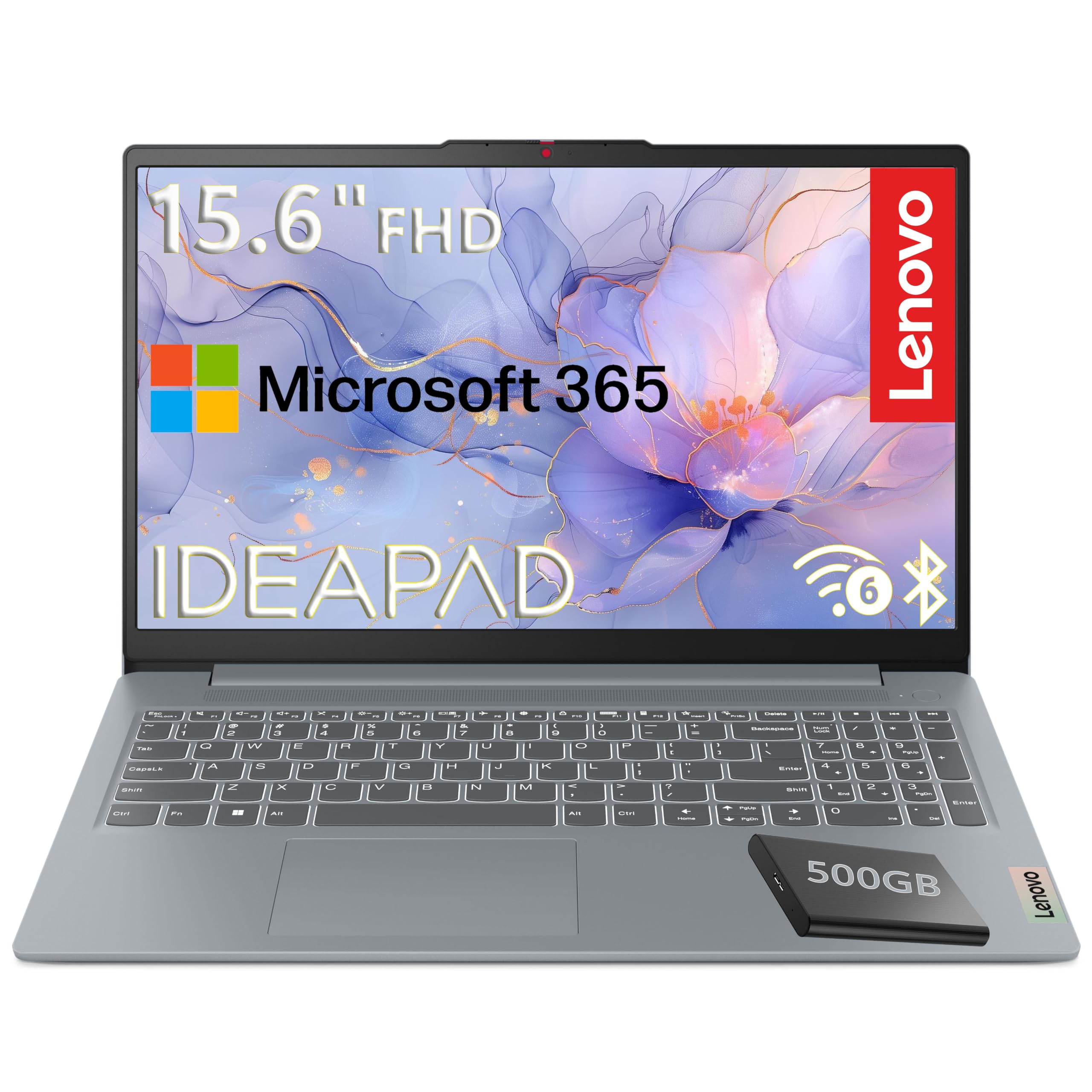
Lenovo 15.6-inch FHD

Lenovo 15.6-inch FHD

Budget large storage

Customer rating 4.3/5
Check Price

Worth Noting

  • Mechanical hard drive loads large files slower than SSD-based laptops
  • With just 4GB of RAM, running multiple apps or browser tabs at once will feel sluggish, so single-app sessions suit it.
RAM
4GB
Weight
—
Storage
128GB UFS, 500GB HDD
Processor
Intel N100
Read the full review

The Lenovo 15.6 combines a 500GB hard drive with 128GB of flash storage — the largest local capacity in this lineup for a teacher who keeps lesson archives, video clips, and scanned materials on the machine itself.

That storage focus trades away responsiveness: the mechanical drive opens files slower than SSD systems, and 4GB of RAM keeps multitasking to single-app sessions. It works well as a dedicated archive-and-document machine, while the 512GB SSD option in this set loads faster when speed matters more than raw capacity.

Keep frequently used apps on the faster 128GB flash drive and relegate large media files to the 500GB hard drive for noticeably snappier launches.

Bottom line: Choose this only if bulk local storage is the top priority and you work in single-app sessions; teachers who need dependable multitasking day to day should look elsewhere in this set.

#7

Samsung 12.2-inch 2-in-1

Samsung 12.2-inch 2-in-1

2-in-1 flexibility

Customer rating 4.1/5
Check Price

Worth Noting

  • Battery endurance varies between units, so unplugged time is hard to predict.
  • In some cases a unit has ceased running within the first month.
RAM
4GB
Weight
3 lbs
Storage
64GB + 160GB
Processor
Celeron 3965Y
Read the full review

The Samsung 12.2-inch Chromebook folds into tablet mode with a bundled stylus, so drawing, note-taking, and quick lesson activities work as handheld tasks. Setup takes minutes, and the 64GB SSD with 160GB of extra storage covers casual files for young students.

That flexibility carries a speed cost — the Celeron chip and 4GB of RAM make basic multitasking lag visibly, keeping it to single-app use. The lightweight 3-pound frame and easy setup still make it a pleasant companion for browsing and student assignments, just not a professional daily driver.

Bottom line: Matches a young student or a casual secondary role where single-app browsing is the norm; it's not the machine for a teacher's daily lesson prep.

How to Choose

RAM: The 8GB Minimum

Windows and macOS run dozens of background processes alongside your open apps. With 4GB of RAM, a laptop starts using its storage drive as overflow memory once you have a few browser tabs, a gradebook, and a video call running, which shows up as lag and freezing.

8GB is the realistic minimum for a teacher who works in multiple apps at once. Chromebooks are the exception, since Chrome OS is built to be lightweight and runs acceptably on 4GB.

Storage: SSD and Capacity

Solid-state drives are non-negotiable for a responsive machine. Budget laptops that list UFS or eMMC storage are slower and less dependable than a proper SSD. Windows itself plus its updates eat a large share of a 128GB drive, so that size works only with heavy reliance on cloud storage.

Teachers who keep lesson videos and student work locally should look for 256GB or more, or a model with a secondary hard drive.

Battery Life: Real-World Numbers

Manufacturers rate battery life under ideal conditions — dim screen, no Wi-Fi, few background tasks. A teacher's day involves constant screen-on time, video calls, and internet use, which can cut a claimed 12 hours down to five or six.

Look for models whose users report eight or more hours of genuine mixed use, and treat marketing numbers as an upper ceiling rather than a promise.

Weight: Portability Matters

A teacher who moves between classrooms carries the laptop all day, and the difference between a 3-pound and a 5-pound machine is real fatigue by third period. Larger 17-inch screens add roughly two pounds over a 13-inch model, which makes sense only if the laptop stays on a desk.

Processor: Modern Quad-Core

Entry-level chips like the Celeron and low-end Intel N-series manage single tasks but slow down under sustained load — exactly the situation during a video call with a dozen tabs open. A modern quad-core processor, whether AMD Ryzen 3, Intel Core 3, or Apple's A18 Pro, keeps things smooth.

Check the chip generation rather than the brand name, since older budget processors age quickly as software becomes more demanding.

Frequently Asked Questions