Classroom Supplies Product Guide

5 Best Laptop Charging Carts of 2026: Devices Fit With Chargers

Which laptop charging carts fit your chromebooks with chargers plugged in, stay stable when full, and match your classroom's size and budget.

5 Best Laptop Charging Carts of 2026: Devices Fit With Chargers editorial illustration

The fastest way to waste a school budget on a charging cart is to buy on bay count alone. Slots are sized for bare devices, so a chromebook wearing its rugged case — or a laptop with its charger still plugged in — often won't fit the way the listing suggests. That one measurement gap is why so many carts sit half-empty or never lock.

Assembly claims deserve the same skepticism. A cart advertised as fully assembled can still require attaching wheels, aligning a sticky door, and hunting for missing screws before a single device goes in. Expect setup to take up to an hour on even the fastest models.

The carts below are chosen on the measurements and behaviors that decide whether one works in a real classroom: device fit, locking security, setup time, and stability when fully loaded. Match those four to your fleet size and room, and the right choice becomes clear.

#1

Meteteel 20-Device Cart (Assembled)
Meteteel 20-Device Cart (Assembled)

Mid-size fleets

Customer rating 4.3/5
Check Price

Worth Noting

  • Front door on some units sits slightly misaligned and needs a gentle wiggle to close.
  • Keyless lock is functional but has a basic, inexpensive feel.
Mobility
63 lb
Security
Lockable front/back doors
Capacity & Fit
20 bays, 15-inch wide
Read the full review

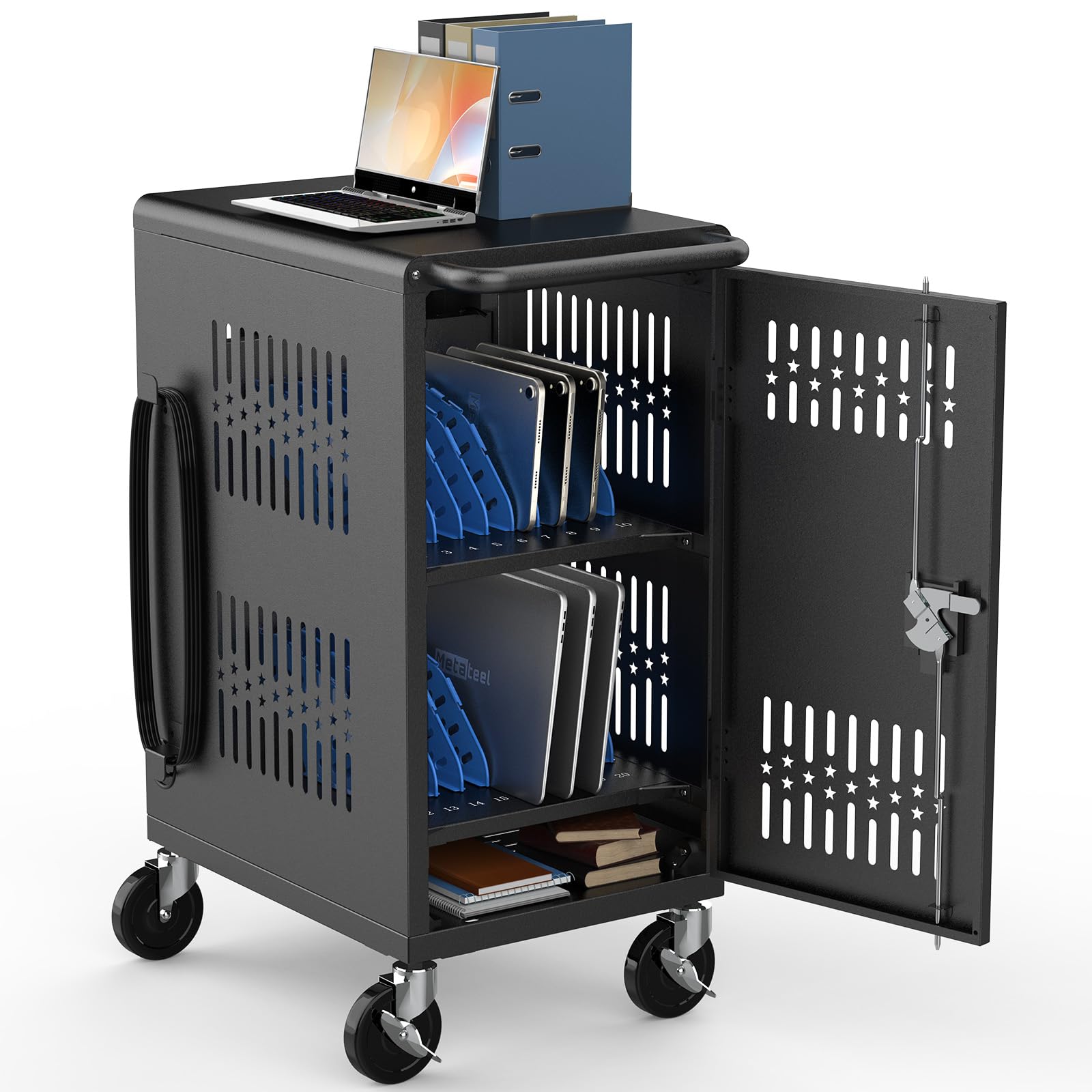
The Meteteel arrives roughly 95% assembled — only the wheels and handle need attaching — so a classroom moves from box to charging in under half an hour. The ventilated steel frame keeps heat moving during simultaneous charging, and the strong cable management tucks wire runs out of the way. Front and back doors lock for secure overnight storage, and the sturdy build rolls steadily down a hallway with a full load.

Mid-size fleets of around 20 standard tablets or laptops fit the 15-inch-wide bays snugly, and the cart rolls easily once loaded. Devices in thick protective cases can be a squeeze, so classrooms running ruggedized gear should verify bay width before committing. Teachers short on assembly time who want lockable storage and consistent airflow during charging get the full benefit without an afternoon of construction.

Buyers weighing the larger 30-bay option trade certified low-VOC air quality and room to grow for this cart's faster start — lockable, ventilated, and ready in one assembly step at mid-range pricing.

Bottom line: For a mid-size classroom that wants lockable, ventilated storage without a two-hour build, this cart offers the shortest route from unboxing to charging.
#2

ECR4Kids 30-Bay Charging Cart

ECR4Kids 30-Bay Charging Cart

Large classrooms

Customer rating 4.1/5
Check Price

Worth Noting

  • Assembly can stretch to two hours before the cart is ready for its first class.
Mobility
185 lb
Security
Programmable keypad lock
Capacity & Fit
30 bays, 13 in. deep
Read the full review

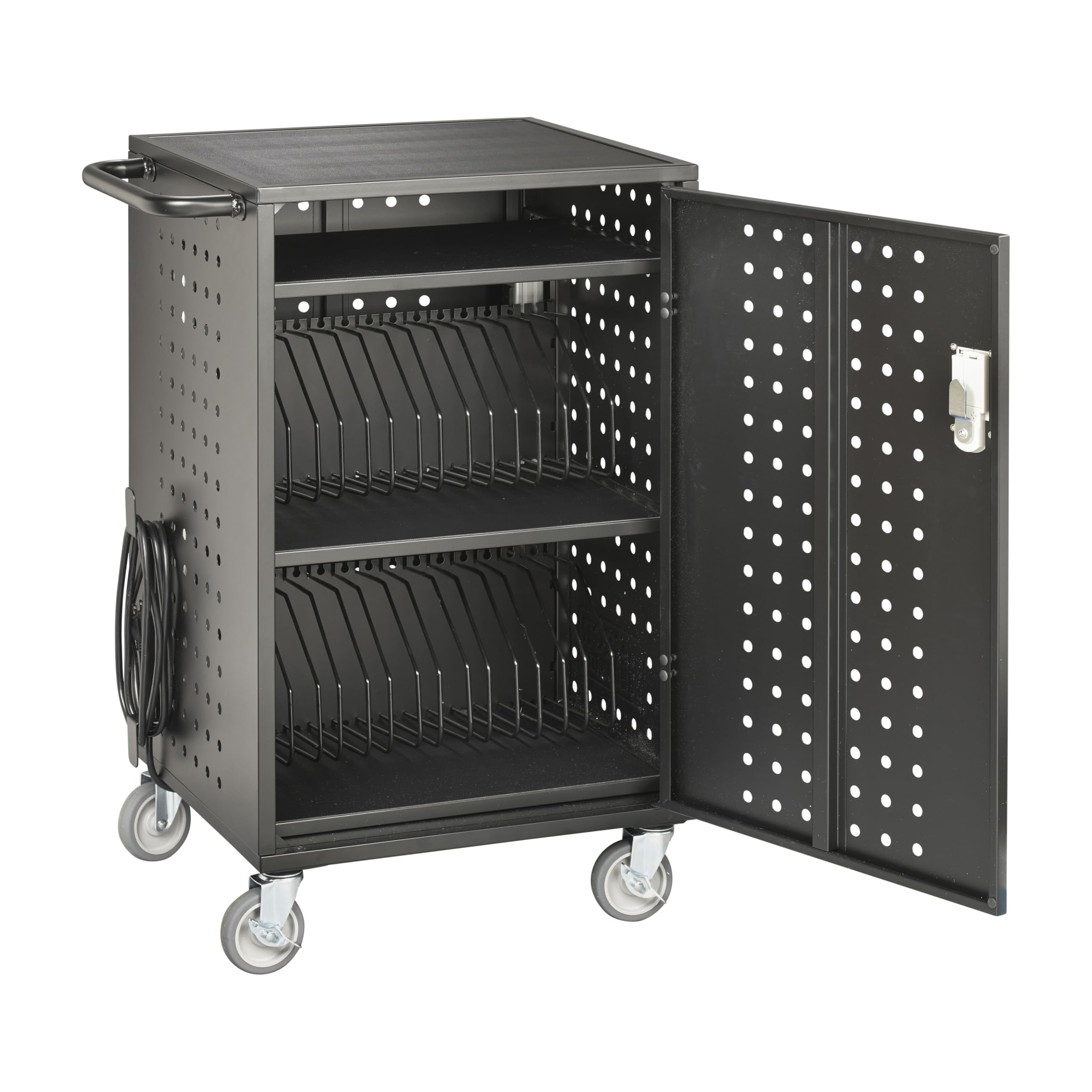
UL GREENGUARD Gold low-VOC certification, 30 bays, and 32 built-in outlets push this past the top pick on certified air quality and raw capacity — the strongest argument for a full tablet lab.

That capacity comes with honest boundaries for the classroom that fills every bay: the front door may not seal shut with all 30 slots occupied, and wheels and locks can wear down under daily abuse. Fits slim tablets and chromebooks up to 13.2 inches deep far better than laptops that charge while stored, so the trade lands well for large tablet-centric rooms.

Bottom line: This is the pick when certified low-VOC air and 30-bay headroom outweigh a two-hour setup — a clear yes for slim-tablet labs, a miss for fleets that charge laptops in storage.

#3

Line Leader 30-Unit Charging Cart

Line Leader 30-Unit Charging Cart

Security-first fleets

Customer rating 4.2/5
Check Price

Worth Noting

  • Finicky top cord hooks and cable clips make routing 30 cables a patient task.
Mobility
120 lb, locking casters
Security
Lockable cabinet
Capacity & Fit
30 devices, two strips
Read the full review

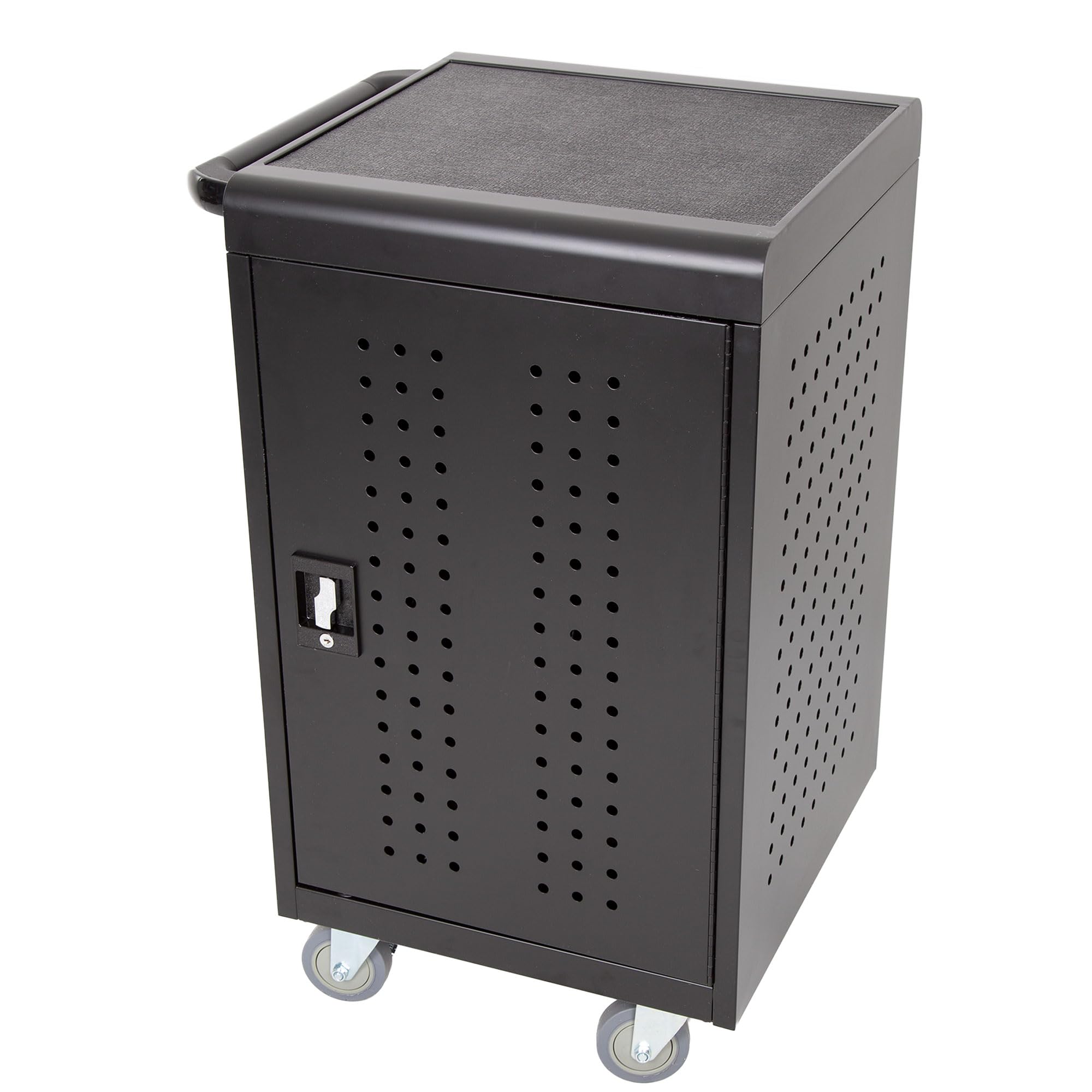
The Stand Steady Line Leader is the certified heavy-duty station in this set — UL safety-certified and ANSI/BIFMA tested, with a 120-lb load rating, locking casters, and a powder-coated steel frame. Where the top pick ships nearly fully assembled, this 30-bay cart leads with structural integrity and ventilation for tech-dense rooms.

It fits security-first fleets — large classrooms or office deployments storing 30 devices where certification and locking security outweigh assembly speed. Units may arrive with corner dents or a missing door screw despite the dent-resistant claim, so a delivery-day inspection is the practical caveat.

Bottom line: For security-first fleets that need certified, lockable capacity over assembly speed, this steel station delivers — though a quick look at the crate beats trusting the dent-resistant label.

#4

Pearington 16-Device Open Cart

Pearington 16-Device Open Cart

Budget small rooms

Customer rating 4.2/5
Check Price

Worth Noting

  • Assembly can be fiddly, and individual device slots may dislodge while the cart is handled
  • Stability can vary between units, with a recurring structural weak point and possible tipping noted
Mobility
4 swivel casters, 2 lock
Security
No lock, open slots
Capacity & Fit
16 devices, removable dividers
Read the full review

The Pearington 16-Device Open Cart trades locking for budget-friendly, wide-open storage — a slim 14.7-inch footprint whose removable dividers hold mixed device sizes standing up. Where the lockable cabinets in this set carry extra assembly weight for security, this cart keeps the build simple and slides into cramped rooms.

This suits low-risk classrooms and offices where theft isn't a primary concern; without a lock, valuable devices need a space that stays supervised. Stability can vary between units, so anchored placement matters more than constant rolling — the budget entry cost keeps the total outlay low for rooms that don't move their devices around daily.

Recheck dividers and device seating after each move — individual slots can pop out during handling.

Bottom line: A capable open-access cart for supervised classrooms — budget entry cost and a tight footprint suit small mixed-device rooms, provided the cart stays anchored rather than rolling hard daily.

#5

Pearington 20-Device Locking Cart

Pearington 20-Device Locking Cart

Secure mid fleets

Customer rating 4.0/5
Check Price

Worth Noting

  • Laptops in thick protective cases can sit snug in the padded bays when chargers stay plugged in.
Mobility
—
Security
Lockable front/back access
Capacity & Fit
20 bays, 17-inch screens
Read the full review

Lockable front and back cabinet access holds 20 devices up to 17 inches with an 89-lb load rating, giving classroom fleets a secure charging and storage option. Real-world performance, though, rests on the spec sheet rather than confirmed owner accounts, so buyers who want verified peer feedback before purchase will find little to anchor on.

Bottom line: Best for a 20-device fleet needing lockable front and back access with up to 17-inch laptops, where secure cabinet storage is the priority.

How to Choose

Match Bays to Your Real Devices

Bay count sets the ceiling, but slot width is the real constraint. A cart rated for 20 laptops may only accept bare devices; once a chromebook wears its case and keeps its charger attached, several models won't close their doors.

Measure your fleet's widest device with its charger connected before you buy. A 1-inch difference in depth is the line between a cart that locks fully loaded and one that stays propped open.

Locking vs. Open Access

Open carts trade security for universal fit — every device size drops in without dividers, but nothing stops a device from walking off. Locking cabinets add theft protection at the cost of fitting only devices that physically clear the closed door.

Match the mechanism to the room. Keyed locks keep costs down and stay simple; keypad locks survive lost-key seasons but add an electronic point of failure. If the cart stays in one supervised room, open access may be enough.

Assembly Time vs. Reality

Assembly claims stretch from '5 minutes' to 2 hours regardless of what the listing promises. Even carts marked as fully assembled still require attaching wheels and a handle, and some ship with misaligned doors or missing screws.

Budget for at least an hour of setup on any model. The carts closest to 'open the box and roll' are the ones already on casters, leaving you to lock the doors and load devices.

Wheels, Weight, and Stability

A cart loaded with laptops is a top-heavy load, so wheels and locks take the abuse first. Locking casters on all four posts hold the cart still while students pull devices, and a heavier frame resists tipping when the cart is half-emptied.

Check the wheels at delivery — they're the most common failure point across brands. Carts rolled daily on carpet need larger casters than the same cart parked in a corner on tile.

Ventilation and Surge Protection

Charging a full fleet generates heat, and a sealed cabinet can cook the devices inside. Ventilated steel frames and open backs let that heat escape during long charge cycles, which matters most when carts charge overnight.

Surge protection guards the fleet against power spikes on school circuits. Not every cart includes it, so confirm before buying if your building runs older wiring.

Frequently Asked Questions