Organization & Storage Product Guide

12 Best Digital Family Calendar of 2026: What Syncs and Lasts

Best digital family calendars that sync reliably, keep kids on chores without subscriptions, and fit your wall.

12 Best Digital Family Calendar of 2026: What Syncs and Lasts editorial illustration

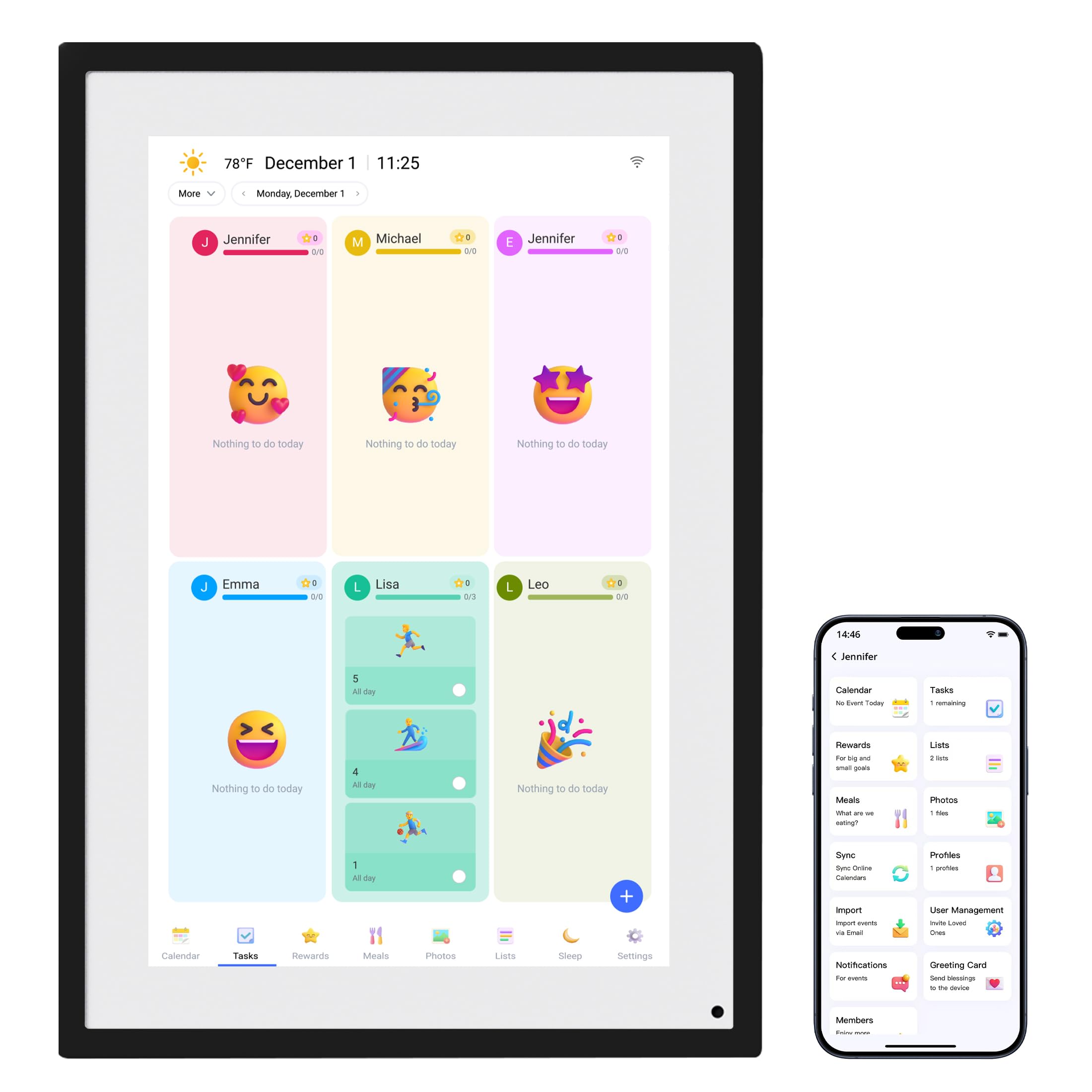
Most digital family calendars are marketed as photo frames with a schedule bolted on. The devices that actually earn a place on the kitchen wall are judged on two things marketers rarely mention: whether the calendar syncs cleanly every day, and whether the screen still powers on a year later. Reliability, not specs, is what separates them.

The other divide is money. Several calendars push chore rewards and meal planning behind an optional subscription, while others run entirely free beyond the purchase price. For families syncing Google or iCloud schedules and trying to get kids to check off chores, that recurring fee changes the value math as much as screen size does.

Screen size also matters less than where the device has to live. A 21.5-inch command center is a joy until you measure the wall and find it will not fit. Picking a display against a specific doorway or kitchen wall prevents the most common regret in this category.

#1

Apolosign 21.5-inch Planner
Apolosign 21.5-inch Planner

Custom Android hub

Customer rating 4.7/5
Check Price

Worth Noting

  • Occasional calendar-sync quirks can surface with some platforms in rare setups.
  • The 21.5-inch frame demands generous wall or counter space
App Access
Android apps, widgets
Screen Size
21.5-inch touchscreen, wall mount
Subscription
No subscription
Calendar Sync
Google Calendar, others
Read the full review

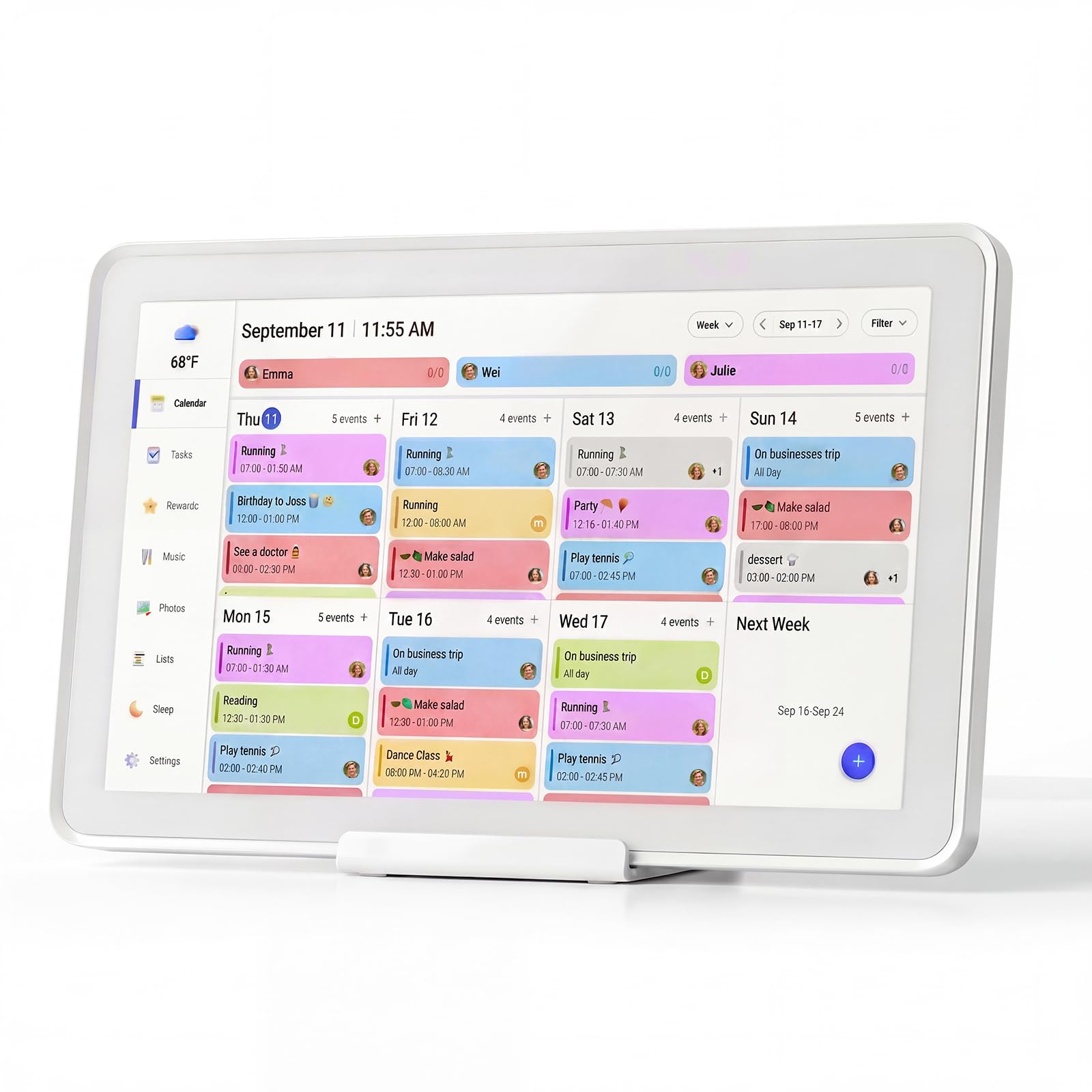
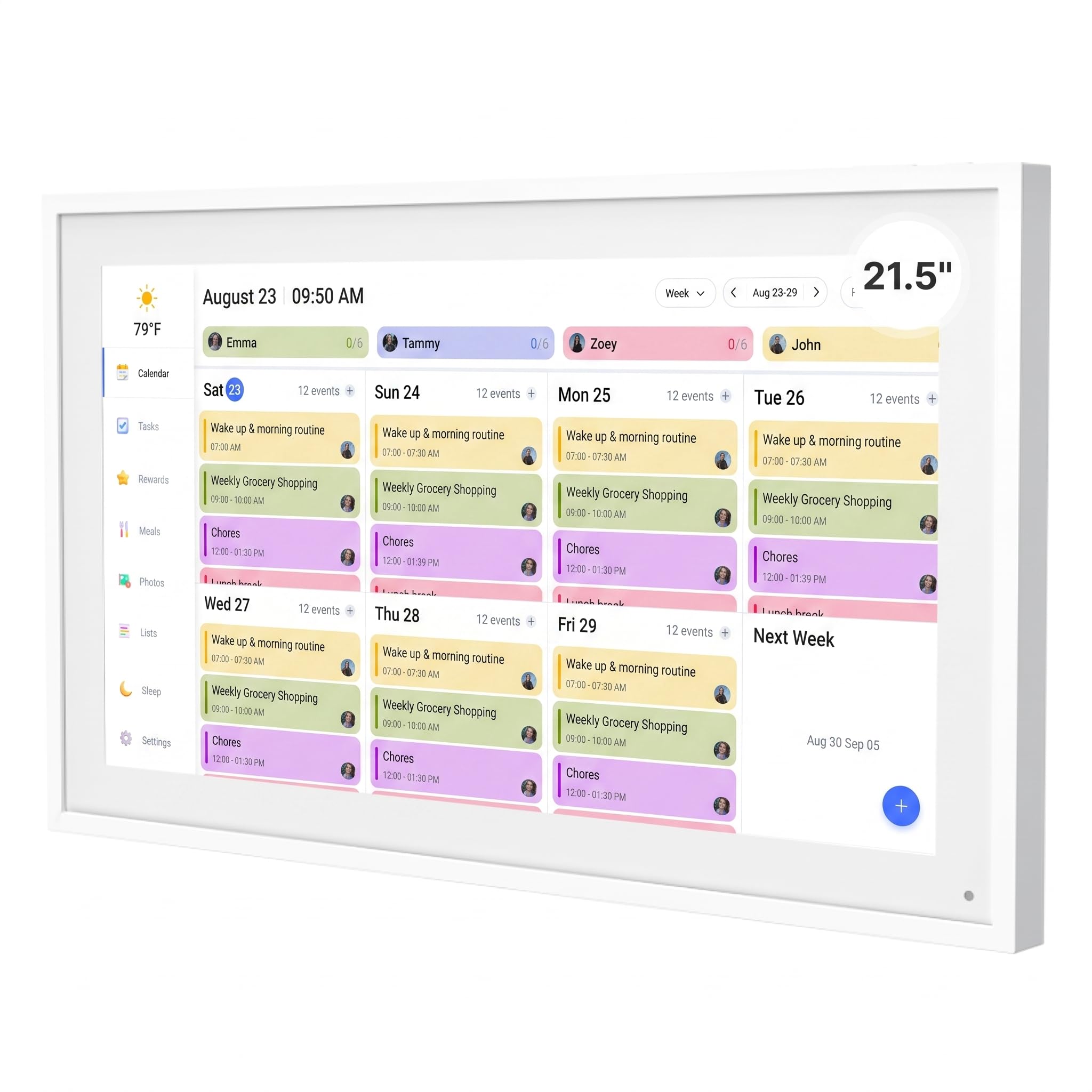
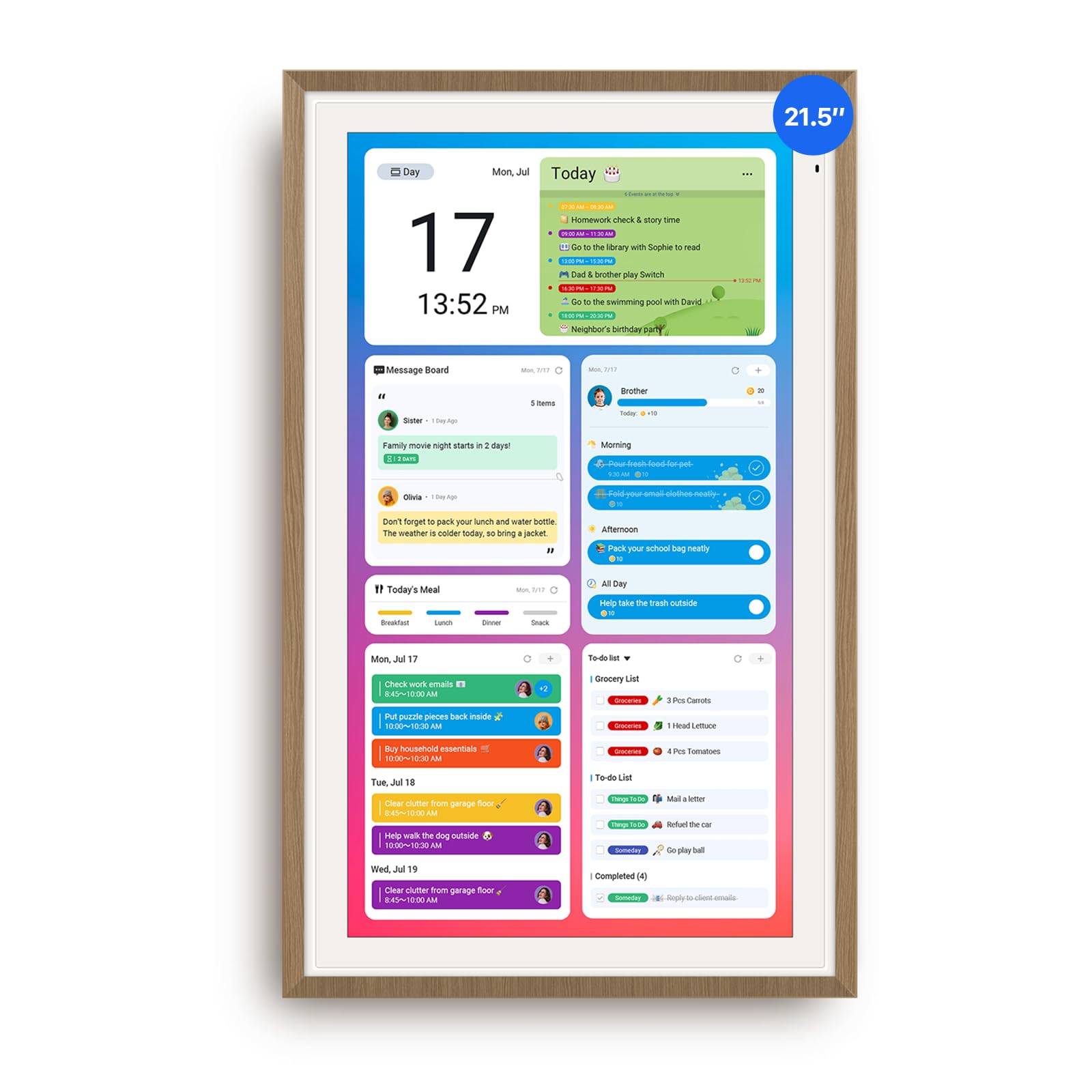
The ApoloSign 21.5 runs a full Android mode alongside its dedicated calendar interface, so one wall unit covers scheduling, meal planning, chore-reward charts, and smart-home widgets at no recurring cost. Google and Apple calendar sync lands cleanly, and everyday use — adding events, checking the week ahead, ticking off completed chores — stays fluid on the 21.5-inch touchscreen. The premium-priced buy is offset by zero subscription, keeping lifetime cost flat, and day-to-day operation stays consistent — the trait that separates it from lower-priced rivals.

This fits tech-comfortable households that refuse subscription-gated calendars and want app-and-widget flexibility. The 21.5-inch frame demands generous wall space, so compact kitchens are better served by a smaller unit. Occasional calendar-sync quirks can surface with certain platforms, a minor boundary for homes built around a single calendar service. For a family with a dedicated wall and tolerance for the odd hiccup, this holds the strongest value math in the set, pairing a large canvas with functionality no competitor bundles at this cost.

Keep one calendar service as your daily driver — occasional sync quirks with a second platform clear with a fast resync.

Bottom line: This is the right wall calendar for a tech-comfortable family with dedicated space — full Android flexibility, flat lifetime cost, and no durability trade-offs to weigh.

#2

Skylight 15-inch Calendar

Skylight 15-inch Calendar

Proven all-in-one

Customer rating 4.4/5
Check Price

Worth Noting

  • In a minority of setups, Wi-Fi pairing and calendar sync can be finicky to lock in.
  • Chore rewards and photo import sit behind an optional Plus plan, muting value for subscription-averse households.
App Access
Fixed app ecosystem
Screen Size
15.4-inch HD touchscreen
Subscription
Optional premium plan
Calendar Sync
Google, iCloud, Outlook, Cozi, Yahoo
Read the full review

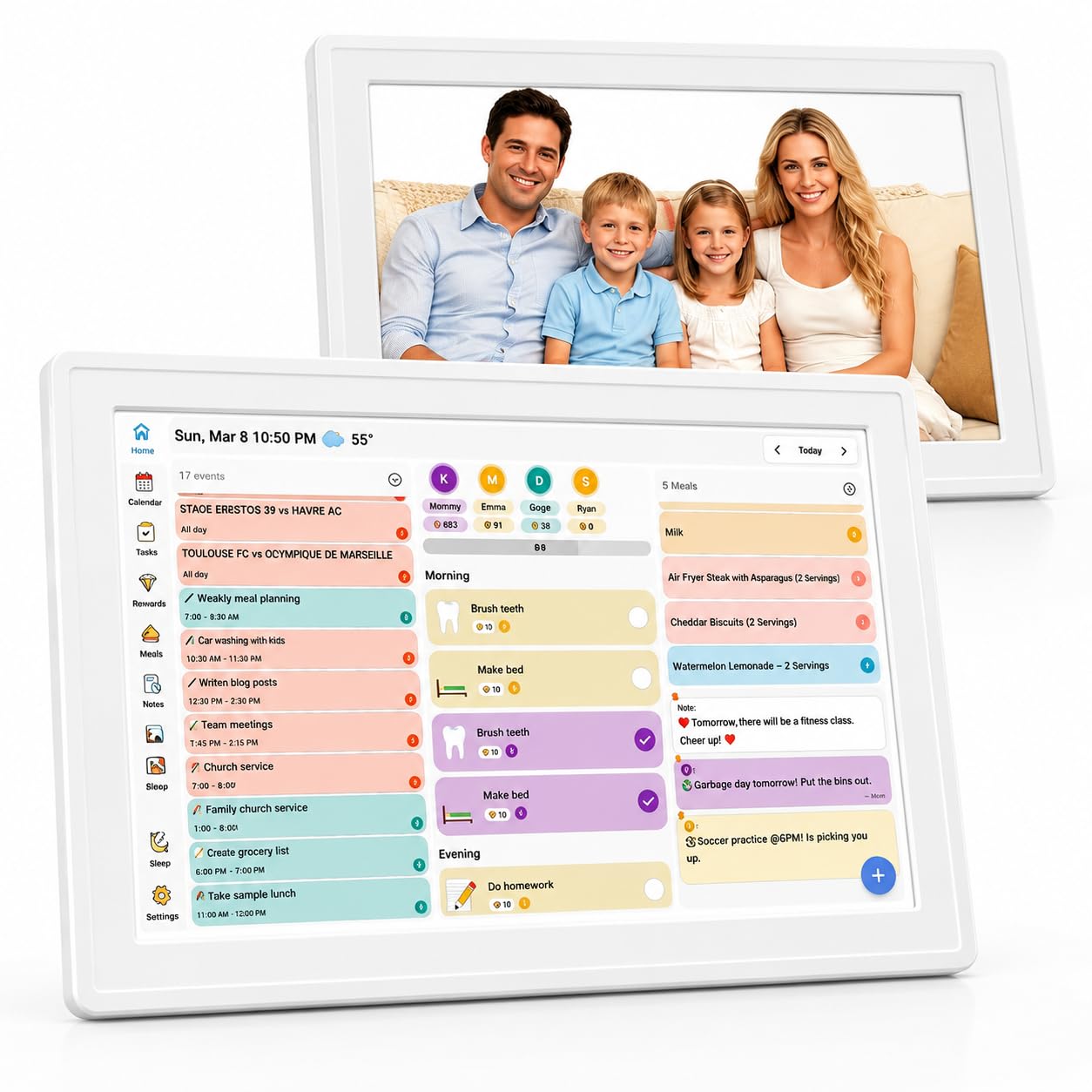
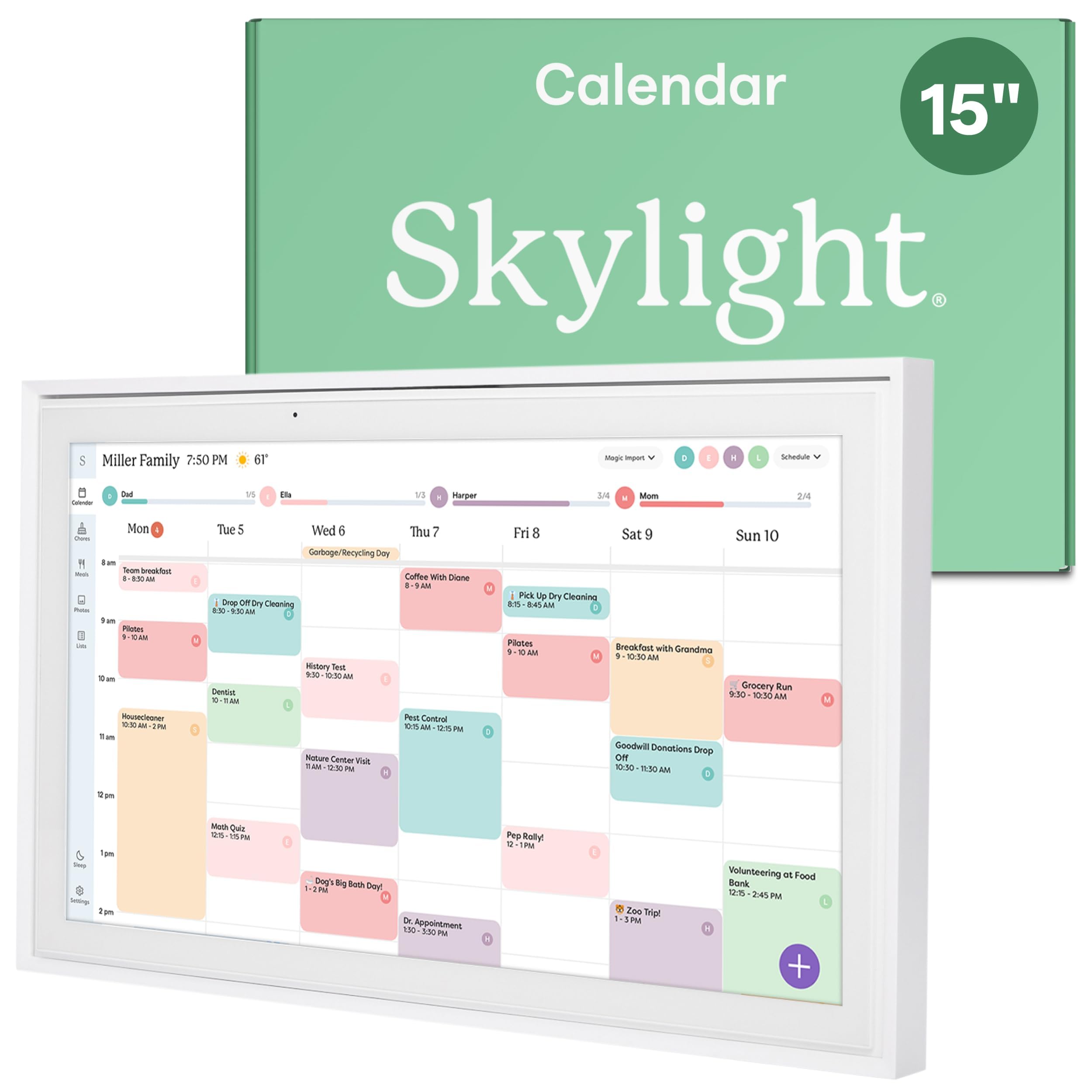
The Skylight 15 is the category reference point — no rival here pulls Google, iCloud, Outlook, Cozi, and Yahoo into a single wall display, nor matches its breadth of settled owner experience. The chore chart, shopping lists, and meal planner quietly reorganize a busy week once the mount is up.

The fit is a household juggling several platforms — work Outlook, school Google, a sitter's Cozi — where one aggregated screen removes the mental load. Accept the occasional Plus-subscription prompt and give Wi-Fi pairing a patient first setup; families set on a zero-fee calendar should weigh the ApoloSign instead.

Give the initial Wi-Fi pairing a patient first minute — sync settles in once the connection locks.

Bottom line: The deepest sync reach and the largest settled owner base in the category — the clear pick for multi-platform households that can live with an occasional subscription prompt.

#3

Cozyla Calendar Plus 2

Cozyla Calendar Plus 2

App flexibility

Customer rating 4.5/5
Check Price

Worth Noting

  • On a niche calendar service, sync can lag occasionally
App Access
Google Play Store
Screen Size
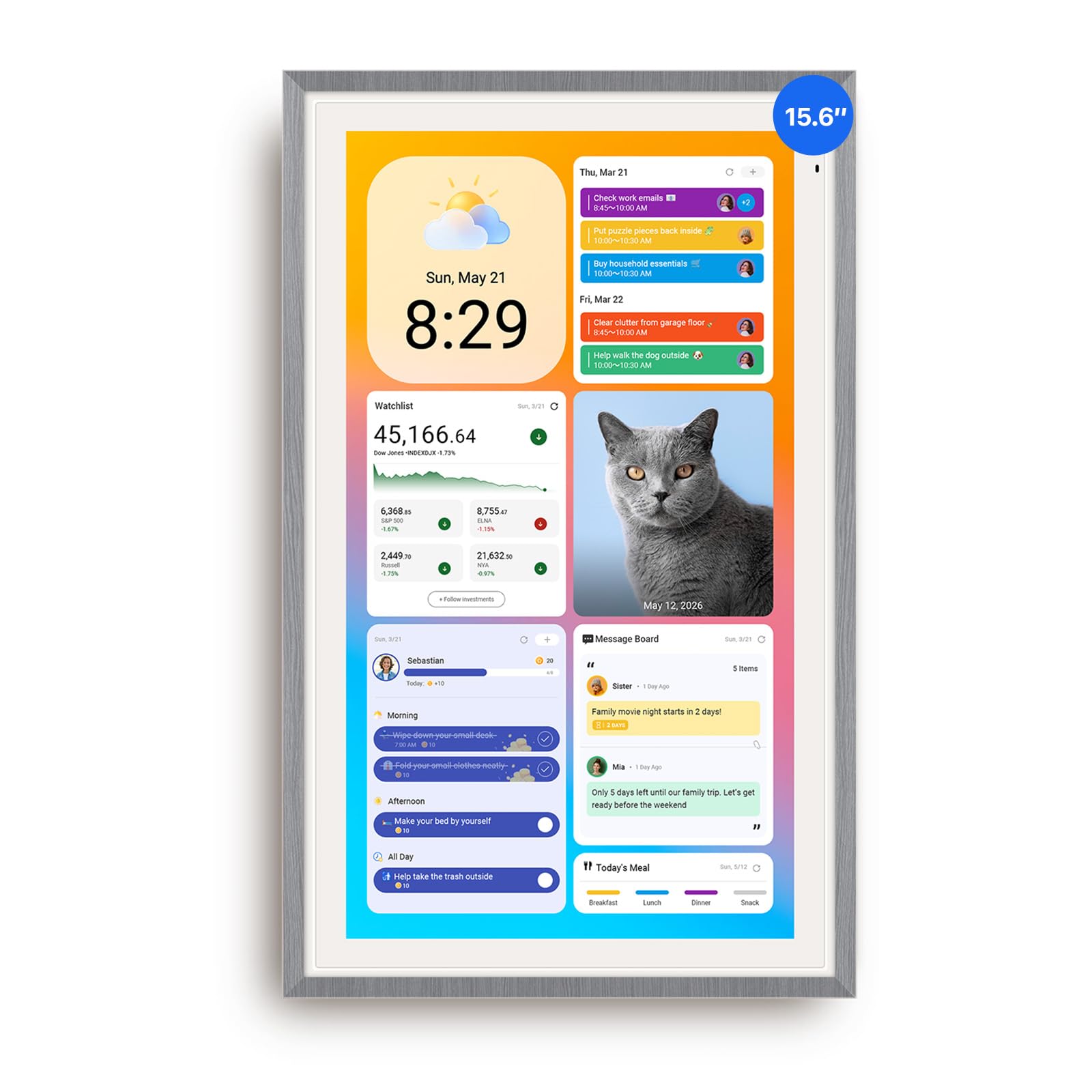
15.6-inch touchscreen
Subscription
No subscription
Calendar Sync
Google, Apple, Outlook, Yahoo
Read the full review

The Cozyla Calendar Plus 2 opens the full Google Play Store, so you can drop in the same meal-planning, chore, and widget apps your household already uses. An AI assistant drafts events from plain typed or spoken prompts, and the drag-and-drop dashboard rearranges freely — no subscription attached.

It suits families that want a calendar they can reshape, and iPhone owners find setup especially quick. Households on Google, Apple, or Outlook sync run smoothly; those on a niche calendar service may catch the occasional sync lag. If a fixed-function calendar is the goal, this one is more than you need.

Run the calendar on Google, Apple, or Outlook sync to sidestep the occasional lag on niche services.

Bottom line: If your family's life already flows through Android apps, this is the calendar that absorbs them — just confirm your sync platform is one of the big three before committing.

#4

Dragon Touch 15.6-inch Calendar

Dragon Touch 15.6-inch Calendar

Budget no-subscription

Customer rating 4.4/5
Check Price

Worth Noting

  • For Android-calendar-centric households, syncing can be inconsistent
App Access
No app store
Screen Size
15.6-inch Full HD touchscreen
Subscription
No subscription
Calendar Sync
Google, Outlook via app
Read the full review

At 15.6 inches with a 1080P Full HD touchscreen, this Dragon Touch is the category's value scheduler — no subscription, an interactive chores chart, and a dinner planner for roughly half the price of premium rivals. The eCalendar app syncs Google, Outlook, and iCloud calendars, and families report it handles appointments and daily tasks smoothly.

Budget-conscious households get a full-size wall calendar without a recurring fee, provided the family calendar runs on Google, Outlook, or iCloud. The 15.6-inch frame suits a kitchen or entry wall rather than tight counter space.

Bottom line: The right value pick for households that want full-size scheduling and chores without a subscription, as long as the family calendar lives on Google, Outlook, or iCloud.

#5

Anyuse 16-inch Smart Calendar

Anyuse 16-inch Smart Calendar

Flexible placement

Customer rating 4.5/5
Check Price

Worth Noting

  • Reliability can vary between units, with a subset possibly not powering on
App Access
No app store
Screen Size
16-inch HD, wall/desk/stand
Subscription
No subscription
Calendar Sync
Google, Outlook, Cozi, TeamSnap
Read the full review

The 16-inch Anyuse moves between wall, desk, and stand mounts, and its four-level font and brightness controls give it a reach no fixed-position rival matches. Two-way Google sync plus TeamSnap covers sports schedules, while the chore-and-reward system, meal planner, and recipe library handle everyday family use.

Best for households that want one calendar to rotate across kitchen, office, and hallway, and for seniors who need large adjustable text — the four-level brightness and font options lead the set. Screen quality is strong, yet reliability can vary between units, with a subset reporting the display not powering on; treat it as a casual scheduling tool rather than an all-years guarantee.

Bottom line: The most placement-flexible 16-inch calendar in the set for multi-room households and seniors, provided you accept some unit-to-unit variance.

#6

AOC 15.6-inch Digital Calendar

AOC 15.6-inch Digital Calendar

Spec-sheet value

Customer rating 4.8/5
Check Price

Worth Noting

  • Cross-platform sync reliability has not been independently confirmed, so accuracy across services depends on the spec sheet.
App Access
No app store
Screen Size
15.6-inch touchscreen, auto-rotation
Subscription
No subscription
Calendar Sync
Google, iCloud, Outlook
Read the full review

Its Google, iCloud, and Outlook sync come with no subscription, and the star-reward chore system plus auto-sync shopping list cover key family scheduling tasks at a mid-range price. The catch: cross-platform sync reliability has not been independently demonstrated, so households that depend on flawless updates across several services should plan a setup test before full adoption.

Bottom line: Fits spec-driven families who prioritize feature set and price over verified feedback and are comfortable testing sync themselves; those needing confirmed reliability should look to the top pick instead.

#7

Skylight Max 27-inch

Skylight Max 27-inch

Big households

Customer rating 4.5/5
Check Price

Worth Noting

  • Photo import and other premium perks require the optional Plus subscription on top of the steep price.
App Access
Fixed app ecosystem
Screen Size
27-inch HD touchscreen
Subscription
Optional premium plan
Calendar Sync
Google, Apple, Outlook, Yahoo, Cozi
Read the full review

At 27 inches, the Skylight Max is a genuine family command center — auto-adjusting portrait and landscape views with sync across five calendar services. That presence is the draw; the premium price and the Plus subscription gating photo import make it a fit for large, spacious households with budget to spare, not for small families.

Bottom line: Choose the Max for a spacious open-plan family room where a 27-inch wall display will anchor daily scheduling — with the Plus subscription for photo import factored into the budget.

#8

Apolosign 15.6-inch Planner

Apolosign 15.6-inch Planner

Compact footprint

Customer rating 4.4/5
Check Price

Worth Noting

  • Calendar sync can occasionally need a manual refresh on certain platforms
App Access
Android apps, widgets
Screen Size
15.6-inch touchscreen
Subscription
No subscription
Calendar Sync
Google, Apple, Google Home
Read the full review

Using the same dual-mode calendar and Android interface as its larger sibling, this 15.6-inch version fits smaller kitchens and tighter walls. Build quality and setup shine here — a polished, easy-to-place family hub for tech-comfortable households. Value runs slightly weaker per inch than the 21.5-inch model, which offers more display for a modest price difference.

Bottom line: Best for families who want ApoloSign's clean dual-mode interface in a space-friendly footprint; the compact size must matter more than raw value per screen-inch.

#9

Mezed 21.5-inch Digital Calendar

Mezed 21.5-inch Digital Calendar

Large-screen gifts

Customer rating 4.4/5
Check Price

Worth Noting

  • For a wall calendar expected to run for years, individual units can power off permanently around the one-year mark.
App Access
App, touchscreen control
Screen Size
21.5-inch touchscreen
Subscription
—
Calendar Sync
—
Read the full review

The crisp 21.5-inch IPS panel renders schedules, meal planning, and reminders clearly, making it a popular gift for mothers and grandparents. Reliability varies unit to unit, with some powering off permanently around the one-year mark, and Wi-Fi may require a 2.4GHz network. That variance is a minor compromise for gift-giving, where the large readable display matters most, but a heavier concern for those expecting years of daily family scheduling.

If Wi-Fi drops or won't pair, connect to a 2.4GHz network — 5GHz routers are not supported on some units.

Bottom line: Suits gift-giving to a parent or grandparent who values screen size and readable clarity more than long-run dependability, where the moderate premium still makes sense.

#10

DASFIWO 21.5-inch Calendar

DASFIWO 21.5-inch Calendar

Large-screen value

Customer rating 4.4/5
Check Price

Worth Noting

  • Within the first week, a unit can freeze and need a restart
App Access
No app store
Screen Size
21.5-inch Full HD touchscreen
Subscription
No subscription
Calendar Sync
Google, iCloud, Outlook, Cozi, Yahoo
Read the full review

21.5 inches of full HD touchscreen syncs Google, iCloud, Outlook, Cozi, and Yahoo with zero subscription — solid build at a mid-range price and an easy gift for moms. Value buyers get a lot of screen. Within the first week a unit can freeze and need a restart, so buyers who can't tolerate an early reset should consider the verified top pick.

Bottom line: Right for large-screen value seekers who accept an early freeze risk; households that can't tolerate downtime should look to the verified top pick.

#11

Annalivkg 10.1-inch Calendar

Annalivkg 10.1-inch Calendar

Entry-level budget

Customer rating 4.5/5
Check Price

Worth Noting

  • Wi-Fi pairing can be finicky on some home networks and setups
App Access
No app store
Screen Size
10.1-inch touchscreen
Subscription
No subscription
Calendar Sync
Google, Apple sync
Read the full review

As the lowest-cost option in the set, this 10.1-inch frame handles remote photo sharing and color-coded chores with no subscription, and setup stays quick and painless. Wi-Fi pairing can be finicky on some home networks, which suits casual use better than households leaning on flawless multi-platform sync.

Bottom line: Best for the budget-conscious buyer or gift-giver who wants a working calendar at the lowest cost and can accept occasional Wi-Fi pairing quirks.

#12

Dragon Touch 10.1-inch Frame

Dragon Touch 10.1-inch Frame

Photo-frame gift

Customer rating 4.5/5
Check Price

Worth Noting

  • As an heirloom gift meant to last years, the occasional unit that stops powering on over time is worth weighing.
App Access
Companion app
Screen Size
10.1-inch 1080p touchscreen
Subscription
—
Calendar Sync
App-based Wi-Fi sync
Read the full review

The 10.1-inch Dragon Touch works best as a photo frame — set-up takes minutes, the 1080p screen is crisp, and long-distance photo sharing with grandparents is effortless. The calendar stays a light overlay without meal planning or chores; serious scheduling belongs to the 15.6-inch model. An occasional unit may stop powering on over time, worth weighing for an heirloom gift.

Bottom line: For a photo-first household or a grandparent gift, this delivers outstanding budget value — choose it to share memories, not to manage family schedules.

How to Choose

Screen Size and Placement

A larger display shows more schedules at a glance, which makes 21.5-inch and 27-inch models feel like command centers. That size costs wall space — a 21.5-inch frame needs roughly two feet of clear wall and will dominate the room.

Placement matters as much as size. Wall-and-stand models move between kitchen and office, while wall-only designs lock into one location; adjustable stands add bulk but feel less secure than a fixed mount.

Calendar Sync

The real test is whether a device stays in sync with your household calendars. Most models claim Google, iCloud, and Outlook support, but some pairs — especially Android sync on budget units — drop events. Confirm the unit does two-way sync, not just a one-way mirror.

Sync also depends on stable Wi-Fi; several calendars disconnect, particularly on 5GHz-only networks. A device that loses sync pushes everyone back onto phones within weeks.

Subscription Costs

The biggest pricing surprise is recurring rather than upfront. Some calendars gate chore rewards and photo import behind an optional subscription, turning a one-time purchase into a yearly bill. Target a zero-subscription model if you want chores without fees.

Free models are not lesser; several offer full chore and meal features at no recurring cost. The trade-off is ecosystem depth — subscription brands tend to ship more developed apps.

Chores and Meal Planning

Chore and meal tools turn a family calendar into a daily driver. Reward-based systems give kids a visible outcome rather than a to-do list, and meal planners with auto-generated shopping lists match dinners to groceries.

Depth varies widely. If motivation is the goal, prioritize a reward system; if weeknights are the bottleneck, choose a meal planner with list automation.

App and Customization

The flexibility gap is whether you can install your own apps. Android-powered calendars open the Google Play Store, adding widgets and the apps already on your phone — a real draw for tech-comfortable families, but it brings a learning curve.

Fixed-function calendars counter with simplicity: plug in, pair, and the interface stays predictable for everyone, including grandparents. The trade-off is a walled garden with no way to add what the maker has not shipped.

Frequently Asked Questions