Classroom Supplies Product Guide

12 Best Classroom Timer of 2026: Built to Survive a School Year

What to look for in a classroom timer that survives daily use, stays readable from the back row, and goes silent during tests.

12 Best Classroom Timer of 2026: Built to Survive a School Year editorial illustration

Many classroom timers are repurposed kitchen timers — small, loud, and prone to drifting or quitting a few months in. The magnet slides down the board, the beep can't be muted for tests, and you're back to watching the clock on your phone.

The timers actually engineered for classrooms look different: larger displays that read from the back row, silent flash mode for independent work, and rechargeable batteries that hold up to daily use. They cost more, but they earn it.

To pick the right one, think about how you'll use it — whole-class countdowns, individual desks, or a bulk set for stations. The trade-off between a big readable screen and an analog disk that younger students can intuitively follow matters more than the brand name.

#1

VOCOO 7.8" Classroom Display

VOCOO 7.8" Classroom Display

Whole-class tests

Customer rating 4.6/5
Check Price

Worth Noting

  • Premium price sits well above entry-level kitchen timers
  • Charge retention can vary between units; some hold a noticeably shorter charge
Display
7.8" LED, red final min
Mounting
Strong magnets, stand
Silent/Flash
Silent flash mode
Time & Power
99 hr, USB-C
Read the full review

The 7.8-inch LED display with 2.3-inch numerals stays readable from the back of a classroom, and the digits shift to red in the final minute so every student sees time running out. A silent flash mode keeps tests and quiet work free of audible alerts, and USB-C recharging supports roughly seven days of low-brightness use. Four alert modes handle tests, transitions, and station rotations, while the 99-hour count up/down range covers everything from a quick brain break to a full school-day block. Silicone-backed magnets hold firmly to whiteboards, with a stand and hanging hole as alternatives.

Unlike repurposed kitchen timers, this one is built around classroom routines, earning its premium price where back-row visibility and a silent test mode carry more weight than cost. It fits any teacher or presenter who needs one timer clearly read from the far end of a room. Charge retention can vary between units, so it suits teachers who plug it in at the end of the day rather than expecting weeks of standby. Cheaper kitchen timers handle casual countdowns at arm's length, but none match this one when the whole room must read the clock.

Plug it in at the end of the school day so the rechargeable battery is ready for the next morning.

Bottom line: For whole-class activities and silent tests alike, this one puts the countdown where every student can see it, with USB-C recharging keeping it ready for the next day.
#2

Antonki 2-Pack Digital Timer

Antonki 2-Pack Digital Timer

Budget stations

Customer rating 4.5/5
Check Price

Worth Noting

  • The minute-advance button can stop responding, and without auto-off the timer may keep running past zero.
Display
2.5" LCD, large digits
Mounting
Magnet, stand, hole
Silent/Flash
Silent flashing light
Time & Power
99 min, AAA
Read the full review

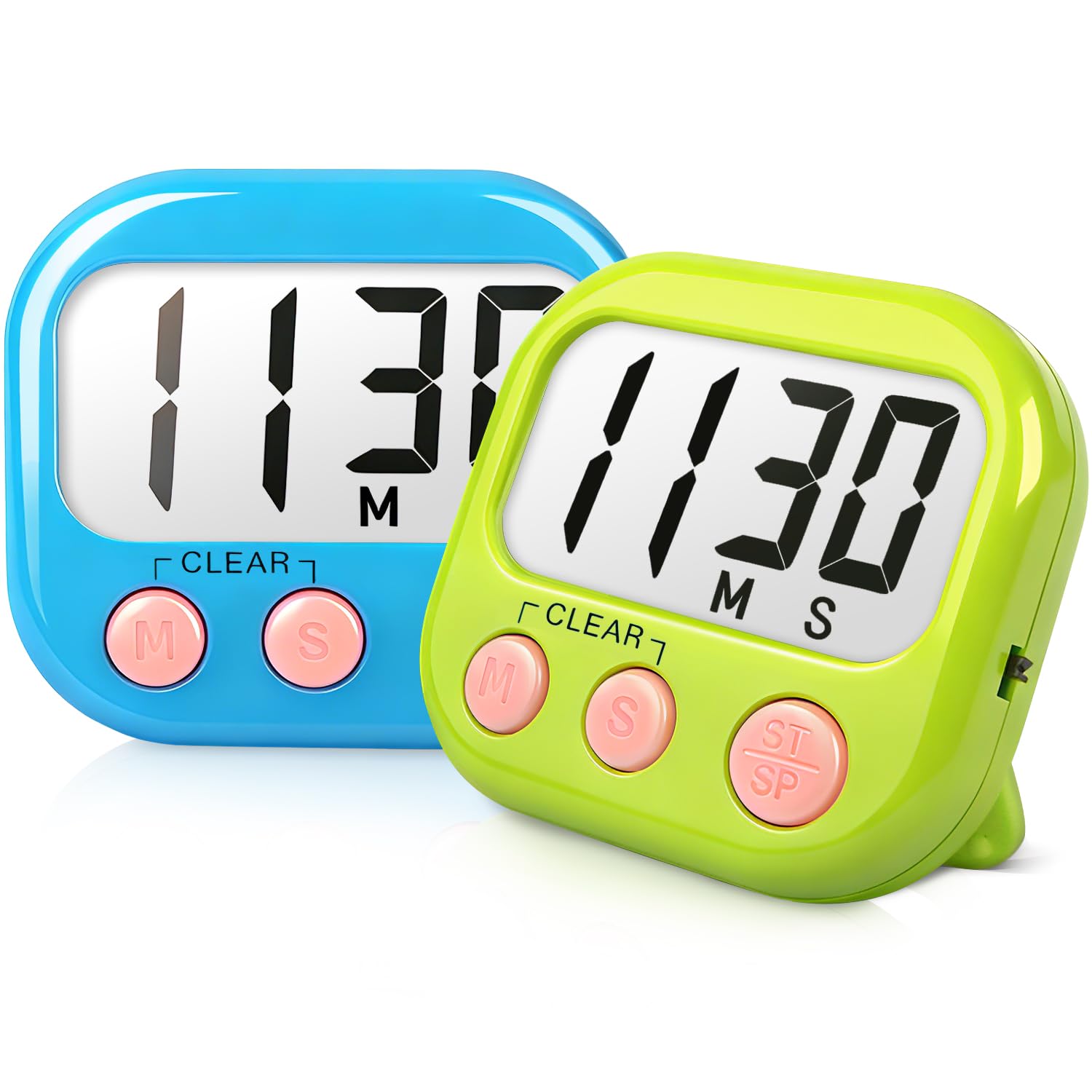
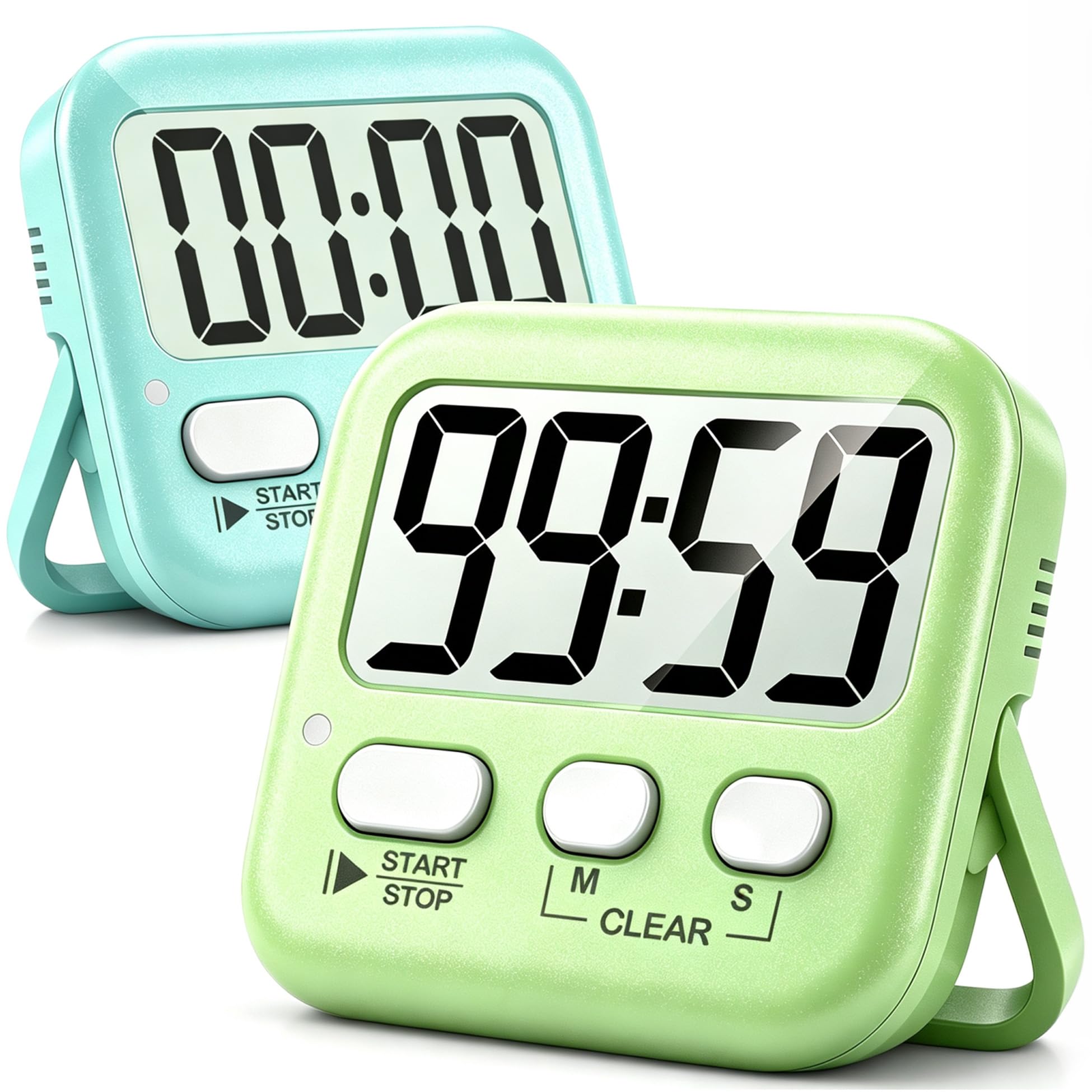
Two timers for a few dollars, silent-flash mode, and large 2.5-inch digits make this the budget pick for spreading countdowns across multiple stations, rather than commanding a whole class from the front like the single premium display. Setup is one-thumb with a ceiling of 99 minutes 59 seconds, and count-up mode covers daily rotations.

Best for budget-conscious teachers who want several working timers around the room for station rotations, or homes that need a simple countdown for homework and screen-time limits. Accept that some units can stop keeping time within the first couple of months; with two timers per pack, keep the second one at the ready as a spare.

Use silent-flash mode for quiet settings — the beep can be piercingly loud.

Bottom line: For station-based classrooms on a tight budget, this two-pack gets working timers everywhere at once — the best value per timer in this roundup.

#3

TIME TIMER Home MOD

TIME TIMER Home MOD

Special-ed visual

Customer rating 4.5/5
Check Price

Worth Noting

  • Knob and casing durability varies between units; rare overheating reports add caution.
Display
3.47" analog red disk
Mounting
Desk, magnetic
Silent/Flash
Silent countdown
Time & Power
60 min, AA
Read the full review

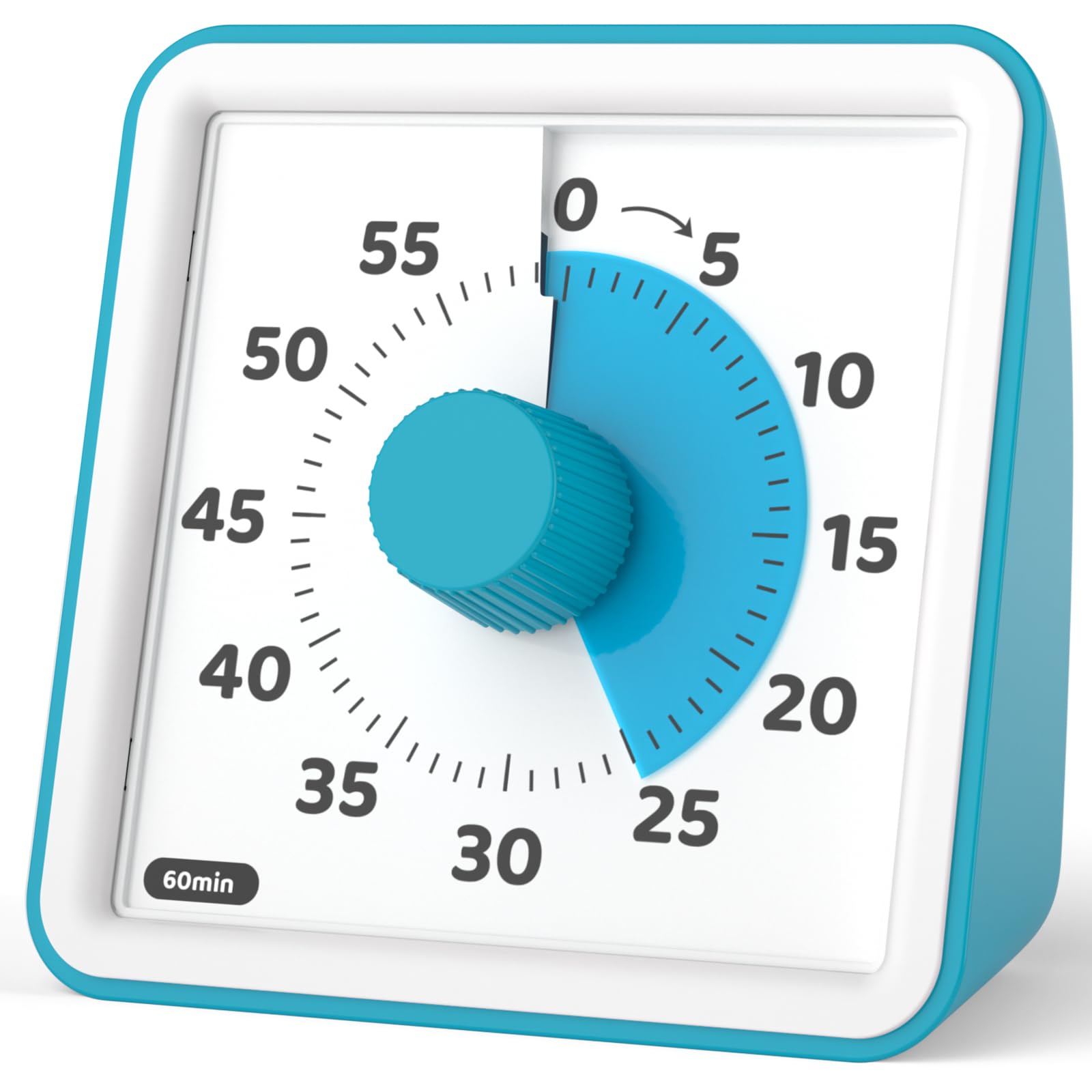
The shrinking red disk makes time passage visible to pre-readers, no digits to decipher, and the countdown runs in complete silence — a different lesson from the top pick's digital readout. Early-ed and special-ed teachers lean on this design to build time awareness, and ADHD and autism communities welcome it for the same reason.

This suits homeschooling families and early-ed classrooms where one child works at a desk; it is not built for whole-class visibility across a large room. Durability varies between units, and an individual unit may drift from accurate time-keeping within months.

Bottom line: Best for early-ed and special-ed teachers who value visual time-teaching over long-run durability, and for homes where the timer stays put on one desk.

#4

HAUKINIX Visual Timer

HAUKINIX Visual Timer

ADHD focus

Customer rating 4.6/5
Check Price

Worth Noting

  • Under daily desk and classroom handling, durability is unproven
Display
Backlit progress bars
Mounting
—
Silent/Flash
—
Time & Power
99 min, battery
Read the full review

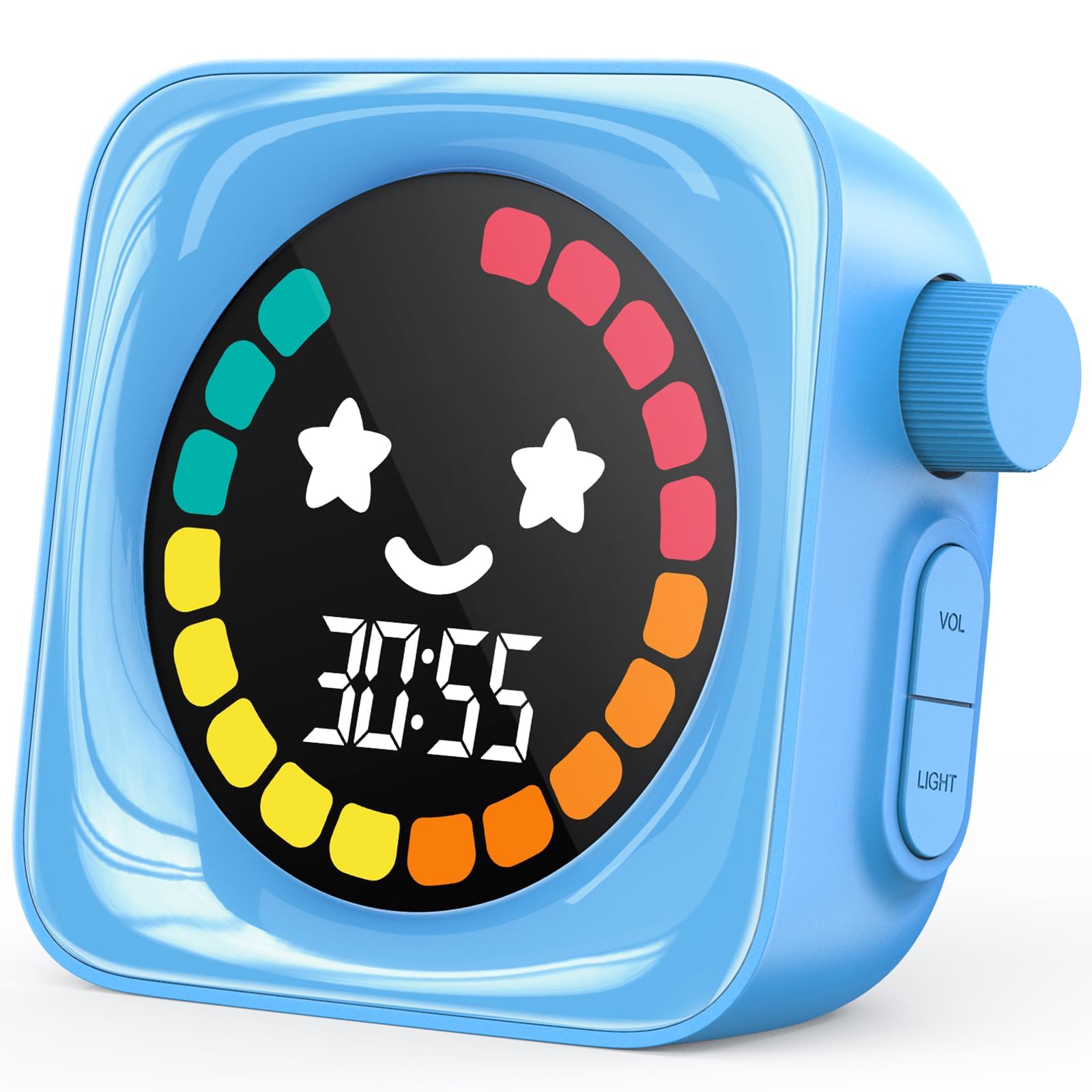
HAUKINIX's smiley-face backlit display with shrinking progress bars turns countdowns into a self-tracked game younger kids follow on their own, and three volume levels cover everything from whisper-quiet reading to a busy group. A 99-minute range and one-thumb controls make it easy even for small hands. That cheerful UI is the natural fit for resource teachers and parents running timed focus routines for kids with ADHD, where friendly visuals hold attention longer than plain digits. QC variance is the honest caveat — an individual unit can drift from accurate time in its first weeks, so the appeal is the engaging design, not a guarantee of years of service.

Bottom line: Best for a young child or ADHD-focused routine where friendly visual cues matter more than long-term guarantees — it's the timer kids reach for on their own.

#5

HOME MOST 3" Kitchen Timer

HOME MOST 3" Kitchen Timer

Budget large display

Customer rating 4.5/5
Check Price

Worth Noting

  • Magnet may not hold on every surface, so it can slide on some boards.
  • No on/off switch, so the always-on display can trigger when bumped.
Display
3" screen, 1.5" digits
Mounting
Magnet, stand, hook
Silent/Flash
—
Time & Power
99 min, AAA
Read the full review

A 3-inch screen with 1.5-inch bold digits and a genuinely loud alarm makes this the budget pick for legibility at a distance. One-thumb operation gets a countdown running in seconds, and the alarm carries through from another room. What it doesn't do is replace whole-class displays or silent test settings — those belong to the 7.8-inch option with its flash mode.

This suits a teacher who needs one loud, legible timer left fixed on a magnet, not a tool carried around. The magnet can be weak on some units and there's no on/off switch, so the display stays active and can trigger when bumped — worth keeping it out of reach during lessons.

Store it where it won't get bumped during lessons — the always-on display triggers when jostled.

Bottom line: A cost-effective choice when you need legibility and volume more than silence or portability — just accept the always-on display.

#6

VOCOO Twist-Dial Timer

VOCOO Twist-Dial Timer

Individual desk

Customer rating 4.4/5
Check Price

Worth Noting

  • Longevity isn't guaranteed
Display
3" LED big numerals
Mounting
Strong magnet
Silent/Flash
Silent mode
Time & Power
99 min, AAA
Read the full review

A satisfying rotary dial sets any count from 1 to 99 minutes in a single thumb-turn, and the coated magnet holds firmly to whiteboards and fridge doors alike. Big, legible numerals pair with loud, soft, and silent modes, covering timed drills, quiet reading, and everything between.

This is the timer for a teacher who wants one intuitive desk unit they can set without looking up, with kitchen duty as a natural second life. Whole-class reach belongs to the 7.8-inch display in this set, and durability is the honest caveat — individual timers vary in how long they hold accurate time.

Bottom line: For a teacher who values one-handed setting and a firm grip, this is the most satisfying single desk timer in the set — whole-class reach belongs to its 7.8-inch sibling.

#7

AOUCE 2-Pack Digital Timer

AOUCE 2-Pack Digital Timer

Budget alternative

Customer rating 4.4/5
Check Price

Worth Noting

  • In quiet test settings, the fixed-volume alarm will be a distraction
Display
2.6" LCD large digits
Mounting
Magnet, stand, hook
Silent/Flash
—
Time & Power
99 min, AAA
Read the full review

Large 2.6-inch digits and straightforward controls let kids set their own countdowns, and the two-pack price outfits small groups without much risk. Classroom appeal is genuine, though reliability varies between units — some arrive unusable out of the box, and the alarm cannot be lowered, ruling out quiet test settings.

Bottom line: Best as a low-stakes backup for small-group stations where a spare timer matters more than long-term reliability — keep one pack in reserve per rotation.

#8

LinkDm 12-Pack Timer

LinkDm 12-Pack Timer

Bulk class sets

Customer rating 4.5/5
Check Price

Worth Noting

  • On a whiteboard, the magnet slides down before the countdown finishes
Display
2.2" LCD
Mounting
Magnet, stand
Silent/Flash
—
Time & Power
99 min, AAA
Read the full review

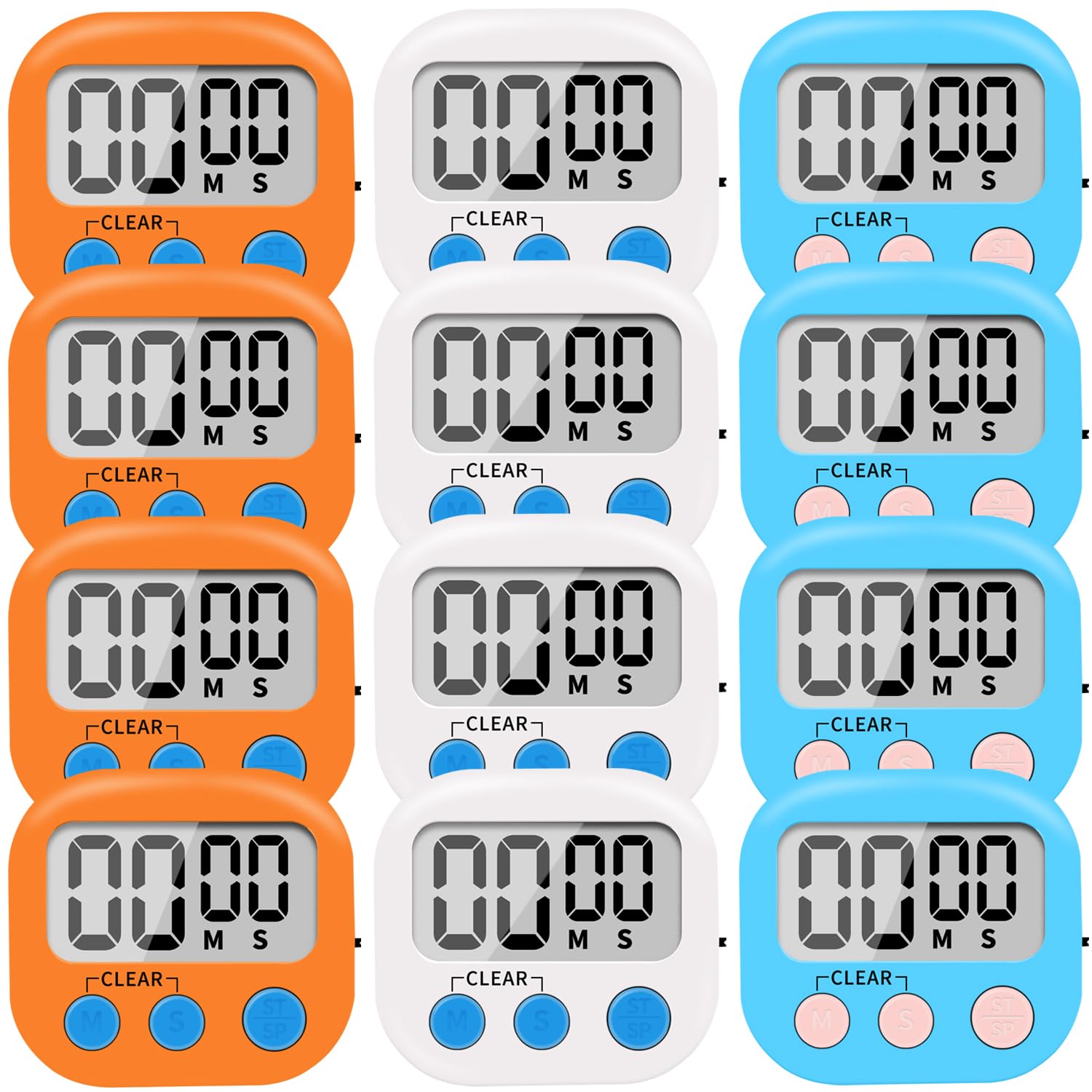
Twelve timers in one pack put a countdown in every student's hands for less than the cost of a single premium display, and the on/off switch plus retractable stand make desk use simple. The magnet slides down a whiteboard before the countdown finishes, though, and the alarm has no volume control — too shrill for a quiet room. This is a desk-based classroom set, not a mount-and-forget display.

Bottom line: Best for classroom sets where each student works at their own desk — keep these off the whiteboard and out of test rooms.

#9

Secura Visual Timer

Secura Visual Timer

Transitions

Customer rating 4.5/5
Check Price

Worth Noting

  • Ringer can be hard to silence, with battery removal needed in some cases
Display
3.07" analog blue disk
Mounting
—
Silent/Flash
Silent countdown
Time & Power
60 min, AAA
Read the full review

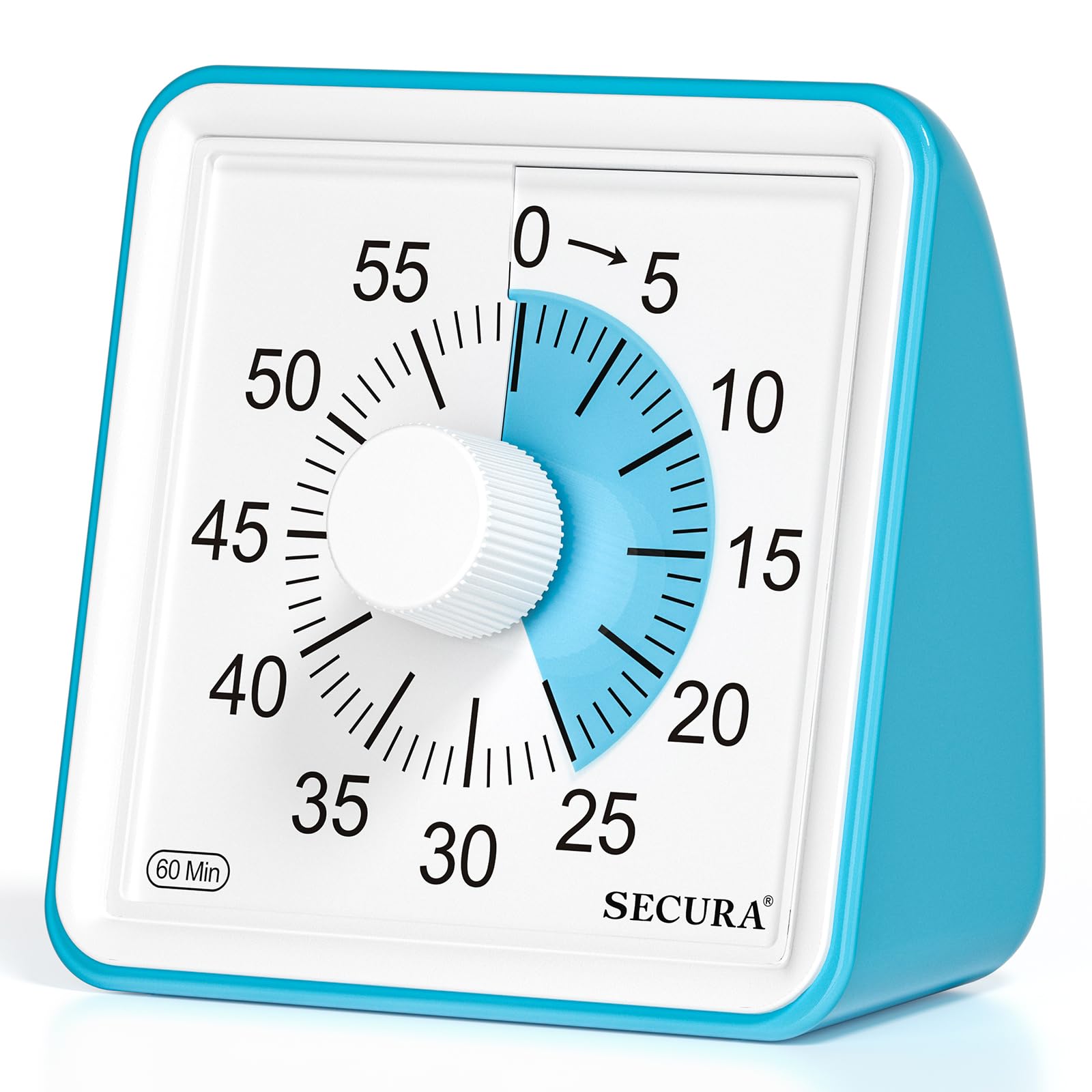
The blue countdown disk gives kids a concrete sense of time passing, and the silent mode suits transition moments without a ringer interrupting. Durability varies between units, and in some cases the beeper won't stop until you remove the batteries, so leaving the ringer off is the safe route. That keeps it a small-group transition timer rather than a whole-class workhorse.

Bottom line: Fits a teacher relying on the countdown visual for transition reminders, with the ringer left off and durability accepted as variable.

#10

LIORQUE Visual Timer

LIORQUE Visual Timer

Quiet classrooms

Customer rating 4.5/5
Check Price

Worth Noting

  • Long-term durability is uncertain
Display
3" analog disk
Mounting
—
Silent/Flash
Silent countdown
Time & Power
60 min, AAA
Read the full review

The LIORQUE is genuinely quiet while counting down, and the adjustable alarm avoids the shrill tone of budget kitchen timers. The smooth knob makes setting effortless for young kids. Durability, however, can vary between units, so this suits classrooms replacing a fragile desk timer rather than demanding daily heavy use.

Bottom line: Best for homeschool and small-group settings where a gentle, quiet countdown matters more than heavy daily use.

#11

Yunbaoit Visual Timer

Yunbaoit Visual Timer

Bedtime routines

Customer rating 4.5/5
Check Price

Worth Noting

  • Timekeeping consistency varies between units; some may not finish a full countdown.
Display
5cm analog color disk
Mounting
—
Silent/Flash
Flash mode
Time & Power
60 min, battery
Read the full review

The night light and flash-silent mode make this a natural fit for dark bedrooms and evening transition routines, with a cheerful 5 cm color disk that counts down without a sound. Durability is the boundary: some units may not endure even light daily handling, so this suits a bedside or reading corner rather than a busy classroom desk.

Bottom line: This fits a bedside or reading-corner timer where silence and a gentle night glow matter more than rugged daily use — keep it there, not on a busy classroom desk.

#12

TIME TIMER 12" Visual

TIME TIMER 12" Visual

Large groups

Customer rating 4.4/5
Check Price

Worth Noting

  • On a whiteboard the back magnet can slip and the flip-out stand may loosen; a shelf mount suits it best.
Display
12" analog red disk
Mounting
Magnetic back
Silent/Flash
Silent countdown
Time & Power
60 min, AA
Read the full review

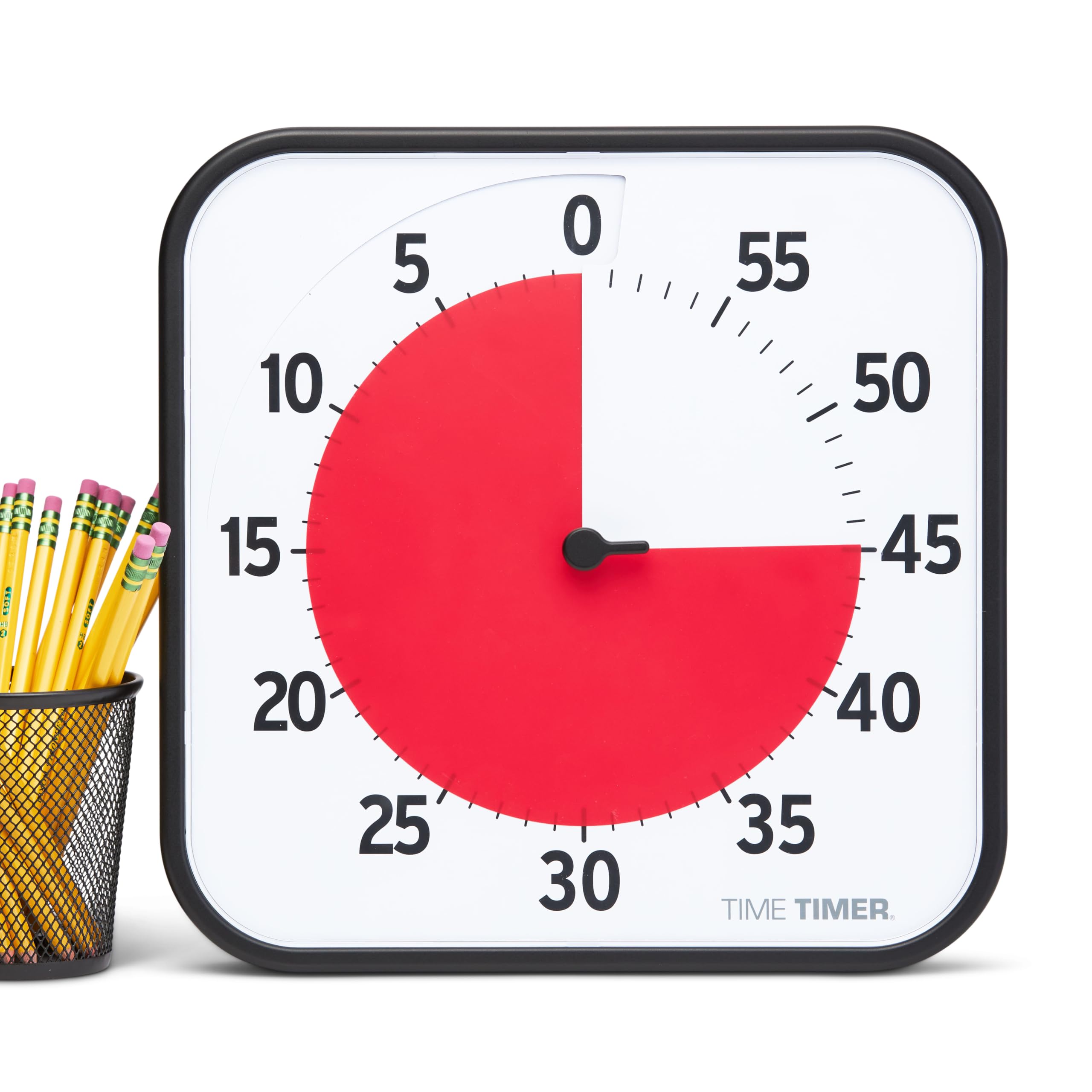
The 12-inch red disk turns any classroom wall into a group countdown, readable from the back row, with a dry-erase card to write the task. The premium price warrants caution: some units stop counting down or shed their stand, so treat this as a whole-class tool rather than a long-term workhorse.

Bottom line: Suits a teacher who wants the iconic 12-inch red disk for whole-class countdowns and will set it on a shelf — the premium buys the look, not assured longevity.

How to Choose

Display Size and Legibility

Digit height matters more than screen size. A 7-inch display with 2.3-inch numerals is readable from the back of a typical classroom; a 3-inch screen with 1.5-inch digits works at a few meters. Look for high-contrast, large numerals rather than overall screen area.

The trade-off is that larger displays often cost more and consume more power. A small timer that you can't read from across the room forces you to move closer, which defeats its purpose in whole-class activities.

Silent and Flash Modes

A silent flash mode lets students see the countdown end without an audible beep that disrupts tests or independent work. This is a critical feature for exam settings, and many budget timers lack it entirely. Some timers offer a visual-only flash or a 'silent countdown' where the display changes but no sound plays.

The hidden trade-off is that silent modes may drain the battery faster if the display flashes brightly, or they may be less noticeable to students who are not looking at the timer. Teachers who rely on audio cues will need a timer with a loud but adjustable beep.

Volume Control and Alarm Shut-Off

A timer that cannot be silenced or has a single fixed volume becomes a classroom management problem. Look for at least three volume levels and a dedicated off switch for the alarm. The most common complaint is a beeper that blares and cannot be stopped without removing the batteries.

The design choice is between an integrated volume dial and a hidden mode button; the dial is easier for young students to change by accident, while the button is more protected but less accessible. Consider who will operate the timer when choosing.

Mounting Options

Strong magnets matter on whiteboards. A weak magnet will slide down under the timer's own weight, especially on vertical surfaces. Look for silicone-coated magnets or a clamping mechanism. Stands and hanging holes offer flexibility, but a flimsy stand is a known failure point.

The trade-off is that a heavy timer with strong magnets may need a reinforced block, while a light timer is easier to mount but may lack the presence to be seen from across the room. Some timers with stands are prone to tipping if bumped.

Max Time Range and Power Source

The 99-minute range covers most class periods, but some timers cap at 60 minutes, which is fine for individual activities but limiting for long blocks. Rechargeable batteries (USB-C) are more sustainable and avoid the cost of replacing AAs, but they can lose capacity over time. Some timers have battery-save modes that dim the display, which reduces visibility.

The trade-off is between a fixed 60-minute disk (common on analog-style timers) and a digital 99-minute count. The analog disk is easier to grasp conceptually but cannot time anything over an hour. Power-hungry large displays may need daily charging, while simple LCD timers run for months on a single set of AAs.

Frequently Asked Questions