Student Tech Product Guide

8 Best 3D Printer for Schools in 2026: Which Survive the Classroom

How to pick a school 3D printer that survives daily use: clog-free nozzles, reliable leveling, and honest maintenance for STEM budgets.

8 Best 3D Printer for Schools in 2026: Which Survive the Classroom editorial illustration

Vendors push extreme print speeds and AI model libraries, but a school printer earns its place through what happens after the first week: reliable bed adhesion, nozzles that don't clog mid-lesson, and leveling that stays true through a hundred prints. Advertised specs rarely predict whether a machine will survive a semester of daily student use.

The category's real dividing line sits between fully-assembled, app-driven models built for zero-setup classrooms and budget workhorses with long, documented track records. One delivers convenience out of the box; the other delivers proven reliability. Both have a place, and this guide matches each to the right teaching environment — from elementary makerspaces to upper-grade STEM labs.

Multicolor and AI-monitoring options tempt with flashy demos, but they add cost and generate disproportionate service calls — clogging and spaghetti-detection errors. A dependable single-color printer teaches the same design and CAD skills for a fraction of the upkeep.

#1

ELEGOO Neptune 3 Pro

ELEGOO Neptune 3 Pro

Classroom budget starter

Customer rating 4.3/5
Check Price

Worth Noting

  • In a busy lab, auto-leveling can drift and need a manual re-zero between class periods.
  • After months of daily student use, individual units can develop extrusion or motion issues needing service.
Assembly
30-min assembly
WiFi & App
No WiFi
Print Speed
—
Build Volume
225 x 225 x 280mm
Read the full review

Out of the box, the Neptune 3 Pro turns out clean, evenly extruded prints that hold up across repeated classroom sessions — exactly the consistency a first-time teacher wants before trusting a fleet of students with a machine. Setup genuinely lands around the half-hour mark, and first prints come out clean enough for a live demo the same day the box arrives. A 36-point auto-leveling system and dual-gear direct drive handle the bed calibration that strains entry-level printers, so the first successful layer arrives without endless bed-wrestling. Dual lead screws keep the gantry true, and the titanium throat nozzle resists clogging under steady use. Beginners pick the workflow up fast, which is the difference between a machine that gets used and one that gathers dust.

A filament runout sensor and power-loss recovery stand out in a shared lab — a student tugging the filament mid-print or a brief power blip won't trash a multi-hour job. Dual lead screws hold the gantry steady across long runs, and the silent stepper drivers keep a bank of machines from bleeding noise into an adjacent lesson. Quiet and consistent is the temperament a shared lab actually needs.

This is the natural first printer for a budget-strapped middle or high school STEM program, and the 30-minute assembly is the one true hurdle — teachers who need a machine printing straight from the crate should look at the fully assembled options in this set. That half hour of setup repays itself with a machine students can use to learn calibration, slicing, and basic print troubleshooting without a steep learning curve. The durability boundary is real: programs running heavy daily fleets should budget for periodic maintenance and a spare hotend or nozzle, and very young kids benefit more from a fully preconfigured unit.

Open-source slicer compatibility and a wide community of owners keep replacement parts, pre-tuned profiles, and how-to guides within easy reach — an advantage when a school can't wait on a vendor's support line. The budget price leaves room in the cart for filament, spare nozzles, and replacement plates. For a first classroom fleet, that combination of approachable learning curve and low operating cost is what a semester of daily student use actually demands.

Bottom line: For a STEM program that wants dependable prints and a gentle learning curve without emptying the budget, this is the machine to build a first classroom fleet on.
#2

Entina Tina2 Plus

Entina Tina2 Plus

Classroom STEM

Customer rating 4.3/5
Check Price

Worth Noting

  • Compact build volume keeps prints small
  • Long-term consistency can vary between units, with early print errors noted on some.
Assembly
Fully assembled
WiFi & App
WiFi + app
Print Speed
250mm/s, PEI plate
Build Volume
Compact
Read the full review

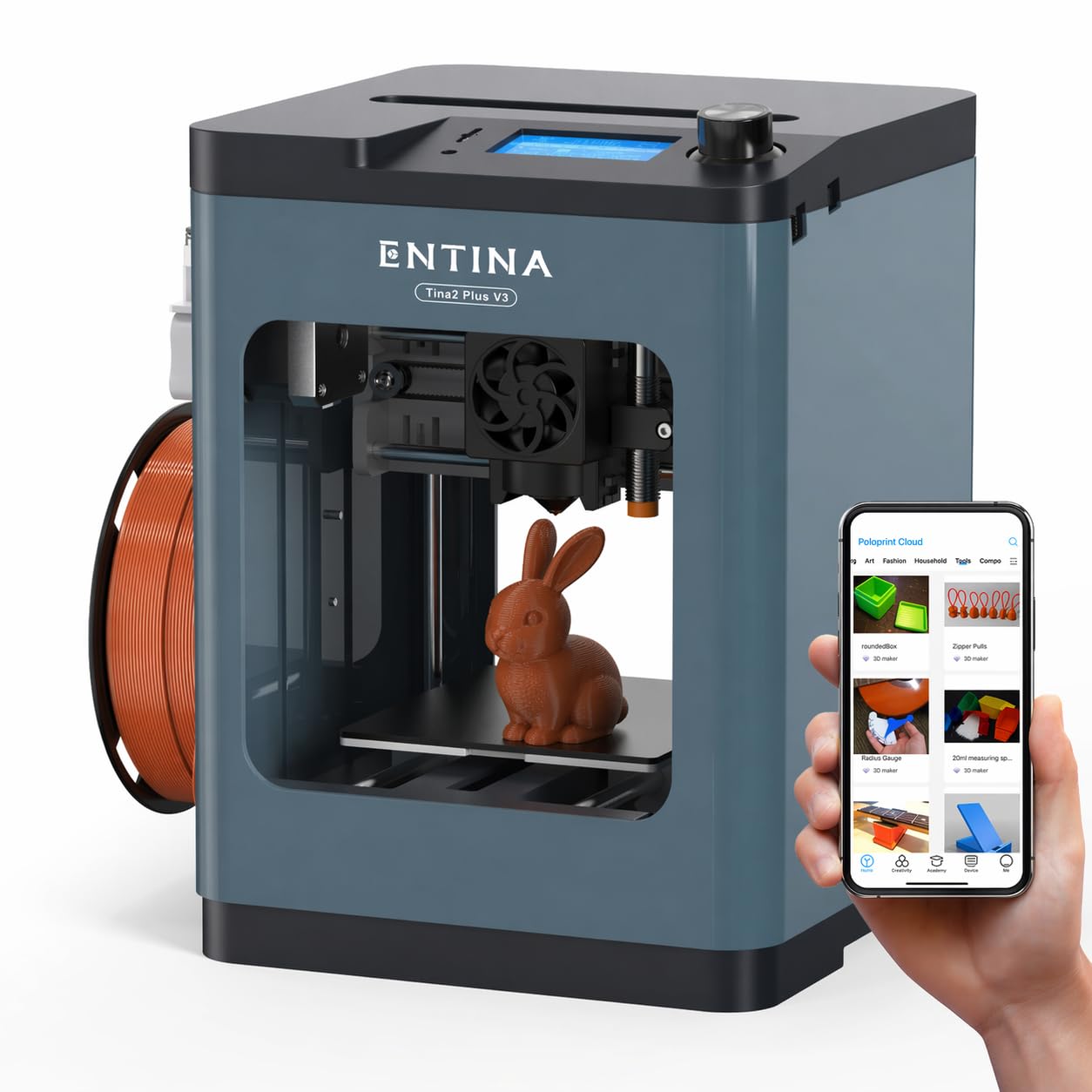
The Tina2 Plus ships fully assembled, so a teacher opens the box and prints — no build time eats into a 45-minute lesson. Its 40-second ceramic hotend and PEI build plate get the first layer down fast, and the Poloprint app with 1,500+ STEM models lets a class start printing from a tablet instead of a slicer. The quick-swap nozzle keeps a fresh project moving the moment the bell rings, the most turn-key path in this set to a finished print inside one period.

Setup is guided by clear video tutorials, and the printer prints well out of the box for a starter model. Its low-noise operation stays unobtrusive even when several units run in one classroom.

This is the set's choice for a teacher who wants students printing in the first lesson, with zero assembly and an app-driven model library instead of slicer setup. Long-term consistency evidence is pooled across the Tina2 family, so unit-to-unit variance is a real factor to budget around — a spare unit or vendor support covers that. Multi-device WiFi fleet management and larger-format work sit outside its reach; those classrooms should look at other options in this set.

Keep a spare quick-swap nozzle on hand — a clog becomes a two-minute fix instead of a lost period.

Bottom line: For a teacher who cannot spare a class period for assembly, this is the set's most turn-key path to a finished print inside a single lesson.

#3

Flashforge AD5M

Flashforge AD5M

Speed, low maintenance

Customer rating 4.2/5
Check Price

Worth Noting

  • Live WiFi sessions can drop mid-print and Cura needs manual g-code edits
  • Filament clogging can interrupt a print, sometimes right after the first layer, requiring a nozzle check mid-class.
Assembly
—
WiFi & App
WiFi, multi-printer
Print Speed
600mm/s
Build Volume
—
Read the full review

Tool-free quick-swap nozzles and one-click auto calibration push the AD5M to 600mm/s on an all-metal CoreXY frame, making it the fastest and easiest to service in the set. Nozzle changes between 0.25mm and 0.8mm take seconds with no tools, and leveling is a single button press instead of a manual ritual — where the top pick leans on documented dependability, this machine leans on throughput.

Beginner-friendliness holds up in practice, with no tuning marathon required for clean first-layer adhesion and print quality staying consistent across typical classroom projects. Setup finishes fast enough that a freshly unboxed machine can run a lesson's print the same morning, while auto calibration handles the adjustments students would otherwise fiddle with — keeping maintenance from eating into class time.

Built for fast-paced classrooms that prioritize speed and tool-free maintenance over documented long-term dependability, it fits beginners who want minimal tinkering rather than a maintenance project. It runs best on the bundled slicer with batch file transfer, so schools that depend on live WiFi sessions or third-party slicers will feel the friction there — those classes should pair it with the top pick's steadier workflow. A single shared machine passed between student groups pairs naturally with the batch-file approach.

Bottom line: For classrooms that bank on speed and low maintenance rather than documented long-term dependability, the AD5M delivers fast, clean prints — as long as the class sticks to the bundled slicer and batch transfers instead of live WiFi.

#4

Anycubic Kobra X

Anycubic Kobra X

Multicolor projects

Customer rating 4.3/5
Check Price

Worth Noting

  • On a dry classroom shelf, first-layer adhesion can be uncertain on the stock plate; a textured flex plate shifts the balance.
  • A partial nozzle clog can interrupt a mid-run print, and clearing it costs a few minutes of class time.
Assembly
Tool-free setup
WiFi & App
—
Print Speed
Sub-30-min prints
Build Volume
—
Read the full review

Native four-color printing with roughly 80 percent less purge waste lets Anycubic Kobra X finish multicolor class projects in a single pass, and the 49-point LeviQ auto-leveling plus AI spaghetti detection limit the babysitting most multicolor setups demand. That lands far below the flagship 16-color machines on price while keeping the core appeal: one machine, multi-tone parts, no mid-print filament swaps.

For advanced and upper-grade STEM classes and tech-forward programs, the native multicolor workflow opens project types a single-color printer can't — color-coded assemblies, layered anatomical models, printed circuits with distinct traces — all in one run. The honest tradeoff is that multicolor adds setup steps a very young or budget-focused class won't want, and reliability can vary between units, so a teacher who can absorb an occasional snag gets the most from it.

Output quality holds up across a range of projects, with sub-30-minute prints that fit inside a single lesson period, and the tool-free swap system plus quick leveling keep staff prep between groups short. For a program already running single-color printers, this is the mid-range step up that brings color without the price jump of a flagship.

Start with a short purge print on a fresh profile — a settling pass heads off a wasted period on a graded model.

Bottom line: For advanced STEM classes that want multi-tone projects without a flagship pricetag, this is the color step-up — right for a tech-forward program that can absorb an occasional profile check and nozzle clear.

#5

Geeetech M1

Geeetech M1

Budget classrooms

Customer rating 4.2/5
Check Price

Worth Noting

  • Compact build volume keeps projects to tokens and test pieces; larger models don't fit.
  • A unit can arrive needing attention before its first print.
Assembly
Easy setup
WiFi & App
No WiFi
Print Speed
Heated flex plate
Build Volume
Mini
Read the full review

At about half the price of the top pick, this mini printer turns out clean, detailed prints and gives a classroom a first machine that doesn't strain the budget. The dual-drive metal direct extruder with a 1:5 gear ratio and 16-point full-auto leveling take care of the setup steps that trip up beginners, and the heated flexible magnetic plate lifts finished parts off without scraping — touches you rarely see at entry-level pricing.

This one suits youth programs and budget-strapped classrooms that print from a prepared microSD card rather than a central queue. Everything runs offline through the 2.4-inch LCD and knob controls, so a teacher controls exactly which files reach the printer — no network setup, no app accounts, no firmware tinkering. The offline workflow is the boundary: students who expect wireless printing from a phone will want an app-driven model instead.

A machine a student can run with light supervision — one-button filament loading and auto-leveling keep the run-up short, and first prints arrive about fifteen minutes after unboxing. The 12-month repair warranty and lifetime tech support back the budget price with a real safety net, which matters for a program that cannot spare a printer mid-semester.

Keep several prepared models on the microSD card so a class can swap projects between classes without file transfers.

Bottom line: For youth programs and budget classrooms that print from prepared cards, this is the entry point to own — clean prints and a real warranty at a price that stretches a thin equipment budget.

#6

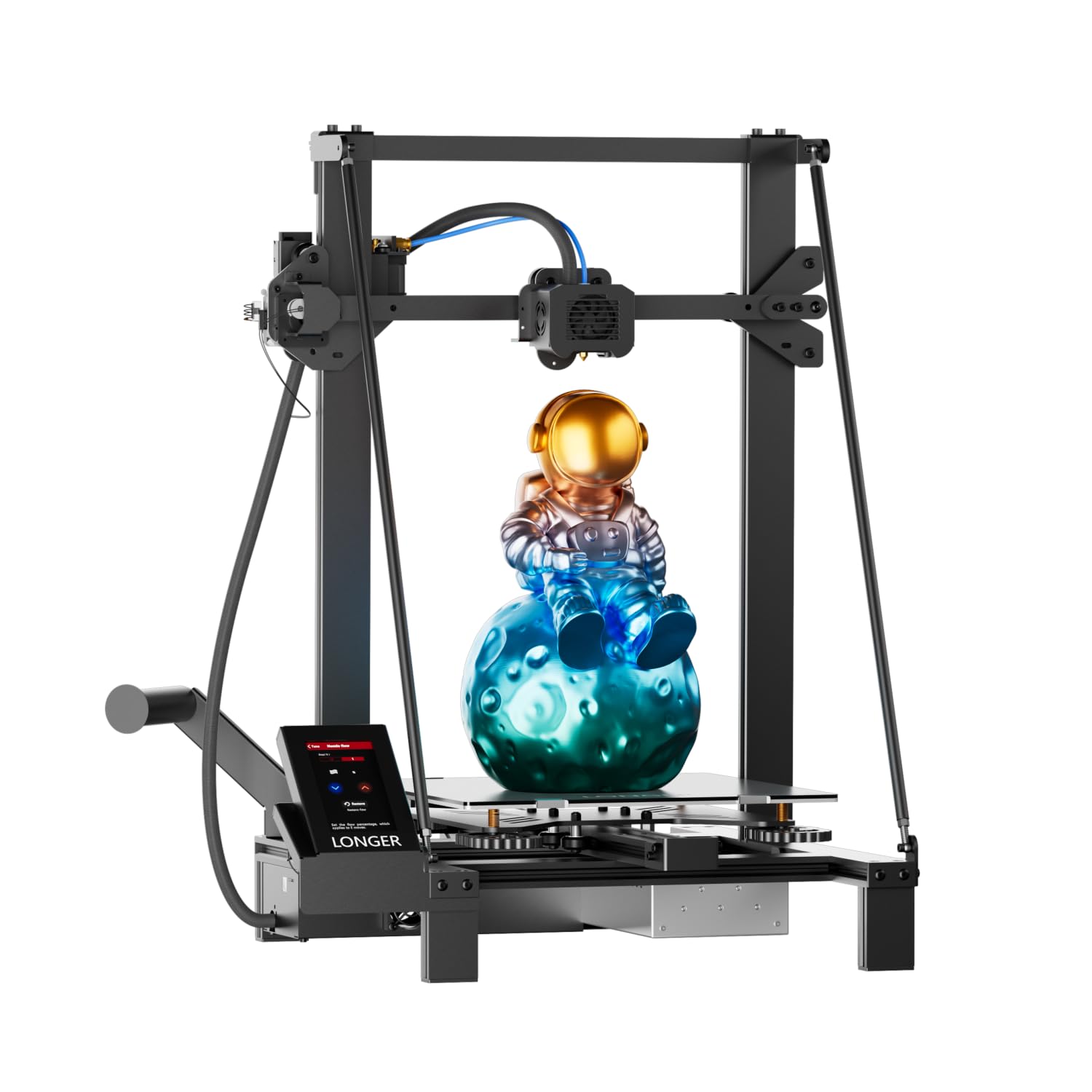
LONGER LK5 Pro

LONGER LK5 Pro
Customer rating 4.4/5
Check Price

Worth Noting

  • The 300mm frame needs a dedicated bench, crowding smaller shared classroom tables.
  • In a period-scheduled class, a bed this size warms slowly and draws more power, eating minutes before the first layer.
Read the full review

Its calling card is size and silence: a 300×300×400mm build volume for large engineering pieces, driven by TMC2209 ultra-silent drivers that keep an active workshop quiet enough to think. The open-source board, 95% pre-assembly, filament-runout detection, and resume printing round out a capable mid-range spec sheet. The gap is verification — those claims sit on specifications rather than field reports, a real difference against the better-documented printer in this set. For a high-school program able to validate performance on its own terms, the large format and quiet operation are easy to defend.

Bottom line: Best for an advanced high-school engineering lab that can qualify a printer on its own terms — the build volume and quiet operation carry their weight, less so for programs wanting verified performance before they buy.

#7

Creality K2 Combo

Creality K2 Combo

Tech-supported labs

Customer rating 4.0/5
Check Price

Worth Noting

  • The integrated camera shows durability wear under daily classroom use, affecting remote monitoring.
  • On heavy daily schedules, some units develop recurring errors after months of use.
Assembly
95% pre-assembled
WiFi & App
—
Print Speed
600mm/s
Build Volume
260 x 260 x 260mm
Read the full review

The K2 Combo pairs a 16-color CFS system with 600mm/s speed, and finished pieces come out clean when the machine is running — print quality and quiet operation both hold up in shared lab settings. The premium price sits alongside durability concerns on parts like the camera, and day-to-day consistency can vary between units, with some machines developing recurring errors after months of use. That makes it a fit for a well-funded, tech-supported lab rather than a budget classroom; compared with the cost-effective native four-color option here, the K2 adds more colors and speed but asks more of the maintenance budget and staff time.

A brim or glue stick on thin first layers keeps smaller prints from lifting off the plate.

Bottom line: Best for well-funded STEM labs with on-site technical support that need multicolor output and fast turnarounds — provided budgets and staffing can absorb periodic downtime for servicing.

#8

Entina Tina2C

Entina Tina2C

Young kids

Customer rating 4.3/5
Check Price

Worth Noting

  • Slower print speed and a basic hotend limit project size and classroom turnaround.
  • Long-term reliability can vary between units, with early print issues noted for some owners.
Assembly
Fully assembled
WiFi & App
WiFi + app
Print Speed
Flex magnetic plate
Build Volume
Compact
Read the full review

This is the turn-key starter: fully assembled out of the box, a kid-focused app that walks first-timers through setup, and a 3,000+ model library that keeps young students engaged for weeks with low noise. Intelligent auto-leveling, a self-cleaning nozzle, and a flexible magnetic build plate keep maintenance minimal for a first STEM classroom.

The step below the Tina2 Plus shows in slower print speeds and a basic hotend without the ceramic or PEI upgrades — adequate for small beginner projects, tight for longer builds. Long-term reliability can vary across individual units, with some owners noting early print issues, so treat it as a watch item before any fleet commitment.

Bottom line: Best as a single first-time classroom printer for young kids who need zero setup and a guided app; treat long-term reliability as a watch item until an individual unit proves itself before any fleet commitment.

How to Choose

Build Volume

A compact 160mm-cube printer handles keys, tokens, and small parts, while a 300mm-cube machine takes on posters and enclosures. Larger volume increases print time — a full plate can run overnight, tying up the machine and draining filament. Match the volume to the projects students actually design.

Assembly Approach

Fully assembled models print within minutes of opening the box, ideal for a teacher with one prep period. The hidden cost: a factory-tuned machine gives no insight into alignment, so troubleshooting starts from zero when a print goes wrong. A 30-minute build teaches belt tension and gantry leveling — knowledge that makes future maintenance faster.

Auto Bed Leveling

Sensor-based leveling maps the bed at 16 to 49 points and interpolates between them, so a localized dip can still break first-layer adhesion. The Z-offset set at startup also drifts as the machine wears. Count on occasional manual Z-tweaks on any classroom printer regardless of the marketing.

App & WiFi Control

App control with a library of models removes the slicer learning curve — students select and print. The trade-off: a printer depending on school WiFi drops mid-session on a congested network, and fleet management rarely scales as marketed. Keep the SD card slot as a fallback so no single class hinges on network stability.

Nozzle & Maintenance

Tool-free quick-swap nozzles clear a clog between classes in seconds. Fixed-nozzle models require heating the hotend, unscrewing a hot nozzle, and clearing filament by hand — slow and awkward in a busy room. The nozzle system decides whether maintenance takes minutes or a full period.

Speed & Build Plate

A 600mm/s machine can finish a lesson print within a period, while a standard entry printer needs overnight. High speed demands faster cooling and stiffer kinematics, which is why fast printers pair with PEI or heated plates to resist warping. Speed only matters if the plate holds the first layer.

Frequently Asked Questions